A copy of your Reel now points back to the original
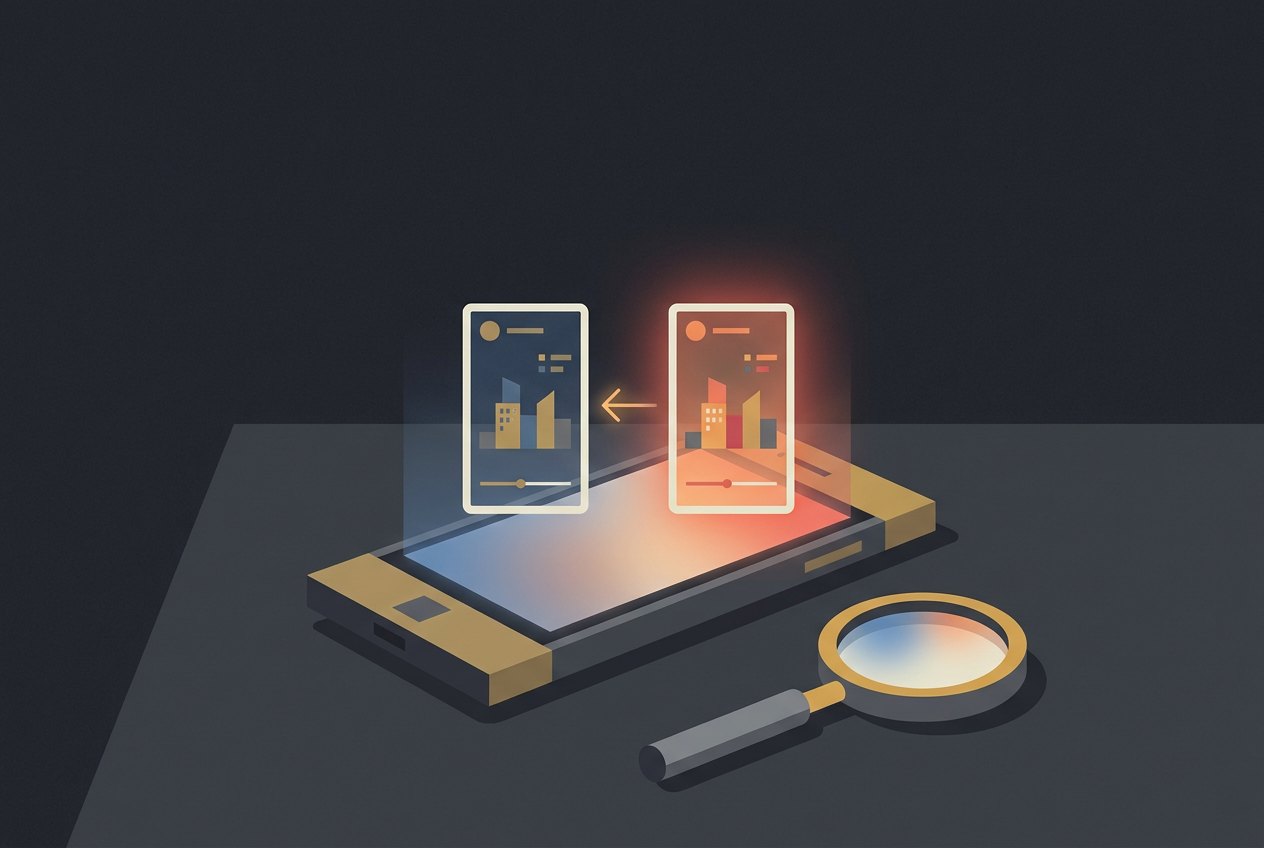
On 17 November 2026 Instagram opened a tool for creators called Content Protection. It automatically finds reuploads of your Reels on Instagram and Facebook and gives you 4 options: track the copy, hide it on both platforms, put an "original by" label on it that links to you, or release the claim. A copy that used to quietly eat your reach can now work for you. Below I break down what changed compared with the 2025 version, where the tool sits in the menu, which action to pick in which case, and what this means for pages that live on other people's videos.
What Instagram switched on 17 November 2026
The announcement went up on Instagram's creator blog on 17 November 2026. The gist: once you're enrolled, every new original video on your profile is protected automatically, and you don't need to flag anything separately. Eligible older videos can be added by hand.
Technically it's the same matching mechanism that runs in Meta Rights Manager. Rights Manager is Meta's system for rights holders: studios, labels, and media companies upload their videos as a reference, and the system searches for matches across the whole ecosystem. Now a similar machine is available to an ordinary Reels creator, with no contract and no lawyers.
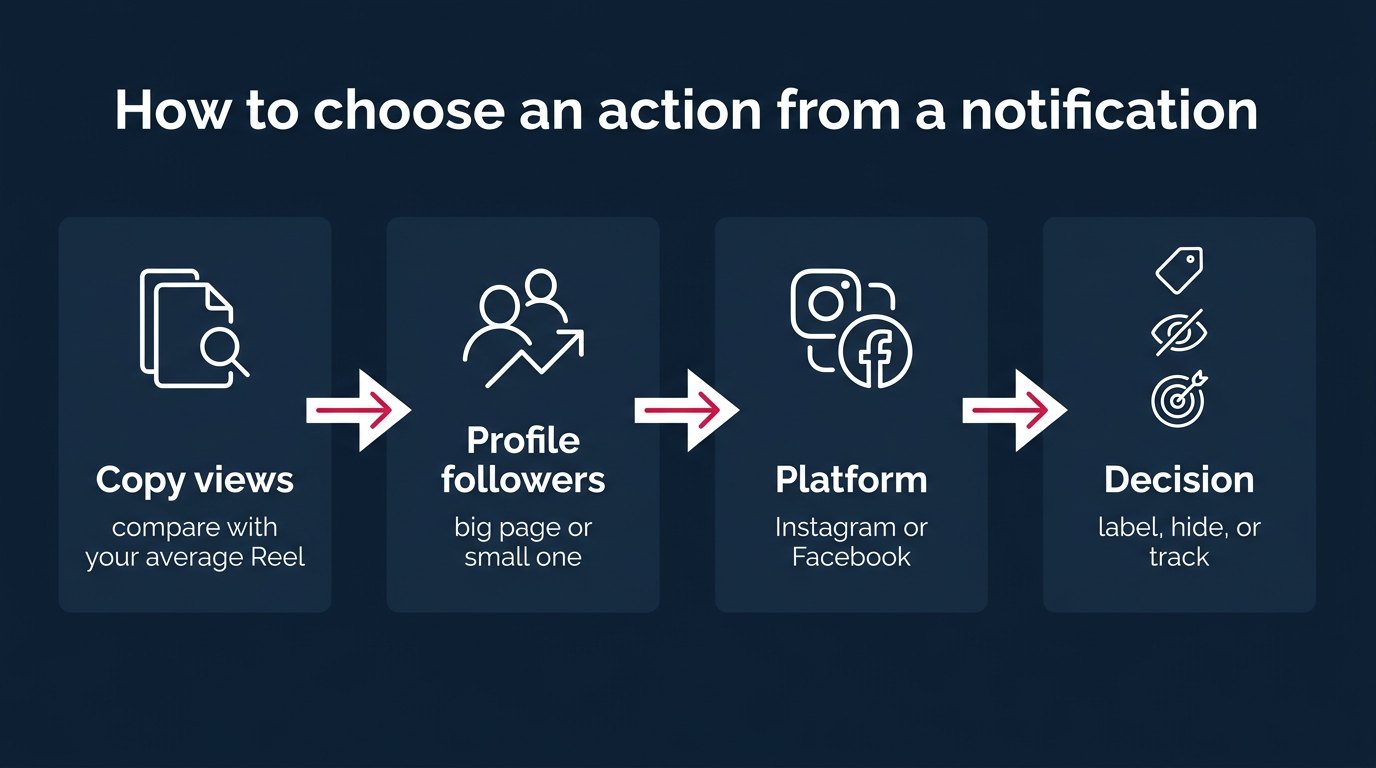
When a match turns up, you get a notification. It carries 2 numbers: how many views the copy has and how many followers the profile that posted it has. Those 2 numbers end up deciding almost everything, and I'll come back to them in the breakdown.
How content protection worked on Facebook from November 2025 and what Instagram creators were missing
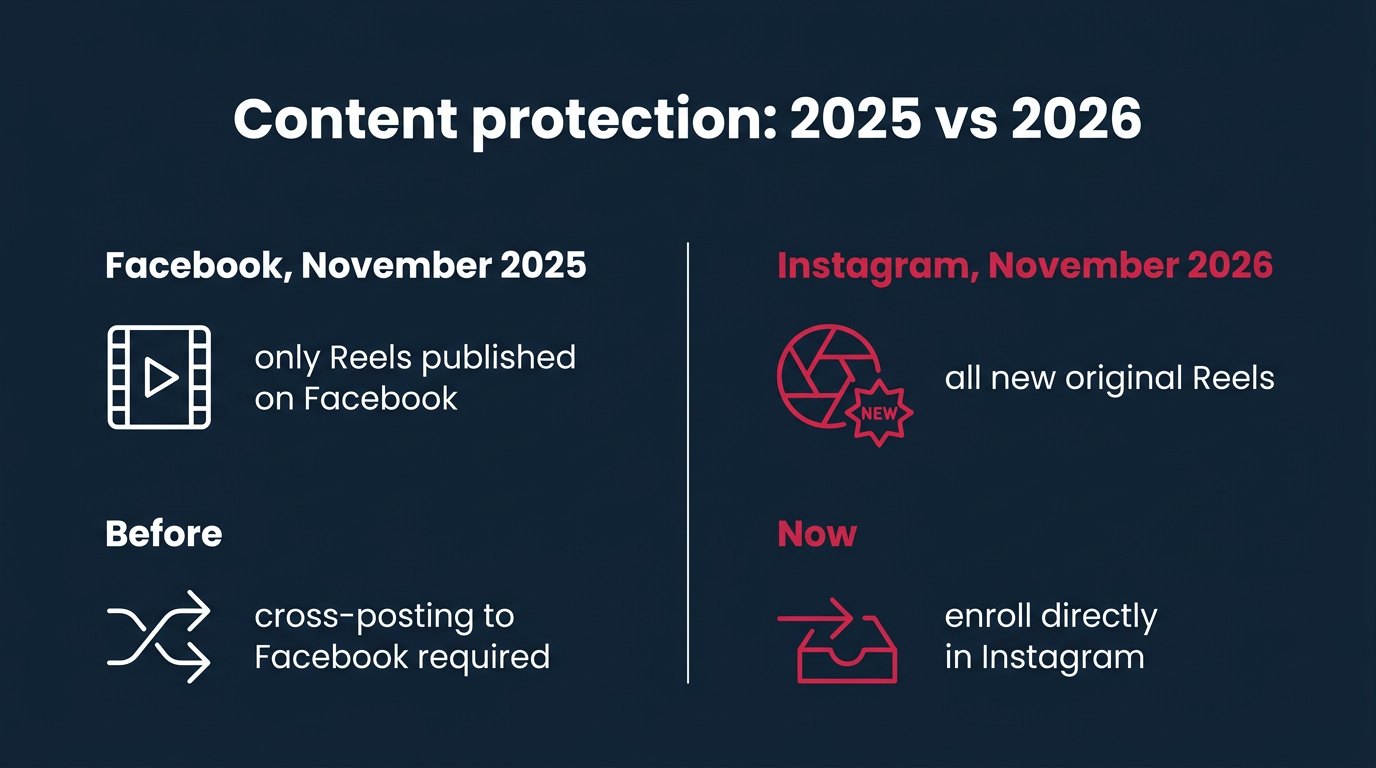
The tool itself isn't new. In November 2025 Meta launched content protection on Facebook. That version searched for matches in both apps, Facebook and Instagram, but it only protected Reels published on Facebook. That included Instagram Reels if the creator had cross-posting switched on through "Share to Facebook", the feature that automatically publishes Reels to Facebook at the same time.
The result was an odd setup. A creator who makes content only for Instagram and hasn't opened Facebook in years couldn't enroll. Their video could spread as copies across 10 other people's pages, and there was nothing to protect it with. Want protection? Publish in the neighboring app you don't need.
As of 17 November 2026, Instagram is its own entry point. You no longer have to publish on Facebook to get it.
Who gets Content Protection and how to apply
According to Instagram, access mostly depends on whether the account meets its standards for originality and authenticity. The announcement contains no list of countries. There's no follower threshold either: on paper, a creator with 3,000 followers and a creator with 3 million stand in the same line, as long as both publish their own work.
What "originality standards" means in practice, the platform has spelled out for a long time in one sentence: post original content to get better reach and distribution. An account where half the feed is other people's videos with music laid over them is unlikely to qualify, and that makes sense. The tool protects originals, not reuploads.
Eligible creators get a notification in their activity feed, the section with the heart icon where likes, comments, and system messages collect. If you didn't get the notification, you can apply for access yourself.
Where to find content protection in the Instagram menu: steps
The path is short, but it's tucked away in the professional dashboard, which many creators don't open for months at a time.
- Open your profile and go to "Your professional tools" (the professional dashboard, available on creator and business accounts).
- On the "Home" tab, find the "Tools" section.
- Select "Content Protection". If the tool is available to you, turn protection on.
- Once it's on, new original Reels are protected automatically. Add older videos by hand, starting with the ones that already pulled views: those get copied most often.
- Right away, open the allowlist and add your secondary accounts, collaborators, and the brands you work with. More on this below.
- If there's no "Content Protection" item, look in the same section for the access request form and submit it.
Don't put off step 5. Skip it and a week later you'll get a notification that your own second account is stealing your videos.
4 actions when a copy of your Reel is found
When the system finds a match, the creator chooses what to do with it. The default is "Track", and that's worth keeping in mind: if you don't press anything, the copy stays up and keeps collecting views.
| Action | What happens to the copy | Where it applies | When to choose it |
|---|---|---|---|
| Track | Visible to everyone, you watch its numbers | Instagram and Facebook | While you decide what to do |
| Hide from everyone | Blocked from viewing | Instagram and Facebook at once | The copy hurts you or gives you nothing |
| Add attribution link | An "original by" label points to your video or profile | Copies on Instagram only | The copy is outperforming you |
| Release match | Stays up, the match leaves your list | Both platforms | The use is permitted |
You can switch away from "Track" at any time. So you can start by watching, see how fast the copy picks up, and decide later. That's useful: the first few hours of a video on a big page tell you little, and after a day the picture is clearer.
Notice the asymmetry. Hiding hits both platforms at once. The label only works on Instagram. If the copy is on Facebook, there's no "add a link" option: you either watch or hide.
When the "original by" label beats hiding: the numbers
This is the central question of the whole tool, and English-language coverage barely touches it. Hiding a copy feels good. Justice and all that. But justice doesn't bring you followers, and a label can.
The logic is simple. A copy on a big page already has what you don't: distribution. The algorithm has shown it to hundreds of thousands of people. If you hide it, those impressions just stop. If you add the label, every future viewer of the copy sees whose video it is and can come over to you.
Let me walk through a hypothetical. Your account: 15,000 followers, an average Reel gets 8,000 views. A notification comes in: a copy of your video is on a page with 900,000 followers, and the copy has 300,000 views.
- The copy has already collected 37 times more views than your average video (300,000 / 8,000).
- If even 1 viewer in 1,000 clicks through on the label, that's 300 people on your profile from the views it already has.
- If the video keeps growing to 1 million, at the same rate that's 1,000 click-throughs.
- At 1 click-through per 200, the same 300,000 views give you 1,500 click-throughs, which is 10% of your current audience.
These rates are hypothetical: Instagram hasn't said how many people actually tap the label. But the scale is clear. Even with a very modest click-through rate, a copy with 300,000 views is worth more to a 15,000 follower account than one of its own videos.
Now the opposite case. The copy is on a profile with 4,000 followers and has 1,200 views. That's below your average video. There will be almost no click-throughs, and the profile is most likely collecting other people's content to sell the account or to run ads on later. Here I'd hide it without a second thought: there's zero upside, and no reason to leave someone holding your video.
If I boil down what I'd do into rules:
- The copy outperforms your average Reel and sits on Instagram: "original by" label.
- A small copy on a small profile: hide.
- A copy on a direct competitor selling the same thing, or on a scam profile posing as someone else: hide, even if it's big. The label would send people to you in that case, but it would also leave your competitor with product in the window.
- A copy on Facebook: there's no label there, so I choose between "Track" and "Hide" on the same principle.
Why not hide everything? Because the tool hands you advertising someone else already paid for. A page with 900,000 followers spent its own resources getting that video seen. Hiding its copy means turning down ready traffic on principle. I understand the principle. But I can also do math.
The allowlist: secondary accounts, collaborators, and brands
The allowlist is a list of profiles you've permitted to use your videos. The system doesn't flag their posts as matches. You can edit the list at any time.
Who to add on day one:
- Your secondary accounts: a backup profile, an account in another language, a profile for a project or shop.
- Collaborators you put out joint videos with.
- Brands you've licensed a video to under contract: they often post it themselves or run ads with it.
- Agencies and placement partners that post your videos on other profiles by agreement.
There's a catch with brands. If you shot a sponsored integration and the brand posted it on its own account, the system will see a match. Without an allowlist entry you'll get a notification, and if you hit "Hide from everyone" in a hurry, the brand's video disappears on Instagram and Facebook. That's an awkward conversation with a client, and it's easier never to start it.
The order I recommend: allowlist first, then publish the joint video. Not the other way round.
If someone else protected your video before you did
This is the nastiest scenario. A copycat profile managed to post your video, it has the tool switched on, and you don't. On paper, its version is the first one in the system.
For this the tool has an ownership dispute, which you open right inside Content Protection. Another route is a report through Instagram's Intellectual Property Help Center, a separate section of the help pages where copyright claims are filed.
What speeds up a dispute? Proof that the original is yours: the source file from your camera or phone, the project in your editing software, higher quality source footage, drafts, messages with a collaborator. A copycat almost never has the source file, only the downloaded video.
That gives you the main practical takeaway of this whole article: check your access and turn on protection now, before someone else protects your video. You can win a dispute, but it takes time. Protection switched on in advance means the dispute never happens.
What content protection can't see and what doesn't work yet
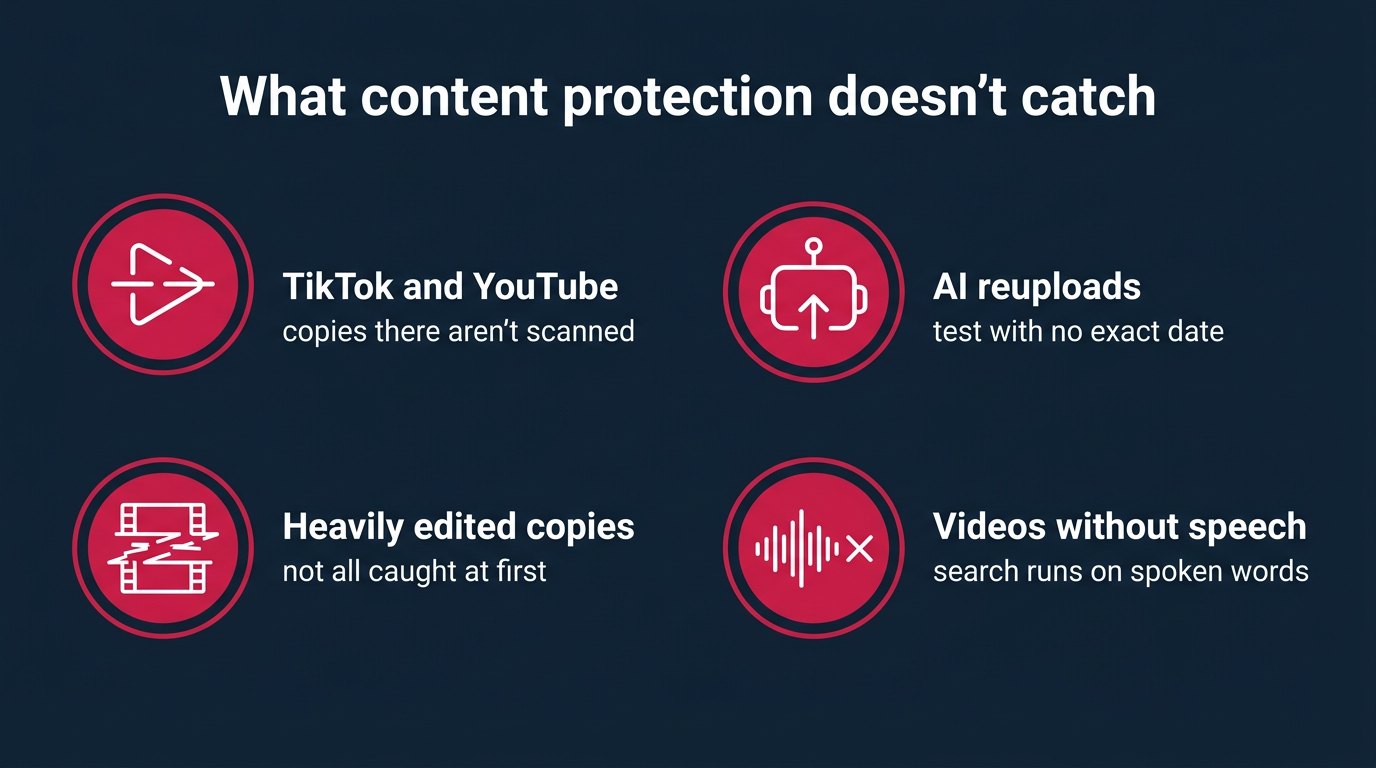
The tool only searches inside Meta: Instagram and Facebook. It doesn't see copies on TikTok or YouTube at all. If your video was reuploaded to TikTok, you'll have to deal with it through TikTok's own reporting, and Content Protection is no help there.
Adam Mosseri, head of Instagram, openly acknowledged that the technology won't catch everything at first. That's honest and useful to know: no notifications doesn't mean no copies. A reupload with cropped edges, mirroring, or an added frame may slip through, at least in the early period.
AI copies aren't caught yet either. Instagram promises the tool will start showing videos that match the spoken words of the original, even if AI has reworked the visuals. The test starts with a small group of creators in the weeks after the announcement, then expands to everyone enrolled in protection on Instagram and Facebook. There's no exact date.
The description of the mechanism implies one thing the platform doesn't say. The search runs on spoken words. So videos with no speech, just music and visuals, won't be protected this way. If you make visual content without voice, don't count much on the AI part.
Who this affects: pages built on other people's videos and AI reuploads
It affects almost everyone who posts Reels, but in different ways.
For creators of original video, the tool is leverage they didn't have: a copy is no longer theft into the void but a possible source of followers or, if needed, a video you can pull from two platforms with one button.
For aggregator pages that grow on other people's videos, the model breaks. An "original by" label right on their post sends viewers to the creator. Hiding wipes the video out. And the pressure on them has been building for months: in April Instagram stopped recommending aggregators that mostly repost other people's photos and carousels, extending rules that already applied to Reels. Reach for repost accounts in recommendations dropped after that.
Those who run other people's videos through AI, swapping the face, background, or style and passing it off as their own, have it easier for now: AI copy detection is only in testing. But Instagram separately said it's looking at ways to limit the reach of accounts and content that regularly repost other people's work using AI. No date, it's an intention. But the direction is clear.
The scale Meta is fighting is clear too. In March Meta began testing impersonator detection in the Facebook tool, catching profiles that pose as well-known creators, and said it removed more than 20 million such accounts in 2025. 20 million. That's not a handful of video thieves, that's an industry.
Who it barely affects: people who post only photos and carousels. The tool works with Reels.
Clips, reactions, and remixes: how not to end up on the receiving end of a claim
If you make clips from other people's podcasts, reactions to other people's videos, or remixes yourself, you're now on the other side of the fence. The system matches your video to the original, and the original's creator gets a notification with your profile's numbers.
What happens next is up to them. They add the label, and your viewers go to them. They hide it, and your video disappears on Instagram and Facebook. They add you to their allowlist, and everything's fine.
How to keep the risk under control:
- Get written agreement from the original creator before you publish a clip
- Ask them to add your profile to their allowlist
- Keep the permission messages as evidence
- In reactions, add your own input: voice, analysis, a shot of yourself, not the other person's video in full
- Add your own joint videos and paid placements to your allowlist before they go live
About how much of your own you need in a reaction, I'll be blunt. The platform doesn't publish what percentage of overlap counts as a copy, and guessing is pointless. There's only one safe path: the creator's permission. Everything else is a bet that the system won't notice, and Mosseri said plainly that over time it will notice more.
If you run paid placements, meaning you pay other profiles to post your video, it all works the same in reverse. The profiles where the placement will run need to go on your allowlist before launch. Otherwise you'll get a "theft" notification for a video you paid to have posted.
How to check in your insights whether the label brings followers
The "original by" label sends the viewer to your video or profile. Instagram doesn't break out label click-throughs in a separate report, at least the announcement doesn't say a word about it. So you'll have to check indirectly.
The process I'd use myself:
- On the day you add the label to a copy, write down in a spreadsheet: date, link to the copy, its views, the copycat profile's followers.
- After 3 and 7 days, open the notification again and record the copy's new views.
- In the professional dashboard, open insights and look at profile visits and follower growth by day for the week before the label and the week after.
- Separately, look at views on the original video the label points to. If the label points to the video, that's where growth will show up first.
- Compare the growth in the copy's views with the growth in visits to your profile. If the copy added 200,000 views and your profile visits didn't move, the label isn't working in this case, and you can hide the copy.
One copy proves nothing. You need 3 to 5 cases, and then you'll see whether the label is worth it in your niche. A 5 column spreadsheet, 10 minutes once a week.
If the tool isn't available in your country
The announcement has no list of countries, so you can't say in advance where the tool is available and where it isn't. A creator who doesn't see Content Protection in the "Tools" section may be in one of 2 situations: their country isn't covered yet, or the account didn't meet the originality standards.
What to do either way:
- Apply for access through the form in the professional dashboard. A rejection costs you nothing.
- Clean other people's videos out of your feed if there are any: an account with a history of reuploads does worse on originality standards.
- Until you have access, report copies manually through the Intellectual Property Help Center.
- Keep the source files for all your videos. If the tool shows up later and a copycat has protected your video by then, the source file will be your strongest argument in the dispute.
Where this goes next
The forecast is mine, but the arguments rest on facts.
- Pages that live on other people's Reels will shrink. April's decision to stop recommending aggregators cut their reach in recommendations, and the November tool gives every creator a button aimed at a specific video. The promised reach limits for AI copycats will add a third layer. 3 blows from different directions in one year is no longer a coincidence, it's a policy.
- Some pages will move to agreements with creators: paying for the right to post and getting onto the allowlist. That's cheaper than losing videos. For creators, there's a new line on the rate card: a license for a video.
- Copying will move to where Meta isn't looking. The tool doesn't see TikTok or YouTube, so content will keep flowing between platforms. Protection against that stays the responsibility of each platform separately.
- Small creators get their first real shot at traffic from the big pages that stole from them. Before, a big page took all the virality for itself. Now, if the creator turned on protection in time, part of that virality comes back through the label. "In time" is the key phrase here.
Questions
An Instagram tool for creators launched on 17 November 2026. It automatically finds reuploads of your Reels on Instagram and Facebook and lets you track the copy, hide it, add an "original by" label, or release the match. It runs on the same matching mechanism as Meta Rights Manager.
On your profile, open "Your professional tools", find the "Tools" section on the "Home" tab, and select "Content Protection". Eligible creators get a notification in their activity feed. If the item isn't there, apply for access.
No, not since 17 November 2026. The 2025 version only protected Reels published on Facebook, including through "Share to Facebook" cross-posting. Now you can enroll directly in Instagram.
The announcement sets no follower threshold. Access mainly depends on meeting the originality and authenticity standards, meaning whether you post your own work.
No. Only Instagram and Facebook are scanned. Copies on other platforms have to be challenged through those platforms' own reporting.
Not yet, but a test has been announced: the tool will look for videos that match the spoken words of the original, even if AI changed the visuals. First with a small group of creators, then for everyone enrolled in protection. There's no exact date.
Open an ownership dispute right inside the Content Protection tool, or file a report with the Intellectual Property Help Center. Attach the video's source file and drafts, since the copycat won't have them.
What to do
- Open "Your professional tools", the "Tools" section on the "Home" tab, and check whether Content Protection is there. If not, apply.
- Turn on protection and manually add the older Reels that pulled the most views.
- Add your secondary accounts, collaborators, and the brands you work with to the allowlist before your next joint post.
- For each copy, compare its views with your average Reel: higher and on Instagram means the "original by" label, lower means hide.
- Set up a 5 column spreadsheet and, 7 days after your first label, compare the growth in the copy's views with visits to your profile.
Writes about: SMM, paid boosts, ads, traffic, suppliers, the market from the inside, daily news
 Anna