
Live Content Done Right on Instagram (Without Embarrassment): 7 Tricks They Don't Tell You
Hit Go Live With Zero Awkward Silence: Your 60-Second Pre-Show Checklist
Think of the sixty seconds before you go live as your warm up at center stage. Use them to lock the room, not to discover a fuzzy mic or a blinking phone. A crisp pre-show habit removes awkward silence and turns the first 30 seconds into momentum, not damage control.
Quick tech sweep: set camera at eye level, switch to the highest resolution available, and choose a quiet mic source. Close distracting apps, enable Do Not Disturb, and flick your phone to airplane if streaming from a pocket rig. Check light by looking at your preview, move a lamp five degrees, and confirm battery and internet stability.
Performance cues matter. Write a two-line opener and pin it where you can glance. Have a three-question engagement starter in mind and decide whether you will ask viewers to say hi, pick an emoji, or vote. If you want a little promotional backup, try buy Twitter followers instantly today as a way to explore audience kickstarts, then adapt to organic growth.
Mental prep is the secret sauce. Breathe for eight seconds, smile for two, and say your opener out loud once. Imagine the first viewer is a good friend. If a blank moment arrives, a short story hook or a question about their morning will keep things flowing.
Final act: set a 60-second timer, count to three, press Go Live, and speak your opener with confidence. The checklist is tiny and fierce. Repeat it and watch awkward silence become a myth.
Angles, Audio, Aha! The Simple Setup That Makes You Look Pro
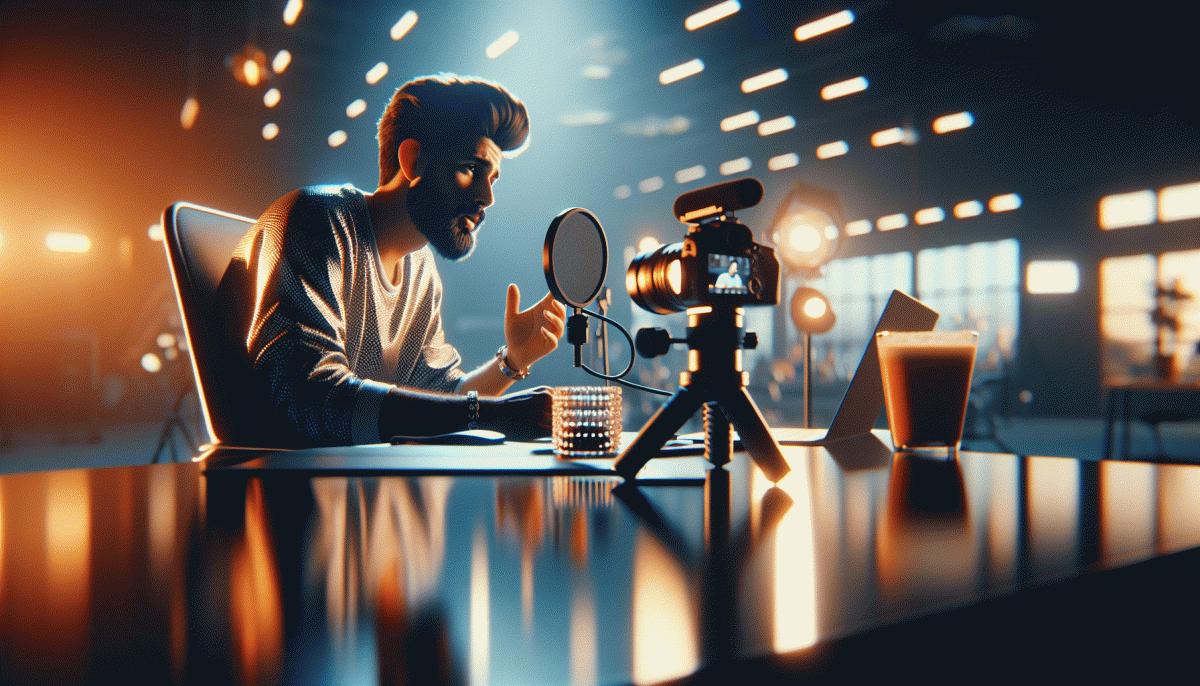
Small tweaks to frame and sound can turn nervous fumbles into polished streams. Mount your phone at eye level (books and a mug tripod work), tilt the lens slightly down for a flattering angle, and lock exposure and focus so the camera doesn't hunt for your face mid-stream. Use portrait orientation for vertical broadcasts and keep the device steady — a slight wobble reads as amateur.
Lighting is the sidekick to angle: soft front light wins. Face a window or a dimmable lamp, and avoid harsh ceiling lights that cast cartoon shadows. Add a small fill light opposite the window to lift shadows without flattening you, and aim for a gentle three-quarter turn toward the light since it adds depth and makes features read better on small screens.
Sound beats silence every time. Get the mic close: earbuds, a lav, or a simple clip-on mic will crush room echo. If you only have your phone, tuck it on a stable surface a foot from your mouth and use pillows or rugs to tame reverb. Always record a 10-second mic check, and if viewers mention hiss, try a quieter room or turn off noisy appliances.
Movement should look purposeful: small hand gestures, deliberate lean-ins for punchlines, and stepping slightly left or right when demoing. Frame yourself with a little headroom so you don't look like a floating talking pineapple. Practice a short opening line to anchor the first 15 seconds — that's when most viewers decide to stay.
Want an instant nudge in reach once your setup is pro-ready? Try Instagram boosting for a fast visibility lift, then use these angle-and-audio tricks to keep viewers watching and coming back.
Chat Like a Human: Prompts, Hooks, and Save-You-From-Rambling Segues
Treat chat like a cozy coffee catchup, not a lecture. Open with a tiny commit — one sentence that invites an answer. Keep your tone human: laugh at yourself, name the awkward pause, and ask a simple question. That framing makes you sound like a host, not a monologue machine.
Memorize three reusable prompts you can drop in on the fly: the curiosity prompt that asks people to choose A or B, the quick story prompt that ends with "has that happened to you?", and the value prompt that offers a bite-sized takeaway if someone types "yes". These keep momentum and make replies easy.
Segues are your ramble safety net. Build a 45 second checkpoint — at 00:45 say "quick recap" and read two crisp bullets. Use a reset cue like let us pause to change pace, or hand the mic to the audience with a one-question poll. That one move resets energy and focus.
Hooks are micro promises: tease the payoff in the first 10 seconds and deliver it early. Try a bold opener such as Three mistakes I made or a cliffhanger question, then follow with a clear call to action. For fast ways to amplify your live reach consider services that boost Twitch as a model for simple, measurable promotion.
Turn these pieces into a 30 second script: opener, two prompts, a checkpoint, and a CTA. Rehearse with a timer and cut anything that drifts past 20 seconds. The trim is the secret to sounding natural, keeping viewers engaged, and avoiding embarrassing ramble moments.
Trolls, Tech Glitches, Stage Fright—Handled in Three Moves
Live streams can go sideways faster than you think: a sudden troll army, a webcam blackout, or a jittery host who forgets their opening line. The trick is not to be perfect — it is to be predictable. Design a three-move routine that turns chaos into a smooth recovery without killing the energy.
- Prep: Run a quick tech checklist (mic, lighting, battery, bandwidth) and script three tight segments so you always have a fallback.
- ⚙️ Backup: Have a backup device, a second network option, and a co-host on standby who can take over in one sentence.
- Moderate: Pre-write canned responses, enable comment limits or slow mode, and appoint a trusted mod with clear escalation rules.
When stage fright hits, use a ritual: two deep breaths, a one-minute micro-intro, and a pinned comment that sets audience expectations. If you want to layer in reliability and external reach, consider tools and services that make the technical side boringly dependable — like Instagram boosting service to stabilize viewer signals and social proof.
Final moves in the moment: mute unruly audio, switch to your backup stream, and call out a paid or high-value viewer by name to reset tone. Schedule a private test stream the day before and keep a two-line cheat sheet taped to your camera — it is the difference between cringe and charisma.
Turn Lives into Leads: Repurpose, Pin, and CTA Without Feeling Salesy
Live viewers are warm: they gave you time and attention. Treat Lives like conversations with a clear next step rather than a billboard. Tiny, helpful moves—clip the aha moments, pin a replay, or ask one targeted question—convert attention into action without sounding like a used-car salesman.
Repurpose ruthlessly but kindly. After the stream, chop the best 30–60 second moments into captioned clips, pull quotes into images, and turn a favorite tip into a carousel. Each format becomes a different doorway: some people click for education, others for personality. Use repurpose as your content multiplier and stop expecting a single Live to do all the heavy lifting.
Pin the right thing: a replay, a one-page checklist, or a pinned comment that explains the next step and invites a DM. For evergreen reach, save standout Lives as highlights and slap a short CTA overlay on the thumbnail. If you want tactical distribution ideas beyond Instagram try authentic YouTube growth for repurposing formats and amplification tricks.
Make CTAs feel like invitations: offer a free template, a timestamped replay, or a tiny next step—"tap the link, grab the checklist, then tell me which part helped"—that phrasing nudges replies. Automate a friendly DM response so momentum becomes a lead without extra manual work.
Measure and iterate: track which clip drove DMs, which pinned note got clicks, and which CTA sparked conversation. Keep what works, kill what does not, and you will turn Lives into a reliable lead engine that still feels human.
Read also

Go Live on Instagram Without the Cringe: Steal These Pro Tricks to Wow Viewers

Instagram Live Without the Cringe: The Unfair Playbook They Don't Want You to Use

Live on Instagram Without Embarrassment: Pro Secrets That Actually Work

Go Live on Instagram Without Cringe: The Shockingly Simple Playbook
Go Viral Fast Without Ads: The Social Growth Playbook They Won't Tell You About
