One Reel, 3 different view counts


You open a Reel on your phone and see one number under it. You sit down at your laptop and the profile grid shows another, smaller one. You go into insights and find Views and Viewers, and those don't match each other either. That's where the support emails come from: "my views were taken away," "half of them never arrived." Most of the time nobody took anything away. Instagram simply shows 4 different counts in 4 places. Below I break down what each counter measures, how replays affect them, and how to use Viewers, the share of non-followers, and traffic sources to tell an order that was delivered from a Reel the platform actually showed to new people.
What Instagram calls a Reel view
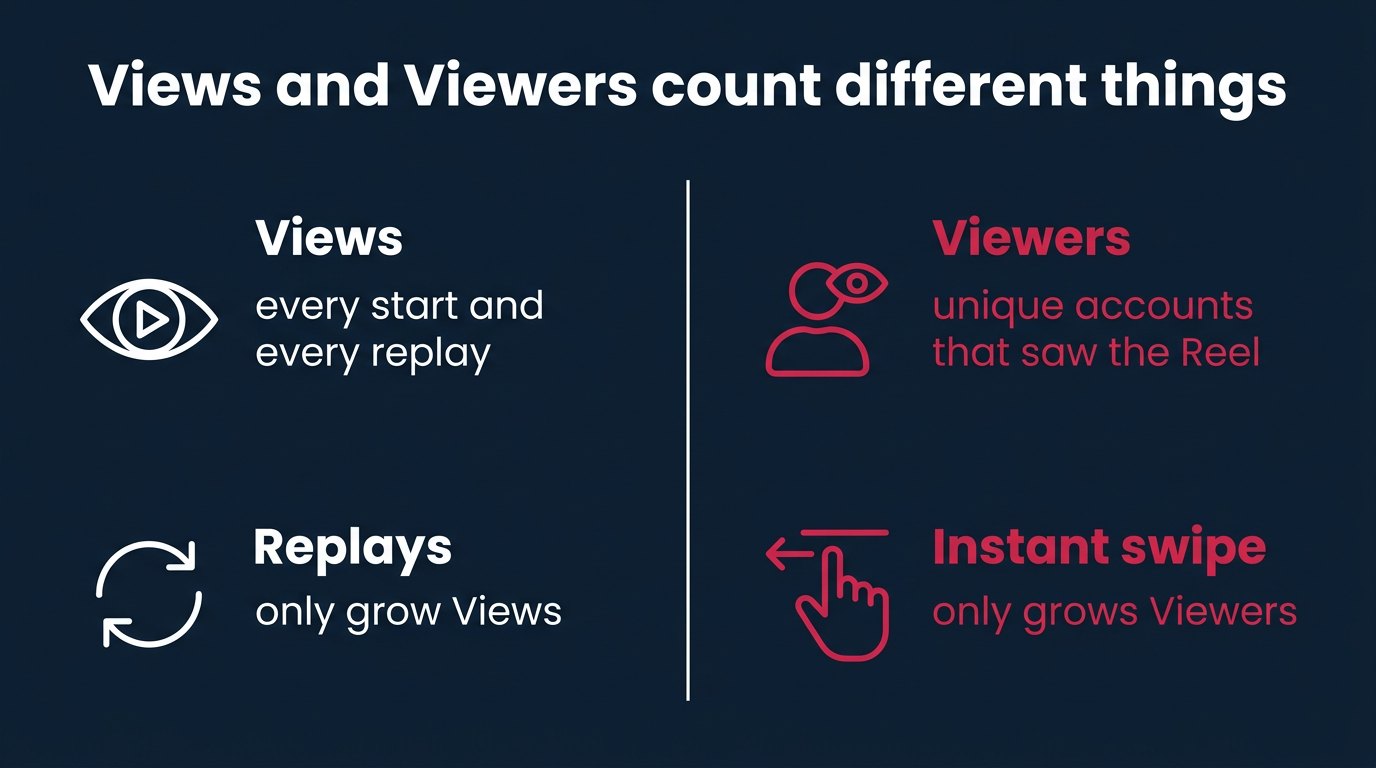
The definition is short, and everything hinges on it. The Instagram Help Center says that Views for a Reel is the number of times the Reel started to play or replay. Not people. Times. Every start and every replay.
There's no minimum watch time for organic Views. If the Reel started on screen, even for half a second, the view counts. Whether the person watched to the end or swiped away doesn't affect this number. It affects other numbers, which I cover below.
Instagram also counts Viewers separately. This is the number of unique accounts that had the Reel on their screen at least once, whether or not it played. The help page says directly that Viewers differs from Views: Views can include multiple views from the same accounts. The same page carries one more caveat that few people read to the end: the Viewers metric is estimated and in development. It's not a headcount, it's an estimate.
The third concept is the initial view. This is the moment a Reel starts playing for the first time in a single Reels viewing session. It doesn't appear as its own number in insights, but average watch time is built on it: total watch time is divided by the number of initial views, not by all Views. Replays don't dilute the average watch time.
5 counters for one Reel in one table
Here's what the creator sees if they open everything at once. The table answers one question: why the numbers don't match and don't have to.
| Counter | Where you see it | What it counts | Replays |
|---|---|---|---|
| Public counter | Under the Reel in the app | Starts and replays | Included |
| Number in the desktop grid | Bottom left corner of the Reel in your profile | Plays | Not included |
| Views | Reel insights | Starts and replays | Included |
| Viewers | Reel insights | Unique accounts, estimated | No effect |
| Initial views | Inside average watch time | First start per session | Not included |
The number in the desktop grid is the one people confuse most often. Instagram's desktop help says it plainly: the number in the bottom left corner of each Reel in your profile is plays, and replays aren't included. On the phone, the same Reel shows a number that includes replays. Someone orders views, checks on their phone, and everything is there. In the evening they open their profile on a laptop and see less. First thought: they took them away. No. The computer just doesn't show replays.
Why can Viewers be higher than Views, when it seems like that's impossible? Because a viewer is counted when the Reel appears on screen, and a view is counted when playback starts. Someone was scrolling their feed, the Reel flashed by, autoplay didn't have time to kick in, or their thumb flicked it away instantly. The account is recorded in Viewers, and nothing was added to Views. For a Reel with a weak opening that people swipe past en masse, this is a normal picture.
How replays inflate Views and leave Viewers alone
A Reel loops. You watch to the end and it starts again. Every new loop is one more View. One person who got hooked on a 12-second Reel and watched it 4 times gave 4 views and 1 viewer.
Simple arithmetic that almost every breakdown cites: 500 accounts watched a Reel an average of 2 times each, giving 1,000 Views and 500 Viewers. Both numbers are honest. They answer different questions: "how many times was it played" and "how many people was it shown to."
That gives the main tool in this piece: divide Views by Viewers and you get views per person. A third-party analysis, not Instagram, offers benchmarks: about 1 for photos, 1.2 to 2 for carousels, 1.5 to 5 for Reels depending on length. A short Reel gets replayed more, a long one less. The benchmarks aren't official, but the order of magnitude is clear: if a 15-second Reel has 1.1 views per viewer, almost nobody is rewatching it. If it's 8, something is off, and I'll come back to that in the section on orders.
Views tell you nothing about how many people actually saw the Reel. That's what Viewers is for. For the quality of the Reel, there's average watch time and skip rate. Looking at Views alone and drawing conclusions is like counting guests by how many times the door opened.
Where the 3-second rule came from and why it isn't about Reels
Group chats still carry the belief that a view counts after 3 seconds. For organic Reels that isn't true. There's no minimum.
The number came from 2 places. The first is historical. In 2016 Instagram adopted Facebook's 3-second standard for the video_views metric, as Retail Dive reported on 15 February 2016. A video was considered viewed if it played for 3 seconds. The video_views metric was deprecated on 8 January 2025. The standard is gone, the habit remains.
The second place is advertising. Ads Manager, Meta's advertising dashboard, has a "3-second video plays" metric, meaning video plays of 3 seconds or more. It's a paid metric, counted only for ads, and replay time is explicitly excluded from it. It has nothing to do with organic Views on your profile.
A third source of confusion appeared later: skip rate. This is the share of viewers who swiped past a Reel in the first 3 seconds. Again 3 seconds, and again not about whether a view counts. Skip rate tells you how many people left, not whether their view was counted. It was counted. Just a bad one.
How Instagram moved from impressions and plays to Views
To understand why old reports show some numbers and new ones show others, it helps to know what changed and when.
- 7 August 2024Adam Mosseri began hinting at a metrics change, Views being tested internally
- 8 January 2025Meta announced the switch on its developer blog, partners were given 90 days
- 20 April 2025the last day Impressions were populated
- 21 April 2025Views became the single metric across the Instagram API
- 15 November 2025on Facebook Pages, Impressions were replaced with Views in all API versions
On 21 April 2025, Views replaced 4 metrics at once in the Instagram API, meaning the data that analytics services and schedulers receive: impressions, initial reel plays, total reel plays, and reel replays. There were 4 counters, now there's 1.
Impressions and views aren't interchangeable. Impressions were populated until 20 April, the next day Views took their place, and Meta said only one thing: the metrics serve a similar purpose but are calculated differently. You can't stitch the month before 21 April and the month after into one chart and conclude there was growth. That's comparing kilometers to miles.
Ads live separately. As of October 2026, Meta's ad reporting still shows impressions and reach for ads. If a Reel was promoted, you have to hold 2 systems of measurement in your head: organic in Views, ads in impressions.
What counts as a view for photos, carousels, and Stories
Views is now a shared metric across all formats on Instagram, but the counting rule for static content is different. For photos, carousels, and Stories, a view counts every time the post appears on a user's screen, including multiple appearances in the same feed. Scroll down, scroll back up, the post is on screen again, one more view.
Carousels have one more detail: Views counts each image in a carousel separately, which the old impressions didn't do. If someone swipes through 6 slides, that's not 1 view. That's why carousels have more than 1 view per person, and why comparing a carousel's "views" with the same carousel's impressions from a year ago is pointless.
Views are publicly visible only on videos. In a sample of 425 posts collected on 13 August 2026, a public view counter appeared on 196 of 197 videos, which is 99.5%, and on none of the 228 photos and carousels. The creator sees views for photos and carousels in their own insights; outsiders don't.
Do the creator's own views count
Short answer: unknown. No Instagram or Meta document says whether the owner's views are excluded from the public Views counter.
My position is simple. Since there's no rule, I don't count on my own views either way. I don't pump up my own Reel by rewatching it on my phone, and I don't subtract my 10 checks from the counter when I'm verifying an order. On a Reel with thousands of views, 10 of my own starts disappear into the margin of error anyway, and Viewers, which is what I look at when checking, doesn't change from my replays. I'm 1 account at most.
How to open Reel insights: step by step
Insights are only available on a professional account, meaning a creator or business account. A personal profile doesn't show them. Switching is free and reversible.
- On your profile, tap the menu icon (3 lines in the top right corner).
- Open Settings and privacy.
- Select Account type and tools.
- Tap Switch to professional account and go through the category selection steps.
Then, insights for an individual Reel:
- Open the Reels tab on your profile.
- Tap the Reel you want.
- Tap View insights.
To compare Reels side by side, there's the Professional Dashboard: inside it is the Content section, where you filter by type and choose Reels. That way you can see which Reel stood out and which didn't.
Time limits. Insights exist only for Reels published on 14 May 2021 or later. You can view insights for an individual Reel for up to 2 years after it's published. Account-level insights are available for any period within the last 90 days. So you can't build a six-month account report from the app, but the numbers for a specific Reel from a year ago open without any trouble.
In April 2026 Instagram rebuilt the first insights screen into tabs: overview, activity and engagement, and audience demographics. The new screen doesn't yet cover collab posts, trial reels, cross-posted content, or boosted posts. If your Reel falls into one of these categories and its numbers look strange or are missing on the new screen, that may be why, rather than the Reel itself.
Skip rate, retention, and average watch time: where a Reel's opening breaks
3 metrics in Reel insights answer not "how many" but "why so few."
Skip rate: the percentage of viewers who swiped past the Reel in the first 3 seconds. Instagram added it in August 2025 in place of the old view rate metric, and it now appears as a percentage on every Reel. A high skip rate means the first frames don't grab people. The Reel reached the person in Viewers, but they chose not to watch.
The retention graph shows the moment viewers drop off. A sharp cliff at second 2 is fixed by changing the opening. A gradual decline toward the end is normal. A dip in the middle means something sags there.
Average watch time, as a reminder, is calculated from initial views, without replays. If a 20-second Reel has an average of 4 seconds, most people left at the start, no matter how many Views there are.
What I'd do myself: skip rate first, then retention, and Views only at the end. You can raise Views on a Reel with a weak opening, but the opening won't get any better for it, and Instagram builds recommendations on how people watch, not on the total number of starts. A Reel where half the viewers bail in the first 3 seconds won't become a Reel people watch, no matter what order you place.
Followers, non-followers, and traffic sources: who the Reel was shown to
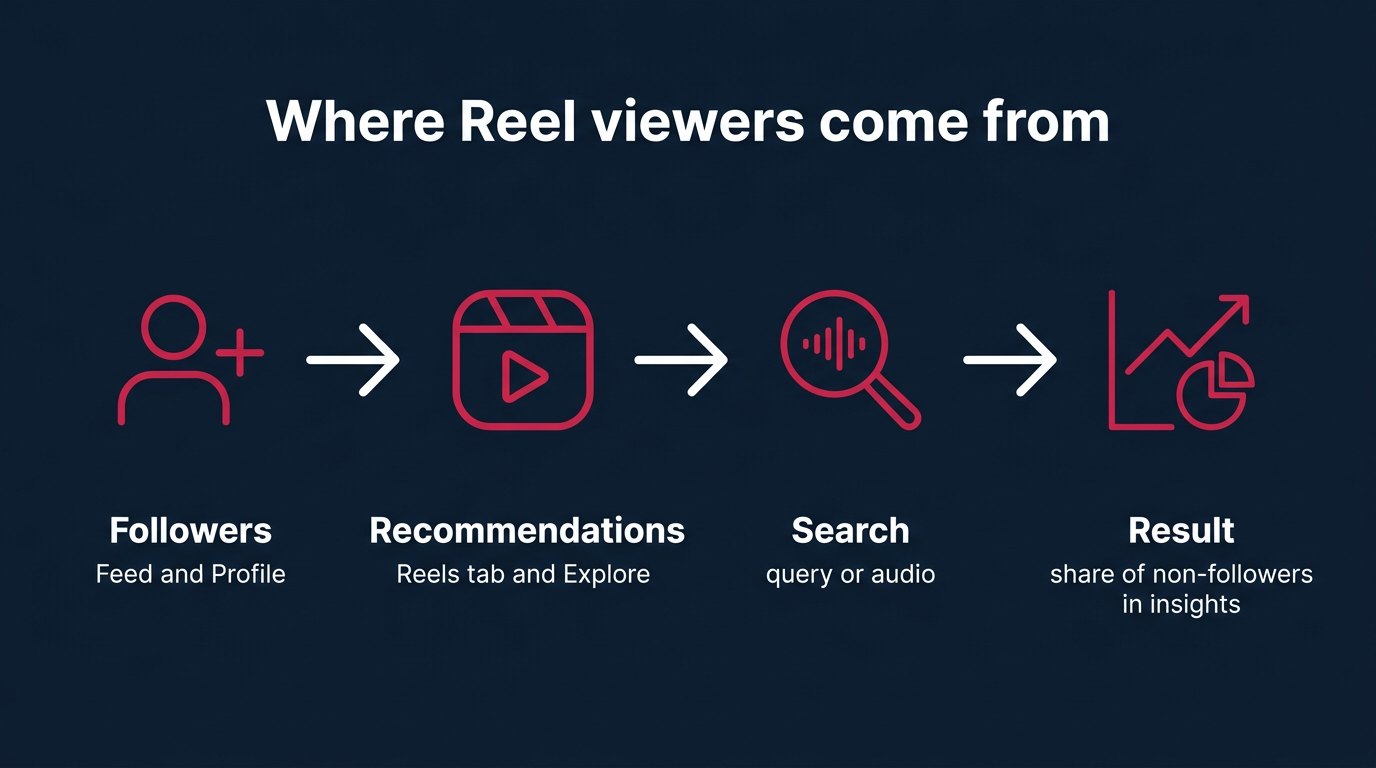
Reel insights split viewers into followers and non-followers. This is the most honest sign that a Reel has gone beyond its own audience. Instagram will almost always show a Reel to followers, that's its job. It shows it to non-followers when it decides the Reel is worth recommending.
According to Dash Social's social media trends report, the share of Instagram views coming from non-followers grew from 30% in 2024 to 49% by the end of 2025, meaning that about half of views now come from people who don't follow the account. Your own benchmark is more useful than anyone else's: open your last 10 Reels in the Professional Dashboard and see what share of non-followers is normal for you. A Reel that took off differs from an ordinary one precisely in that share.
Traffic sources tell you where the views came from:
- Reels tab: the short video feed, the main channel for recommendations to new people;
- Feed: mostly followers who saw the Reel among posts;
- Explore: recommendations to people who don't follow you;
- Profile: people who came to your page and opened the Reel from the grid;
- Search: the Reel was found through a query or by its audio.
Growth driven by the platform itself almost always shows up in the Reels tab and Explore. Growth from Profile and Feed means the Reel is being watched by people who already know you.
Audience demographics (top countries, age ranges) are built on Viewers data and appear only once a Reel has reached more than 100 accounts. Below 100 viewers those tabs don't exist, and that's not a bug.
There's no list of names of the people who watched a Reel in insights, and people ask about this constantly. Beyond privacy, the way the metric works also matters here: Viewers is estimated, it's not a registry you can run your finger down. Services that promise to show who watched your Reel can't show anything of the kind.
How to check that a views order was delivered
Here it is honestly and in order. A views order primarily adds Views, meaning playback starts. It isn't obliged to add viewers proportionally, it doesn't add follows, and it doesn't make a Reel recommended. These are different things, and they're the ones people mix up most.
What to check to make sure the order arrived:
- Before ordering, save a screenshot of the Reel's insights: Views, Viewers, follows, share of non-followers, sources.
- Check against the public counter in the app or Views in insights. Not the desktop grid: it doesn't include replays.
- A day after delivery, take the same insights and compare them with the screenshot.
What a delivered order looks like. Views grew by the size of the order, give or take organic. Viewers grew less or barely changed, if delivery came as replays from a limited number of accounts. The ratio of Views to Viewers jumped sharply, above the 1.5 to 5 benchmark for Reels. Follows and the share of non-followers stayed put. Traffic sources barely changed.
What a Reel picked up by recommendations looks like. Viewers grow along with Views, and the ratio stays within normal limits. The share of non-followers rises. The Reels tab and Explore grow in the sources. Follows come in from the Reel. Skip rate and average watch time hold at the level of your normal Reels or better.
| Sign | Order delivered | Reel picked up by recommendations |
|---|---|---|
| Views | Grow by the size of the order | Grow |
| Viewers | Grow slightly or stay flat | Grow along with Views |
| Views per viewer | Higher than usual | Within normal limits |
| Share of non-followers | Barely changes | Rises |
| Reels tab and Explore | Barely change | Grow |
| Follows from the Reel | Close to zero | Come in |
Honestly, here's what that means. Ordered views build the public counter: social proof for someone who opens your profile, a number for a report, for a client, for an advertiser who cares about the counter. If that's what you need, views on Reels deliver that counter, and the check above shows they arrived. If you need audience growth, look at Viewers, non-followers, and follows, and no order on its own will move those 3 numbers.
What I'd do myself. Order for a Reel whose opening holds people, and only after making sure its skip rate isn't worse than my usual Reels. A counter on a strong Reel works like a storefront sign: someone coming in from the profile sees the number and stays to watch. A counter on a Reel that people abandon at second 1 is just a nice number under a bad video, and it'll surface the moment anyone looks at the insights.
Worked example: one Reel before and after an order
The example is hypothetical, the numbers are chosen for clarity, but all the arithmetic follows the Instagram rules described above.
A 15-second Reel. 2 days after publishing, the insights show: 2,400 Views, 1,200 Viewers, 30% non-followers, 6 follows. The ratio is 2,400 / 1,200 = 2 views per viewer, within the normal range for Reels. In the desktop grid, let's say, 1,500: those are plays without replays.
The creator orders 5,000 views. A day after delivery: 7,600 Views, 1,350 Viewers, 31% non-followers, 7 follows.
Let's do the math. Views grew by 7,600 minus 2,400 = 5,200. Of that, 5,000 is the order and 200 is normal organic growth over the day. The order was delivered in full. Viewers grew by 150, and the ratio became 7,600 / 1,350 = 5.6, above the benchmark. The share of non-followers moved by 1 percentage point, and 1 follow was added. Recommendations didn't pick up the Reel, and the insights show that honestly.
Now the creator opens the profile on a laptop. The grid shows, let's say, 3,900. Before the order it was 1,500, after it's 3,900, and on the phone it's 7,600. First reaction: "7,600 on the phone, 3,900 on the computer, they took away 3,700." They didn't. The desktop grid doesn't show replays, and a large share of the starts in an order like this are exactly replays. You need to check against the public counter in the app or Views in insights.
And here's how the same Reel would look if the Reels tab had picked it up. The same 7,600 Views, but around 3,800 Viewers, a ratio of 2. The share of non-followers would have risen noticeably above 30%, the Reels tab and Explore would have grown in the sources, and follows would have come in by the dozens. Same Views, different story. That's why you can't verify anything with one number.
Why views seem to have been taken away: what to check before emailing support
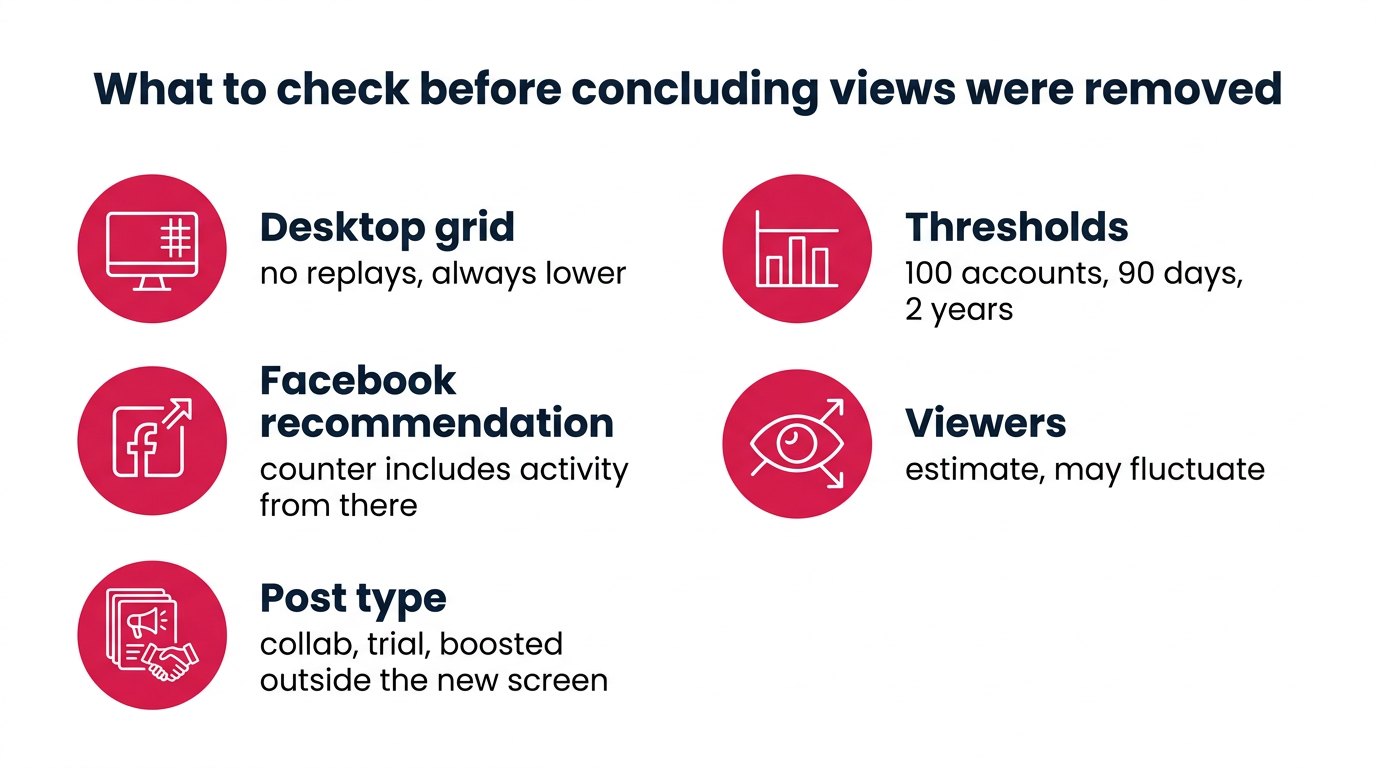
Before deciding your views were removed, it's worth going through a checklist. Almost every item on it explains the discrepancy without any removal.
First, where you're looking. The desktop profile grid shows plays without replays and is always lower than the counter in the app. Comparing the app in the morning with the computer in the evening is a guaranteed way to see a "drop."
Next, whether the Reel is recommended on Facebook. If showing the Reel on Facebook was turned on when you published, the play and like counters may include activity from Facebook. If that recommendation was switched off or Facebook stopped showing the Reel, the counter behaves differently than you expected. Part of the number wasn't from Instagram.
Then, the post type. The new insights screen, rebuilt in April 2026, doesn't yet cover collab posts, trial reels, cross-posted content, or boosted posts. Numbers for those Reels may be incomplete on it.
Then the switch to Views itself. The new metric rolled out gradually, and impressions and views are calculated differently. Comparing an old Reel whose report still shows impressions with a new one showing Views tells you nothing about growth or decline.
Then the thresholds. Demographics appear only after 100 accounts reached. Account-level insights only for the last 90 days. Reel insights only for 2 years after publishing and only for Reels from 14 May 2021 on. "A tab disappeared" and "the numbers disappeared" often mean the Reel crossed one of these thresholds.
And the last thing to check: Viewers. It's estimated and in development, according to Instagram itself. Small downward fluctuations in Viewers while Views stay the same are the behavior of an estimate, not anyone's action.
If you've checked everything and the public counter in the app really has become lower than it was, then it's a real drop, and you can take it to whoever you ordered from. With a before and after screenshot, taken from the same place.
Why engagement dropped even though the likes are the same
Many analytics services and media kits calculate engagement as actions divided by reach or impressions. After the switch to Views, the denominator in many reports became Views, and Views for a Reel are higher than reach because of replays, and for carousels because each image is counted.
A hypothetical example. 50 likes and comments on a Reel seen by 500 accounts: 50 / 500 = 10%. The same Reel, 500 viewers watching an average of 2 times each, 1,000 Views. Calculated from Views: 50 / 1,000 = 5%. Same audience, same response, engagement "dropped by half." The formula changed, not the people.
What I'd do myself: in reports for myself I calculate engagement from Viewers, not Views. Viewers is the closest thing to the old reach and isn't inflated by replays. If a report is going to an advertiser, I state in it what I calculated from. Otherwise, six months later someone will compare your 5% with someone else's 10% calculated the old way and draw the wrong conclusion.
How many views are normal for an account your size
Market benchmarks: according to Buzzlytics data, updated on 1 November 2026 across 7,167 public Reels from 512 creators, the median Reel gets about 3,100 views on accounts with 1,000 to 10,000 followers, about 14,000 on accounts with 10,000 to 100,000, and about 28,300 on accounts with 100,000 to 1,000,000. The calculation used Reels aged 12 to 30 days, when views had already settled, and ads and accounts under 1,000 followers weren't included in the sample. At the smallest tier, a typical Reel collects views equal to about 89% of the follower count. Brands have different numbers: according to Socialinsider's analysis for 2025, brands with 100,000 to 1,000,000 followers get an average of 16,035 views per Reel, almost 2 times less than the median for creators of the same size.
Other people's averages are useful as a frame, but your own are what count. In the Professional Dashboard, open the Content section, filter by Reels, and write down Views, Viewers, and the share of non-followers for your last 10 to 15 Reels. The median Viewers is your normal level. A Reel that's twice the median in Viewers and in share of non-followers was picked up by recommendations. A Reel that's higher only in Views wasn't.
If you need to raise the starting visibility of the whole profile rather than one Reel, it makes sense to look beyond views: followers and likes on Instagram work on a different counter and are checked in a different section of insights.
What doesn't work when reading insights
Comparing the desktop grid with the app doesn't work. Different definitions, different numbers, every time.
The 3-second rule doesn't work for organic content. It has been gone since 8 January 2025, when video_views was deprecated, and in Ads Manager it lives on only for ads.
Stitching old impressions and new Views into one chart doesn't work. Meta says directly that they're calculated differently.
Looking for a list of viewers by name doesn't work. No such list exists; Viewers is an estimate.
Concluding "the Reel blew up" from Views alone doesn't work. Views without growth in Viewers, non-followers, and the Reels tab in sources mean the Reel was played, not that it was shown to new people.
And hoping that ordered views will trigger recommendations on their own doesn't work. You can see it in the insights: follows and the share of non-followers stay where they were after such an order. If someone promises otherwise, they either haven't opened the insights or are hoping you won't.
Questions
Instagram's desktop help says that the number in the bottom left corner of a Reel in the profile grid is plays without replays. In the app and in insights, Views include replays. So the number on the computer is always lower, and you shouldn't verify an order against it.
For organic Views there's no minimum: any playback start and any replay counts. The 3-second rule is left over from the video_views metric, which was deprecated on 8 January 2025, and it lives on in the "3-second video plays" ad metric in Ads Manager.
Views counts every start and replay, Viewers counts unique accounts that had the Reel on screen at least once. One person can give several Views and just 1 Viewer. Viewers is an estimated metric, and Instagram itself describes it as in development.
Yes. A viewer is an account on whose screen the Reel appeared, even if autoplay didn't start or the Reel was swiped away instantly. That person goes into Viewers but doesn't add a View.
Instagram and Meta documentation doesn't say. Don't rely on your own views either way. When checking, look at Viewers: your own replays barely change it.
No. Reel insights only give aggregate numbers: Views, Viewers, and breakdowns by followers, sources, and demographics. Demographics appear after 100 accounts reached. Services that promise a list of viewers can't get such a list.
Check 3 things: whether the account is professional, whether the Reel was published on 14 May 2021 or later, and whether 2 years have passed since publishing. The new insights screen, rebuilt in April 2026, doesn't yet cover collab posts, trial reels, cross-posted content, or boosted posts.
What to do
- Before any order or check, take a screenshot of the Reel's insights: Views, Viewers, share of non-followers, sources, follows.
- Compare numbers from only one place: the public counter in the app or Views in insights, not the desktop grid.
- Calculate Views per viewer for your last 10 Reels and note your usual level: going above it without growth in Viewers means replays or an order, not recommendations.
- Before writing about removed views, check the Facebook recommendation, the post type, and the thresholds of 100 accounts, 90 days, and 2 years.
- Calculate engagement for yourself from Viewers, and check skip rate before Views: the opening of a Reel decides more than any counter.
Writes about: SMM, paid boosts, ads, traffic, suppliers, the market from the inside, daily news


 Anna