Go Live on Instagram Without the Awkward: Steal These Pro Moves Before Your Next Stream
Your Instagram Live game plan: a 10-minute run-of-show that keeps you calm
Think of this 10-minute run-of-show as a tiny script that keeps chaos out of frame. You will get a compact, repeatable routine that fits inside a coffee break and saves you from second guessing. Start calm, end tidy, and keep viewers coming back.
0-2: Quick tech check and hook. Camera, mic, lighting in place, then state a one line promise so people know why to stay. Smile, settle, and say the outcome. This little ritual signals that the stream is intentional and fast paced.
3-6: Deliver your meat. Show one demo, tell one story, or teach one tip. Use direct prompts like Ask me in chat and Pin one comment to spark replies. Keep sentences short and move visually to hold attention without exhausting energy.
7-9: Recap the key takeaway and give a clear next step: follow, DM for resources, or join next stream. Drop a brief social proof line and a warm thanks. This is where curiosity converts into followers and leads without pressure.
Practice this sequence twice before going live and run a one minute rehearsal with audio only. Keep a sticky note with cues just off camera: intro, value, engagement, CTA. With rehearsal and a safety plan you will be calm, confident, and actually enjoy going live.
Look and sound pro: lighting, framing, and audio fixes anyone can do
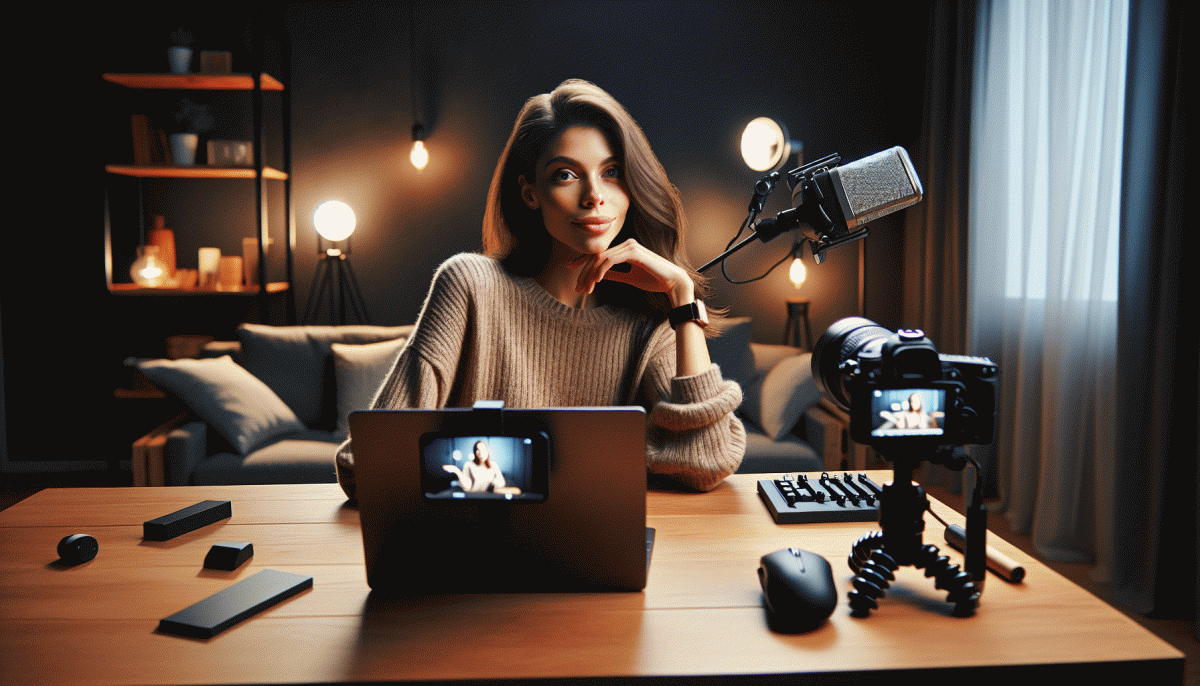
Lights, camera, not-cringe: you can make an Instagram Live look polished without a production crew. Start with one soft light facing you (a ring light, a lamp with a paper diffuser, or natural window light at a 45° angle). Tidy the background so it reads on camera and keep a little space behind you to avoid a flat, boxed-in vibe. Finally, raise your phone to eye level so engagement feels like a conversation.
- Lighting: Layer a key light and a subtle fill (reflect off a white poster or use a cheap reflector) to banish harsh shadows.
- Framing: Place your eyes near the top third, include shoulders, and leave minimal headroom so viewers feel connected.
- Audio: A close phone position or an affordable lavalier beats built-in mics; reduce echo with soft furnishings or a blanket behind you.
Small gear choices deliver big returns. Mount your phone on a stack of books or an inexpensive tripod so framing does not slip mid-stream. Consider a $20 clip mic or a USB lav for crisp voice; if budget is zero, put the phone on speakerphone close and speak toward it. When you are ready to scale reach, pair good setup with promotion — boost Instagram — and people who can actually see and hear you will show up.
Before you go live, run a 60-second rehearsal: check angles, speak at streaming volume, and record to preview. Silence notifications, dim room LEDs that flicker, and smile — energy travels through a tiny sensor. Do these quick fixes and your next stream will feel like a conversation between friends, not a shaky practice run.
Win the first 5 seconds: openers that stop the scroll on Instagram
Open like you owe the viewer money: hit curiosity first, then value. Kick off with a tiny promise they can verify in the next 5 seconds — a fast visual demo, a shocking stat, or a one-sentence challenge. Keep your energy up, your frame tight, and give them one clear reason to stop scrolling instead of another vague hello.
Script-ready openers to steal: 1) Lead with a micro-demo: show the result before the how — a 3-second before/after that begs the question "How?" 2) Drop one bold number: "Save 10 minutes a day with this trick" and immediately show the tiny action. 3) Use a fast choice or dare: "Stop. Which would you try, A or B? Type A or B now." Each opener pairs a hook with a single tiny action viewers can take in real time.
Technical nudges that actually work: cue audio at second zero, use a bright contrast thumbnail frame, and start framed at eye level with clear lighting. If you want extra reach while testing variants, consider a traffic nudge like safe Twitter boosting service to get faster feedback from real viewers without guessing.
Quick checklist before you hit Go: sound on, headline sentence ready, one visible result, and a micro-CTA. Treat those first five seconds like a tiny audition — win them, and the rest of the stream gets to breathe.
Own the chat: engagement moves that turn chaos into community
Live chat is raw energy; tame it with structure and personality. Start by pinning a short welcome that asks a tiny question, lays out one-sentence rules, and names the moderator on duty. Write a playful community line that matches your brand voice so new viewers know how to show up, then train moderators to amplify curiosity and cut noise quickly.
Turn viewers into participants with tiny, repeatable beats: ask yes or no polls, cue emoji reactions for fast consensus, and call out commenters by name when they land a great point. Use quick polls midstream to steer content and keep people invested, and consider tools for automating shoutouts or highlighting VIPs — for growth and testing, check services like organic Twitch promotion to study what sticks.
Keep momentum with micro games and a predictable rhythm. Run a two minute lightning Q where the first correct responder earns a shoutout, drop a trivia or caption challenge during quiet moments, and rotate pinned comments every 10 to 15 minutes so newcomers always see something fresh. Track repeat participants and publicly thank them; recognition is the currency of community.
Before you go live, do a five step warmup: pin the opening hook, post the CTA, assign a moderator, schedule two engagement beats, and decide on one simple reward. These small rituals reduce awkward silence, make moderation efficient, and turn chaotic chat into a loyal engine of fans.
After the live: save, clip, and repurpose into a full content funnel
When the Live ends do not let that energy fizzle. Save the highest-quality file, add a quick transcript, and chop timestamps for the moments that landed. Back it up to cloud storage so you can pull golden bits later; raw footage is a content bank, not clutter. Add captions and a short summary to make it searchable.
- Clip: 30–60s highlight for Reels or TikTok — fast, punchy, and captioned.
- Teaser: 15s vertical hook to drop in Stories or Threads with a swipe-up or link sticker.
- Longform: Expand the best segment into a blog post or newsletter section with timestamps and takeaways.
Turn those assets into a funnel: Reels and Shorts send viewers to an IGTV or YouTube full-length, which then nurtures leads via email or DMs. Add CTAs, pinned comments, and a content upgrade to collect addresses. If you want a performance boost to kickstart that funnel consider buy Instagram views fast to get momentum while your organic reach ramps.
Schedule a republish cadence: clips on day 1, carousel summary on day 3, full replay day 7. Track retention, comments, and saves to learn what converts, then double down. Treat every Live as a campaign and the next one will feel less awkward and more strategic — a show you actually planned to win.
Read also

Go Live on Instagram Without the Cringe: Steal These Pro Tricks to Wow Viewers

What’s Actually Working on Instagram in 2026? Steal These Proven Plays Before Your Rivals Do

Steal Back Your Day: Automate These Marketing Moves—But Don't Outsource Your Voice

Campaign Burnout? Steal These No Rebuild Moves to Wake Your Metrics Up

Still Crushing Instagram Without Ads? Steal These Organic Tactics