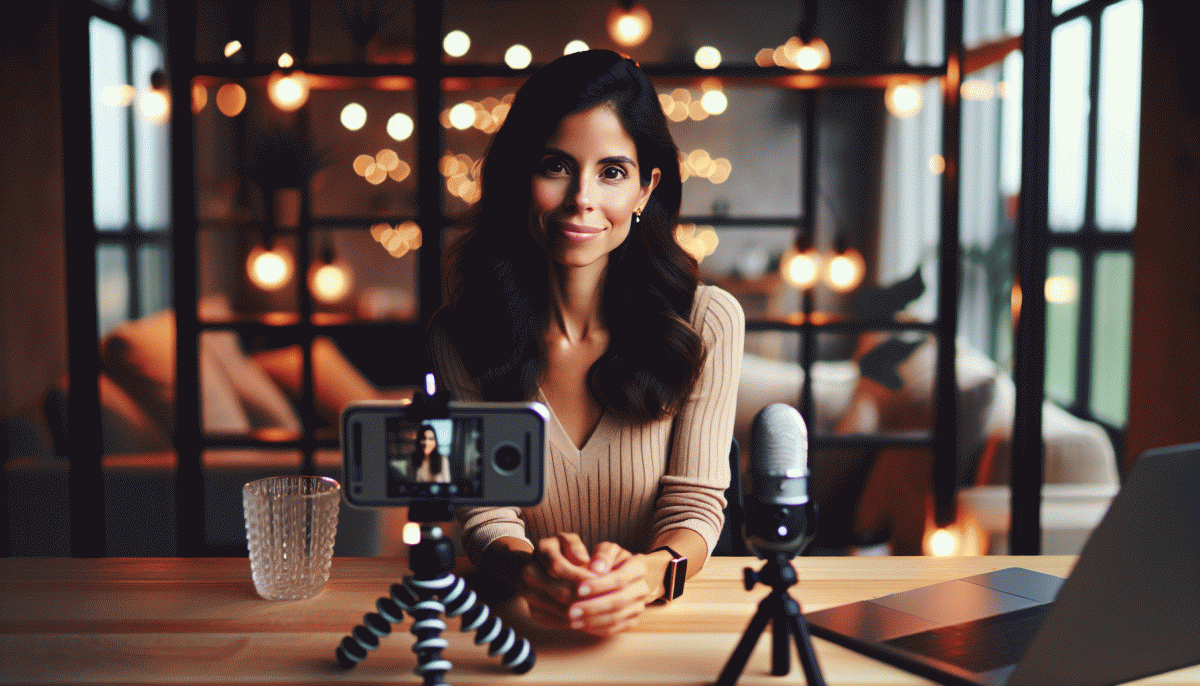
Go Live on Instagram Without the Cringe: The No-Fail Playbook
Pre-Game Like a Pro: Setup, scripts, and the zero-oops checklist
Think of the first minute of your stream as the headline of an article: it must hook, land, and make people stay. Start by choosing one clear outcome for the session (teach, demo, Q A, or launch) and build everything toward that. Give yourself a title that doubles as a promise so you and your audience know what they will walk away with.
Lock down the technical basics with a three minute check that eliminates the big oops. Use this simple gear triage to avoid last minute panics:
- Camera: Eye level, steady, clean background; frame for head and shoulders to keep focus on you.
- ⚙️ Audio: Mic test at the volume your viewers will hear; reduce echo and mute notifications.
- Lighting: Soft front light, avoid backlight; add a warm fill if shadows make you look tired.
Write a three part script to guide the flow: a 10 15 second hook, a 30 second setup, and a 10 20 second call to action repeated naturally. Keep lines short and human. Try this quick opener aloud: "Quick tip that will save you ten hours a week — stay for two minutes and I will show you how." Follow with a one sentence intro that states who you are and what value is coming next.
Rehearse with timers and a friend in chat mode for two rapid run throughs. Prepare a pinned comment with your link or outcome and assign a moderator or set simple chat rules. One minute before go time run a last sweep: phone on Do Not Disturb, battery charged, comment pinned, camera framed, and smile. You are ready to start strong and rescue the stream from cringe territory.
Open Strong in 8 Seconds: Hooks that stop the scroll
First impressions on live feel brutal because viewers decide in eight seconds if they will stay. Treat those seconds like a headline: clear intent, a hook that promises value, and a visual beat to lock attention. Start with a quick concrete promise rather than a vague hello—think of it as a cinematic first line that answers "What will I get if I stay?"
Use tiny, testable formulas that you can repeat until they feel instinctive. Try these three low-risk hooks that actually stop the scroll:
- Tease: Give a bite-sized result—"Watch me fix this lighting in 30 seconds."
- Shock: Drop a surprising stat or fact—"Most creators lose 40 percent of viewers in the first minute."
- Benefit: Lead with a payoff—"Stay and learn the three phrases that get people to DM you."
Film the first eight seconds like a trailer: jump cuts, a strong frame, and a vocal hook. Place your face or subject on screen in the first 1–2 seconds, then deliver the promise. If you want a little early lift to seed engagement, consider boosting initial reactions with instant comments so the algorithm sees momentum. Now, before you go live, pick one hook, rehearse the opener twice, and hit record with confidence—you will get noticeably fewer awkward silences.
Make Chat Your Co-Host: Real-time engagement that actually works
Think of your live chat as a co host that never needs coffee: greet people by name, announce when you will answer questions, and pin a simple rule so the tone stays fun not frantic. Start with a one sentence prompt that invites a one word answer. That tiny ritual converts lurkers into participants within the first 60 seconds.
Use real time signals to curate the flow. Read a comment aloud, then paraphrase it before answering so viewers feel heard. Give shoutouts to repeat visitors and create a running joke tied to a reaction emoji. If you want to amplify reach beyond organic chat, explore paid boosts like YouTube boosting service to funnel interested people to your platform.
Structure the hour into micro segments: 10 minute topic, 5 minute Q and A, 5 minute shoutout break. Ask the chat to vote by typing an emoji and then honor the result on camera. Train a moderator to flag the best questions and remove spam so you can focus on eye contact with the lens. Small rituals reduce awkward pauses and make your stream feel intentional.
Prepare three go to prompts and a backup anecdote to keep momentum when chat slows. Use on screen cues like a pinned question, countdown timer, or a quick poll to create urgency. After the stream, scan the comment log and follow up with people who asked the best questions. Consistency plus these habits turns chat into a reliable co host rather than a noisy crowd.
Camera Confidence Fast: Easy fixes for nerves, tech, and lighting
Nerves hit first? Anchor yourself with a two-minute ritual: breathe deeply, smile into the lens, and run a lightning-fast script out loud so your mouth and brain sync. Set your phone or camera at eye level (slightly above for a flattering tilt), lock focus and exposure, and frame so your head and shoulders fill the screen. When you look at the lens, people feel seen — even if your heart is doing cartwheels.
Lighting is the easiest confidence booster you actually control. Face a window for soft, flattering light; if it's too harsh, diffuse with a thin curtain or a sheet. Bounce a white poster board under your chin as a cheap fill, and add a small lamp behind you for separation. Use the rear camera when possible, attach your phone to a tripod or a steady stack of books, and avoid backlit clutter that eats contrast.
Audio makes viewers stick around — bad sound ruins good content faster than butterflies ruin your hands. Clip on an inexpensive lavalier, use earbuds with a mic, or bring your phone closer to your mouth (without shouting). Do a quick sound check and a 30-second rehearsal recording to catch echoes or weird hums. Close unused apps, switch off notifications, and favor a wired or near-router connection for fewer freezes.
Finally, cheat like a pro: script your first 20 seconds verbatim so you launch confident, not flustered. Hide cue cards just off-camera, warm up with a silly tongue twister, and keep water handy. Start with a simple opener — Hey friends, today we... — and give yourself permission to be human. The more you simplify setup and opening, the less cringe you'll feel and the more you'll enjoy going live.
After the Live: Turn one stream into a week of posts
You just wrapped a Live — congrats. Treat that recording like a raw gem: it can fuel days of fresh posts without reshooting. Think of it as one performance, many outfits: clips, quote cards, a micro-tutorial, and a behind-the-scenes peek that feels human.
Start by skimming the footage and timestamping the top five moments. Export three short clips (15–60s) with bold openers, then pull 4–6 quotable lines for graphics. Save the full transcript; it will be a shortcut to captions, blog blurbs, and SEO-friendly snippets.
Spread content across the week: Day 1 — highlight clip; Day 2 — carousel of key points; Day 3 — quote card plus CTA; Day 4 — how-to micro-tutorial; Day 5 — audience Q&A highlights; Day 6 — blooper or behind-the-scenes for authenticity. Keep CTAs tiny and specific.
Automate posting with a scheduler and batch-create assets in a single session. Use the same thumbnail across clips for recognition and swap captions to test hooks. Add saved replies for common questions and pin a comment inviting viewers to revisit the recorded Live.
If you want a little boost while your repurposed content circulates, consider a trusted partner — check Instagram boosting site to amplify reach fast without the sleazy vibes.
The goal is to make one Live feel like seven pieces of content with minimal effort. Track saves, shares, and watch time to learn which format wins, then repeat the winners. Less cringe, more clarity, and a lot more content.
Read also

Instagram Live Without the Cringe: The Unfair Playbook They Don't Want You to Use

Go Live on Instagram Without Cringe: The Shockingly Simple Playbook

Go Live on Instagram Without the Cringe: Steal These Pro Tricks to Wow Viewers

Live on Instagram Without Embarrassment: Pro Secrets That Actually Work

You’ve Been Doing Instagram Live Wrong—Do This Before You Hit ‘Start’
