Go Live on Instagram Without Embarrassment: The Pro Playbook You Wish You Had
The Zero-Panic Prep: A 10-Minute Checklist Before You Hit Go Live
Ten minutes is all it takes to zero out panic and look like a pro. Run a tight pre-live ritual: check battery and charger, plug in wired headphones if possible, verify steady Wi-Fi or switch to a mobile hotspot, and have a portable power bank handy. Turn on Do Not Disturb, quit or mute noisy apps, and close distracting browser tabs so nothing surprises you midstream.
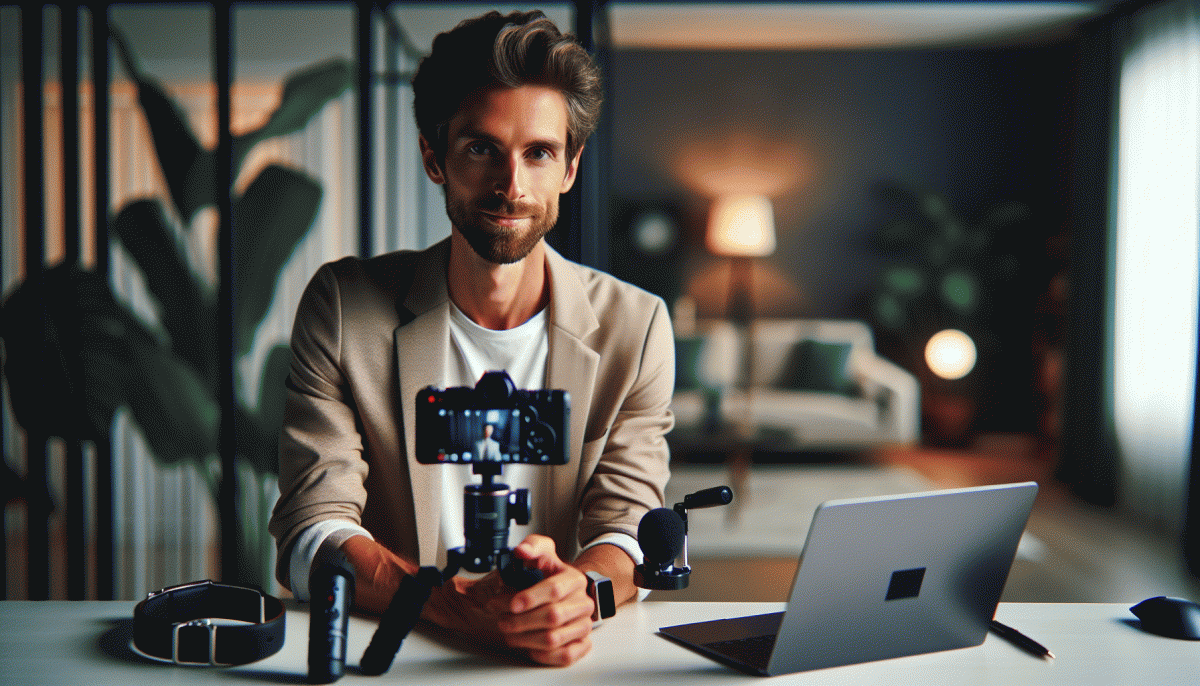
Light and angle make the first impression. Tilt the camera to eye level, test both front and back lenses, and add a soft fill light rather than harsh overhead bulbs. Clean the lens, remove clutter from the frame, and place one branded prop or plant for visual depth. If audio is weak, swap to an external mic, use earbuds with a mic, or move a bit closer to be clear and present.
Content should be tiny and fierce: map three beats — hook, value, and call to action — with a one sentence opener for each. Time them and rehearse transitions aloud. Prepare a single pinned comment with links and a short bio line, and copy three conversational prompts to drop into chat if things slow. Keep one quick anecdote ready to humanize the topic.
Do a dry run: start a private test stream and record locally, then replay to watch pacing and facial expressions. Set up a simple moderation rule and have a co-host or friend ready to greet viewers and manage chat. For a modest credibility lift, consider a small boost — buy Instagram auto views fast — then focus on friendly energy and real engagement.
Final mindset reset: breathe for five slow counts, smile to warm your voice, and set a visible timer so you do not ramble. Tell yourself that little mistakes create human connection; authenticity wins over perfection. When chat starts, echo two comments, ask one genuine question, and enjoy the show while you practice the kind of confidence that grows each stream.
Look and Sound Great: Easy Lighting, Audio, and Background Fixes
Little production miracles are mostly about removing distractions. Soften harsh lights with a diffuser or a plain white sheet over a lamp, angle the light slightly down from above eye level, and move the camera to eye height so your viewers actually feel like you are talking to them and not to the ceiling. Close windows to avoid backlight and turn off any extra colored bulbs that fight your skin tone.
- Lighting: Use a single soft front light or bounce light off a wall for even skin tones.
- Audio: Place a close lavalier or USB mic near your mouth and mute system sounds before starting.
- Background: Declutter the frame, add one statement object like a plant, and keep contrast so you do not blend into the wall.
Audio is the deal breaker for perceived quality: run a 30 second test recording with headphones to catch echoes or compressor hiss. If you want quick hardware and setup pointers, check out authentic YouTube boost site for ideas on gear tiers and fast improvements that do not require a studio.
Before you go live, do a checklist: camera at eye level, light softened, mic checked, phone on Do Not Disturb, and a one minute practice take. Smile, breathe, and remember that a few simple fixes will make you look and sound like you have a whole crew in your corner.
Steal-This Script: Hooks, Segues, and CTAs That Keep Viewers Glued
Think of your first 3–5 seconds as a movie trailer: brisk, slightly mysterious, and impossible to scroll past. Open with a tiny promise: "Watch me fix this in 30 seconds" or "You've been doing this wrong—here's the simple fix". Keep the energy up, use a smile, and mirror the chat: name one person who'd love what you're about to show.
Segues are your lifelines when the demo is longer than the attention span. Use a tight formula: Show → Explain → Invite. Example script: "Quick demo (10s), why it works (20s), tell me below if you want the exact steps". For dead air, have two micro-lines ready: "While I finish this, tell me in chat: 1 for yes, 2 for no" or "If you're watching live, drop a ? so I know you're here". Count pauses and use them as prompts.
- Hook: Open with a one-liner promise or bold question that creates curiosity in 3–5s.
- Segue: Bridge to the main demo with a 10–20s setup that says why this matters to viewers.
- CTA: End segments with a clear action: comment, save, or ask for a follow-up live.
Finish each segment with a staggered CTA — ask for a comment early, a save mid-show, and a follow at the end. Two live-ready CTAs: "Type 1 if you want a tutorial" and "Save this so you can copy it later". Rehearse these lines until they feel natural and pin a tiny cheat-sheet in view so embarrassment never gets the mic.
Engage in Real Time: Comments, Collabs, and Crisis-Safe Moderation
Going live is a tiny controlled chaos. Treat comments as co‑hosts: invite a question in the first 60 seconds, call out usernames to reward participation, and read one good comment every few minutes. That simple rhythm keeps people typing and sticks viewers to the end.
Keep moderation boring but firm. Set comment filters in advance to hide profanity and spam, pin a welcome comment with ground rules and a CTA, and toggle comment permissions if things go sideways. Prepare three canned replies and copy them into notes so you can paste without losing flow.
Collabs multiply reach but require choreography. Test audio and lighting with guests, agree on a segment order, and give a friend the last five minutes to do cross-promotion. A coordinated intro where both hosts say the same CTA turns viewers into followers.
For crisis-safe moderation, appoint two trusted moderators and run a five minute script with them before going live. Define escalation steps: mute, remove, block, and then end the broadcast if needed. Keep a calm statement ready to acknowledge issues and pivot back to content.
Do a last minute checklist: pin a top comment, load canned replies, assign roles, check connections, and rehearse the first 90 seconds.
Pro tip: practice one private live per week to build instincts; the more you do this, the less you fear the live moment and the more your audience will love it.
After the Live: Save, Clip, Caption, and Repurpose for Maximum ROI
Lock down your Live raw file before you breathe. Save the IG Live to the camera roll and to the archive, then download a local copy and back it up to cloud storage. Export audio stems if available, create a clear folder structure, and name files with date plus a short keyword so future you does not enter a panic spiral when searching for golden moments.
Next, slice it into snackable pieces and make repurposing stupidly easy:
- Clip: 30 to 60 second highlight with a hook in the first 3 seconds and a clear CTA to drive action.
- Tease: 15 second reel that teases a peak moment, optimized for silent autoplay with burned captions.
- Transcript: Full text dump to mine quotable lines, caption ideas, and SEO friendly snippets.
Write an attention grabbing caption, edit auto captions for accuracy, fix punctuation, and add timecodes in the first comment so viewers jump to key bits. Stagger posts across days and platforms, and if you want a visibility hack consider cheap Instagram boosting service as a starting push—always pair paid reach with content tweaks so the lift converts to real fans.
Track views, saves, shares, and follower lift per clip and loop winners into email, YouTube shorts, and community posts. Set a mini calendar: day 1 highlight, day 3 reel, day 7 email, day 10 evergreen clip. One Live can fuel weeks of momentum when you save, clip, caption, and repurpose with a bit of strategy and stubborn consistency.
Read also

Instagram Live Without the Cringe: The Unfair Playbook They Don't Want You to Use

Live on Instagram Without Embarrassment: Pro Secrets That Actually Work

Go Live on Instagram Without Cringe: The Shockingly Simple Playbook

Go Live on Instagram Without the Cringe: Steal These Pro Tricks to Wow Viewers

You’ve Been Doing Instagram Live Wrong—Do This Before You Hit ‘Start’
