Go Live on Instagram Without Cringe: The Foolproof Playbook for Standout Streams
Pre-Game Like a Pro: Tech checks, lighting tricks, and a 10-minute rundown
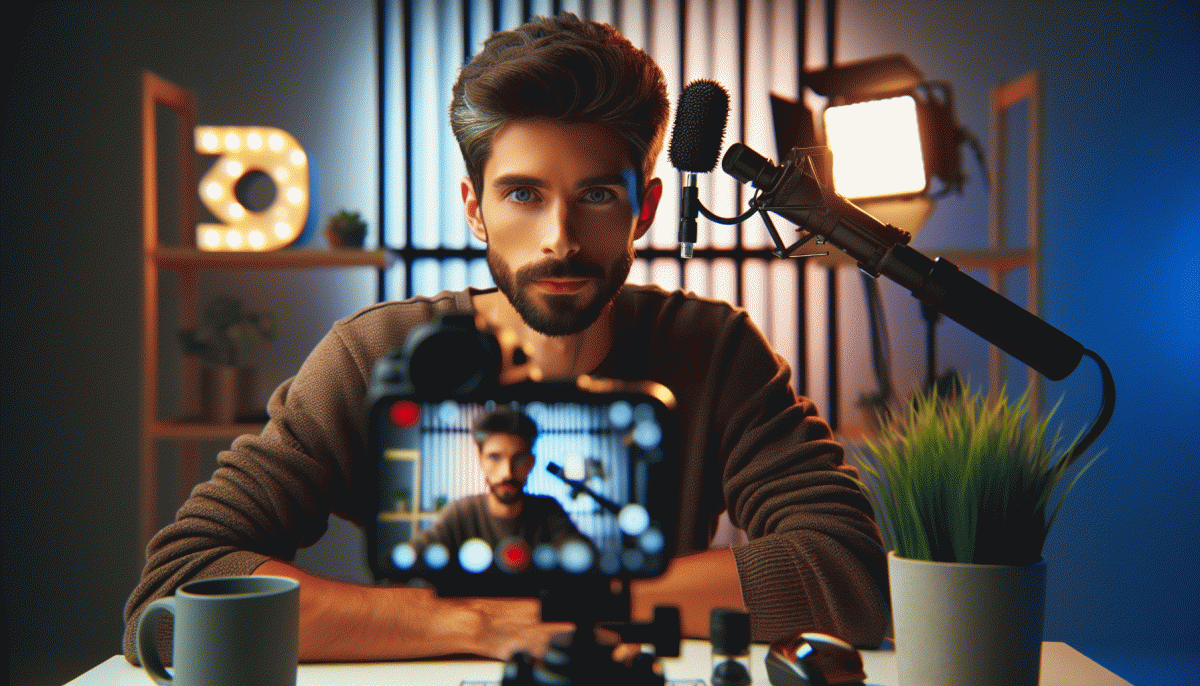
Think of this as your live-stream pit stop: run a mic and camera check, confirm upload speed (5+ Mbps for 720p), and restart apps that might steal CPU. Position your camera at eye level, tuck cables away, and toss a low-cost backdrop behind you — it hides clutter and looks intentional.
- Setup: Quick test call to a friend or a private stream to catch latency and echo.
- ⚙️ Lighting: Two light sources angled 45°; key light warm, fill light soft to erase shadows.
- Mic: Pop filter, 20cm distance, mute when not talking to kill room noise.
Want a few extra viewers when you go live? Check Twitch boosting for fast, affordable options that can help you hit critical momentum in those first minutes.
The 10-minute countdown: minute 10—open scene and chat, minute 7—soundcheck with a canned clip, minute 4—frame and lighting final tweak, minute 2—breathe, smile, hit record; minute 0—go live with a one-line hook and a pin explaining what viewers get for staying.
Hook Them in 8 Seconds: Openers that stop the scroll and spike retention
Think of the first eight seconds like a tiny trailer for your whole live: they decide if people scroll away or settle in. Use a single tight line that either shocks, promises, or entertains—no rambling. Start with a bold visual or a short, specific promise: "Stay 60 seconds and I'll show you how to double story replies." That's the bait.
Try three opener types and keep them short: a visual surprise (drop an unexpected prop and shout the payoff), a blunt question ("Want more saves than likes?"), or a value-first promise ("One tip in 60 seconds that fixes your lighting"). Write each opener as one sentence, then trim words until it still lands fast and clear.
Delivery matters more than perfection. Smile, own the frame, and lock eye contact with the lens. Use a beat—pause for half a second—immediately after the hook so the brain can process it. Turn captions on instantly and add a 2-word bold caption that repeats the hook for viewers who watch muted. Small rhythm changes often move retention more than fancy edits.
Technical setup is tiny but mighty: vertical framing, top-third composition, light from the front, and a simple background. Pre-program your first 8 seconds: camera on, caption live, one prop or gesture ready, and the exact opening line memorized. Run that opener three times until it feels natural, not scripted, and adjust the wording to what actually holds people.
Finally, test and tweak. Run two different hooks across consecutive lives and track retention at 0–10s and 10–30s. If one keeps viewers past 15 seconds, that's your winner. Keep the stakes playful: tell them "Stay 90 seconds and I'll drop a pro-only trick." Practice this muscle and your streams will start converting scrolls into staying fans.
Chat Like a Human: Real-time engagement moves that never feel thirsty
Think of the live like a dinner party — not a megaphone. Use first names, repeat short comments back, and anchor answers to something the viewer said. Quick moves: read a name, paraphrase their question, give one helpful nugget, and make a tiny camera gesture like eye contact. It feels human because you show you were listening, not performing for applause.
Adopt a two-sentence rule: acknowledge, then add value. For example, 'Great point, Maya — I've tried that and here's the tweak...' That keeps replies snappy and useful. For longer threads, triage: reply to high-engagement comments, answer burning questions, and batch the rest with a promised follow-up. Build a short FAQ script for repeat questions and use it fast.
Use visual micro-engagements: point at a comment, flash an on-screen emoji, or do a tiny demo. Prompt rapid responses with micro-polls: 'Thumbs up for A, heart for B' or 'Type 1 for yes, 2 for no.' Rotate emoji reactions to match the tone, and call out quick winners to encourage repeat participation without making chat feel like a sales funnel.
When you hit negativity, normalize then move on: mirror it quickly — 'I hear you, that wasn't ideal' — then offer a short fix or invite a private convo. Pin constructive answers and rotate shoutouts to new and returning viewers. Light, consistent moderation and a few wry lines train chat behavior: questions get answers, trolls get no oxygen, loyal fans get noticed.
Close segments with tiny, actionable next steps: ask for clip permission, save a highlight for the feed, offer a follow-up resource, or tease the next stream topic. Use one clear CTA delivered casually: 'If this helped, follow for more live hacks.' Small, human touches compound; do them every stream and your chat will evolve from background noise into community.
Save the Replay, Slay the Edit: Turn one Live into a week of content
You just finished a Live — great energy, real talk, and enough gold to fuel a week of posts. First move: download the replay immediately, name the file with the date plus a keyword, and run an automatic transcript. A searchable transcript turns scattershot riffing into neat headlines and quotable moments without guesswork.
Next, timestamp while you skim: mark five standout moments (hook, surprise, tip, story, CTA). Trim each into 15–60 second clips for Reels and stories, then crop vertically and add captions. Keep the best 30 seconds as your primary Reel; shorter, snackable cuts become Stories and TikToks that point back to the full replay.
Don’t waste the audio — repurpose it. Extract a 15–30s audio track with a clear hook for Reels and a 30–60s audiogram for feeds. Pull three one-liners from the transcript for quote cards, and create a carousel that walks viewers through the Live’s main takeaways as bite-sized slides.
Optimize each asset: write a punchy first line, use one strong CTA (save, DM for collab, watch replay), and design a consistent thumbnail that signals this series is from the same Live. Reuse hashtags and a branded color overlay so your audience recognizes the week’s posts instantly.
Map a simple week: Day 1 — full replay; Day 2 — highlight Reel; Day 3 — quote card; Day 4 — carousel lesson; Day 5 — audiogram with captioned micro-tips; Day 6 — follow-up Q&A post; Day 7 — roundup or poll that invites saves and shares. Schedule them in one batch so you stay present without redoing work daily.
Quick checklist before you hit publish: transcript ✔ clips ✔ captions ✔ thumbnails ✔ CTA ✔. Batch the editing, reuse assets, and treat one honest Live like a content factory — you get authenticity without the perpetual scramble.
Crisis-Proof Your Stream: What to do when trolls, glitches, or silence hit
Lights, camera, contingency: when a live stream hiccup happens, calmness is your secret weapon. Before you hit Go Live, run a five‑minute tech check, connect a phone as a tethered backup, and load three canned lines for awkward silence. Pin a short status update so late arrivals know you have a plan and are not melting down.
Keep three practical fallbacks in your pocket:
- ⚙️ Backup: Record locally and have a standby device or hotspot queued; if Instagram hiccups, move the conversation to Stories or a linked platform to keep momentum.
- Moderation: Assign one reliable moderator with a script and ban/mute authority; give them short responses for trolls and a protocol to escalate real threats.
- Pivot: Prep three quick pivots — Q&A, behind‑the‑scenes demo, or an instant poll — and practice transition lines so silence never feels awkward.
If you want an extra safety net for quiet moments or sudden visibility drops, check boost Instagram for promotional options that keep viewers engaged while you recover.
When glitches or trolls strike, narrate what you are doing, breathe, and move. A two‑sentence apology, a clear ETA, and a graceful pivot are your three recovery beats. Practice these moves off camera so real streams look effortless even when things go sideways.
Read also

Instagram Live Without the Cringe: The Unfair Playbook They Don't Want You to Use

Go Live on Instagram Without Cringe: The Shockingly Simple Playbook

Go Live on Instagram Without the Cringe: Steal These Pro Tricks to Wow Viewers

Live on Instagram Without Embarrassment: Pro Secrets That Actually Work

You’ve Been Doing Instagram Live Wrong—Do This Before You Hit ‘Start’
