The One Thing That Drives Clicks on YouTube (You Will Kick Yourself When You See It)
Spoiler: It Is Your Thumbnail — Here Is Why It Wins Every Time
Think of your thumbnail as the 1-second elevator pitch that either opens the door or keeps viewers scrolling. It's where bright colors, a readable face, and a tiny bit of intrigue collide to create an emotional jolt - and humans respond to that faster than any title or tag ever could.
Make thumbnails do the heavy lifting with three essential signals
- Contrast: High-contrast colors and bold text cut through the feed and increase legibility on tiny screens.
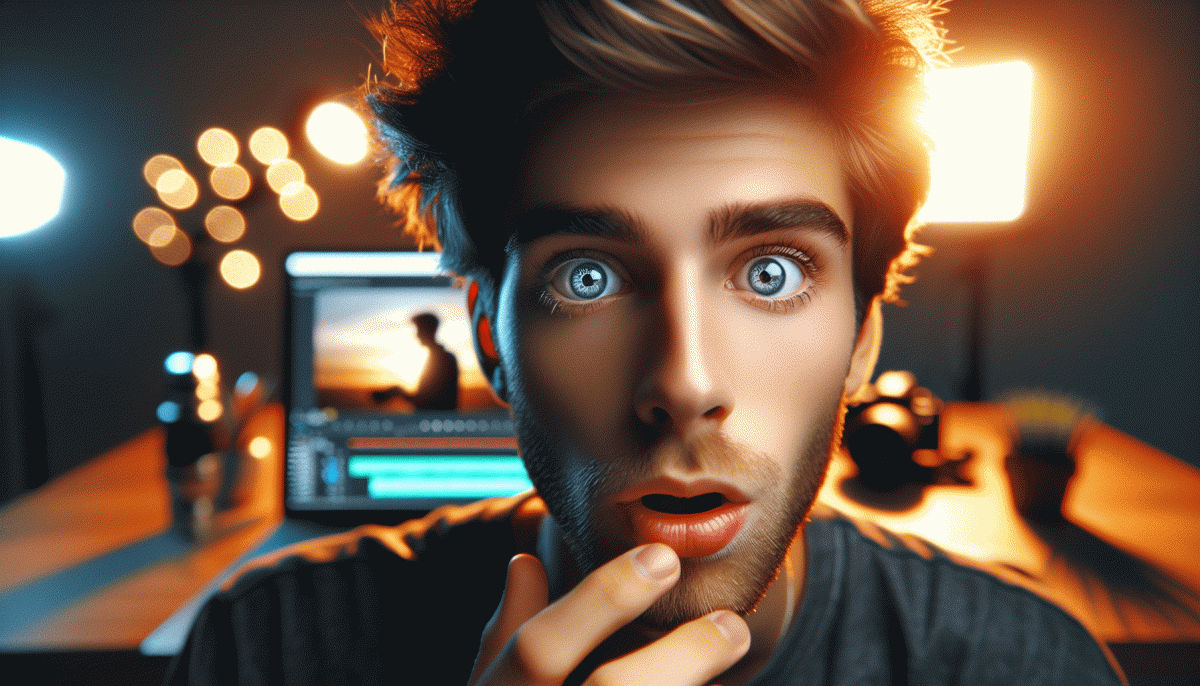
- Emotion: Faces that show clear feelings — shock, joy, confusion — build instant curiosity and trust.
- Clarity: One subject, one idea. If viewers can decode the promise at a glance, they click.
Practical moves: zoom faces to fill the frame, use short punchy words (3-4 max) in large fonts, and keep a consistent visual style so your audience recognizes your videos mid-scroll. Batch-test variants: change the crop, the color accent, or the expression and watch which elements lift CTR. Also check watch time retention - thumbnails that promise what the video delivers reduce drop-off and multiply recommendations.
Treat thumbnails like tiny ads: invest 10-20 minutes per video, review CTR after 24-48 hours, then iterate. Keep a swipe file of winners, steal patterns that work, and stop agonizing over perfection - fast improvements beat perfect laziness. The thumbnails you tweak today are the views (and subscribers) you harvest tomorrow.
Design in 60 Seconds: Framing, Faces, and Bold Words That Pop
In sixty seconds you can remake a thumbnail so that it stops a scroll. Think of the frame as a billboard: crop tight, push the subject toward the rule of thirds, and ditch background clutter so a single shape reads instantly on a tiny phone screen. High contrast and a clear silhouette make viewers understand the subject without thinking, which is the shortcut from glance to click.
Faces are the emotional magnets. A closeup with exaggerated but authentic expression grabs attention more reliably than any fancy filter. Eyes looking at the camera create direct connection; a glance away creates curiosity. Avoid small or distant heads, pale skin tones, and busy jewelry. Boost clarity with simple color grading, raise highlights on the eyes, and keep eyebrows and mouth readable at 200 pixels wide.
Words must be loud and few: two to four words is the sweet spot. Use a thick sans serif, expand tracking slightly, and add a high contrast outline or soft drop shadow so letters pop over complex backgrounds. Treat text like a headline, not a caption — prioritize legibility first, cleverness second. Place the phrase against negative space, align it with the subject, and make the most important word the largest.
Quick checklist: crop tight, frame a face, pick one emotion, add a two word punchline, crank contrast, and remove anything that competes. Export at the size your audience uses and preview on a phone before upload. Rinse and repeat with small variations to learn what works. Do that consistently and the one thing that drives clicks will start showing up in your analytics where it matters.
Title vs Thumbnail: The Combo That Makes CTR Skyrocket
Think of the headline and the visual as co-pilots. A great thumbnail grabs the eye; a great title convinces the brain to click. The trick that most creators miss is alignment: the thumbnail must deliver on the title promise in one glance, and the title must add the curiosity punch that the image cannot show alone.
For thumbnails, choose a single focal idea: a bold face showing clear emotion, a high-contrast foreground, and a tight crop. Use bright color pops and large, readable text only when it clarifies the hook. Avoid clutter and false promises; a mismatch between image and video content kills retention and makes CTR gains short lived.
On titles, lead with the benefit or the number, then add a tiny curiosity gap. Use formats like How to X in Y minutes or 3 ways to stop Z. Test brackets and power words (Instant, Secret, Why, Warning) but keep titles scannable on mobile. Run quick A/B tests: swap thumbnails first, then tweak the title, because the visual decides the split second choice.
Want to accelerate tests and scale winners fast? Check a ready option at Facebook boosting service to validate which combos work at volume.
Swipe File: 5 Proven Thumbnail Patterns You Can Copy Today
If thumbnails are your storefront, these five swipe-file blueprints are the window displays that actually pull people inside. Copy the structure, not the artwork: keep the layout, swap images and words to suit your niche, and you have a tested thumbnail ready to run in under an hour. Friendly, fast, and painless.
Emotional Close-Up: Big face, extreme eyes, one emphatic word to trigger empathy.
Before/After Split: Clear contrast, arrow or divider, immediate payoff.
Mystery Object: Crop something intriguing plus a short question to force curiosity.
Typography Punch: Massive contrasting word that reads at a glance.
Reaction+Context: Subject reacting to a tiny scene in the corner—story implied.
Design rules that make those patterns work: high contrast, simple composition, a max of three elements, and fonts large enough to read on phones. Use a color pop for one focal item, position faces near the thirds, and leave breathing space—too busy kills CTR. Export sharp and preview at small sizes.
Now the play: pick one pattern, make two variants (swap the word or the expression), run both for a week with similar traffic, then promote the winner. Track CTR, watch time, and iterate. Small, frequent tests beat perfect designs tucked in a drawer. Steal, tweak, and scale.
Quick Tests to Boost CTR: Tiny Tweaks, Massive Clicks
If you want quick wins, treat your thumbnail, title and opening seconds like a mini laboratory. Change one thing at a time, pick a clear hypothesis, and measure CTR shifts. Tiny visual or wording nudges often punch far above their weight if you test them fast and frequently.
Start with thumbnails: bigger faces, higher contrast, and one bold word usually move the needle. Swap background colors, tighten the crop to focus on eyes, and test a short overlay verb like Watch or Now. Keep designs legible on mobile thumbnails and avoid clutter.
Tweak titles and the first three seconds together. Try a curiosity gap version versus a direct benefit version, or add a short number to promise a quick payoff. Place the main keyword near the start so algorithm signals and human scanning align. Do not change dozens of words at once.
Optimize metadata and micro CTAs: add chapter timestamps in the description, pin a comment with a short call to action, and experiment with end screen timing. Small placement shifts for cards and end screens can rescue lost clicks with zero ad spend.
Run each variant for a fixed sample size — aim for 500 to 1,000 impressions — then compare CTR and watch time. Log winners, roll them out, and repeat. Consistent microtests equal compounding gains; the secret is disciplined, fast iteration rather than dramatic overhauls.
Read also

The One Thing That Drives Clicks on YouTube (Spoiler: It's Not Your Video)

The One Thing That Drives Clicks on YouTube (You're Probably Ignoring It)

The One Thing That Drives Clicks on YouTube (No, Not the Algorithm)

The One Thing That Drives Clicks on YouTube (Hint: Your Thumbnail Rules the Game)

The One Thing That Drives Clicks on LinkedIn (You're Probably Ignoring It)
