Stop Going Live Wrong on Instagram: Do This Instead (No Cringe)
Set the Stage: A 10-Minute Prep Ritual That Kills Awkward Silence
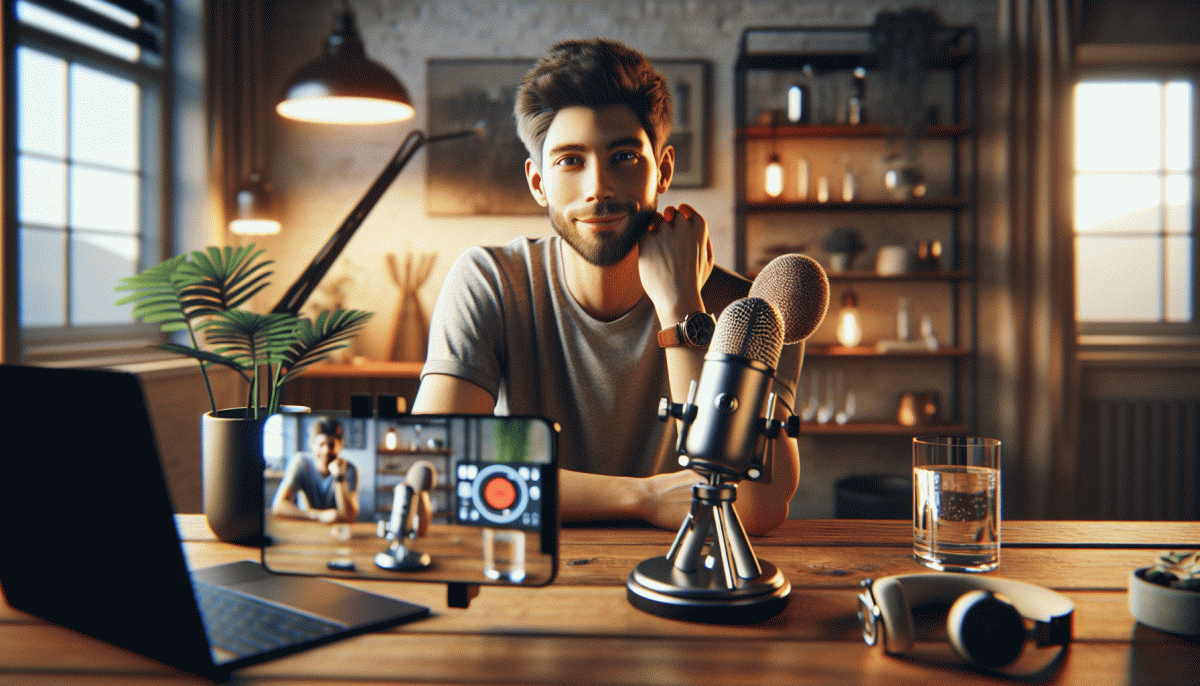
Treat the 10-minute ritual like a pre-show warmup for a band: it's quick, repeatable and makes you look like a pro. Split the ten minutes into tiny sprints—tech, light, sound, a 30-second opening, and a fallback plan—and you'll remove the wobble that causes awkward silence.
Tech check: flip your camera to the right angle, lock focus, mute notifications, and confirm microphone levels. Turn off auto-brightness if you can and make sure battery and Wi‑Fi are stable.
Lighting: face a window or aim a soft light slightly above eye level so your face is flattering and your viewers don't squint.
Write the first 30 seconds verbatim—your hook—so you never start with "um." Outline three bite-sized segments you can pivot between if chat goes quiet, and craft two engagement prompts (one question, one quick poll). Decide which comment to pin before you go live.
Warm up your voice and body: 60 seconds of humming or tongue twisters, smile to brighten your tone, and do one posture reset. Wear a simple, camera-friendly color and remove visual clutter behind you. Confidence is 80% preparation, 20% swagger.
Last 90 seconds: do a run-through of your opening, glance at your notes, take deep breaths, and hit start. If silence creeps in, use a prepared anecdote or a viewer question to bridge—no cringe, just flow. You'll come off calm, clear, and oddly magnetic.
Look and Sound Legit: Lighting, Angles, and Audio That Flatter, Not Fluster
First impressions on a Live are lit in seconds, so start with light that helps, not hides. Face a window for soft, flattering key light or use a ring light at eye level to reduce shadows. Bounce hard bulbs into a white ceiling or a sheet to diffuse them. Avoid overhead fixtures that cast deep eye sockets and dull skin tones.
Angles make you feel trustworthy or awkward in an instant. Keep the camera at eye level or slightly above; tilt up from below causes double chins and discomfort. Keep your phone at arm length so the frame shows head and upper torso for gestures. Lock exposure and focus on most phones, and test how clothing patterns read on camera to avoid moire or weird lines.
Audio is the secret that separates amateur from pro. Use a small lavalier or a USB mic close to the mouth instead of relying on the phone microphone. If you cannot, position the phone within three feet and reduce room echo with pillows, rugs, or curtains. Do a three second audio test and watch levels for clipping. Mute notifications and ask collaborators to silence devices before you go live.
Small staging choices save face: add depth between you and the background, keep a single color pop and avoid busy shelves, and lock screen rotation. Secure the device on a tripod or stack of books to prevent creeping tilt. Check battery, data strength, and close background apps that steal upload bandwidth for a smooth, uninterrupted stream.
Practice a two minute setup checklist before each session: lights on, camera at eye level, mic tested, background tidy, and a short warm up that gets you comfortable with breathing and pacing. When you want to pair polished production with faster reach, try real Facebook marketing boost to bring more eyes to that clean, confident Live.
Hook Hard in 10 Seconds: Openers That Make Viewers Stay, Chat, and Share
Start with a promise, not a hello: in the first ten seconds tell viewers exactly what they will learn and why it matters right now. State a concrete outcome in five upbeat words, then show a quick visual or surprising stat that proves you are worth staying for. Urgency plus proof beats polite small talk every time.
Use tight, repeatable openers so you are not relying on charm alone. Try templates like "Stop—watch this and learn X", "I fixed Y in 24 hours", or "Want Z? Say YES". Vary tone between blunt, curious, and mischievous depending on your brand, and practice each line with a ten second timer so delivery becomes automatic.
Actions beat explanations: reveal the result before explaining it. Flash a before image, perform one rapid demo move, or change the camera angle to create motion that demands attention. Always pair that action with a short on screen caption so the point lands even when sound is off, and use a quick jump cut to accelerate momentum.
Make chat inevitable by asking a tiny, opinionated prompt, daring viewers to drop an emoji, or promising a follow up if comments hit a number. Offer a micro incentive like giving the first five commenters a free tip, and respond fast to seed the conversation so the chat fills up and the algorithm notices.
Finish the opener with a micro CTA that protects retention: tease a deeper tip later, promise a mistake to avoid, or invite viewers to share the clip with someone who needs the result. Pin a clarifying comment with the next step and you will convert that initial stick into real engagement, talk, and shares.
Engage Like a Human: Comments, Pinning, Badges, and Collabs That Pop on IG
Live video is not a monologue, it is a living conversation. Stop reading a script and start listening: seed smart comments in the first 30 seconds, answer names, and treat reactions as cues. A single genuine reply will land you more loyal viewers than a hundred canned lines, so swap autopilot for real-time curiosity and short, playful answers that keep people typing.
Pinning is your secret director tool. Pin a welcome comment with the topic and a simple task (answer a poll in the comments, drop a city, choose an angle). Change the pinned comment midstream to spotlight a standout fan or a paid supporter. This gives structure, reduces chaos, and signals what kind of conversation you want without being pushy.
Badges and collabs are not just monetization features, they are community glue. Mention badges naturally—thank the first badge within 60 seconds and reward that supporter with a shoutout or a quick Q and A. For collabs, rehearse a two minute intro exchange with your guest so the energy stays fresh; tag roles (host, cohost, Q master) out loud so the audience knows who is speaking.
Use this tiny checklist during the countdown so engagement looks effortless:
- Comments: Seed three starter prompts and reply fast to the hottest thread.
- Pinning: Pin a task, then rotate the pinned highlight at a key moment.
- Collabs: Preplan roles, thank badges live, and switch host energy smoothly.
Turn One Live into Ten Posts: Repurpose for Reels, Stories, Grid, and Email
Treat a single Live like a session from which you will mine gold. While streaming, note timestamps for standout moments and short answers. After recording, export the full file and generate a clean transcript. That gives you the raw material to chop into snackable clips, pull quotable lines, and craft headlines that will make people stop scrolling.
Make Reels your marquee: pick 3-5 dynamic 15-60 second moments, add jump cuts, captions, and a punchy hook in the first second. For Stories, slice these clips into 15-second frames, add interactive stickers and polling to spark replies. For the grid, turn longer topics into a 3-5 slide carousel with a strong cover image and a micro caption per slide that teases the value.
Repurpose transcripts into captions and email copy: pull 3 short paragraphs for a newsletter, include time coded highlights with a single clear CTA, and embed one Reel or GIF as the visual hero. Turn standout quotes into single-image posts and use them as preview content in your email subject lines. This bridges social attention to owned channels.
Create a simple workflow: trim clips, write three caption variations, batch schedule, and save templates for thumbnails and CTAs. Use analytics to test which clip types perform best and double down. Automation tools can speed exports and captions but keep one human edit pass for personality. Do this and a single Live will fuel your content calendar for weeks without cringe.
Read also

You’ve Been Doing Instagram Live Wrong—Do This Before You Hit ‘Start’

Go Live on Instagram Without the Cringe: Steal These Pro Tricks to Wow Viewers

Instagram Live Without the Cringe: The Unfair Playbook They Don't Want You to Use

Go Live on Instagram Without Cringe: The Shockingly Simple Playbook
Stop Guessing: What the Instagram Algorithm Wants From You Right Now
