Live Content Done Right on Instagram (Without Embarrassment): Steal These Pro Moves Before You Hit Go Live
Prep in 10: a no-cringe run-of-show that keeps you smooth, not stiff
Ten minutes is all you need to avoid the freeze-and-fumble. A micro run-of-show gives you a loose structure so you can riff with confidence: three zones (open, middle, close), one clear aim per zone, and a single fallback line for when the brain blanks. This keeps things human, not robotic.
Use this 10-minute template out loud once and you are ready. Warm up, run the beats, then go. Try this quick sequence:
- Hook: 15 seconds to grab attention with a bold promise or a curious fact.
- ⚙️ Flow: Two main points with a short example or demo to keep momentum.
- CTA: Clear next step: comment, save, follow, or join a link in bio.
Finish with a two-minute tech and vibe sweep: lights angled at eye level, microphone check, notifications off, battery plugged, notes visible. Breathe, smile, count to three, and say your fallback line when you start. After the stream, jot one tweak to make the next run smoother. Small rituals beat big rehearsals every time.
Look better instantly: lighting, framing, and filters that flatter on IG Live
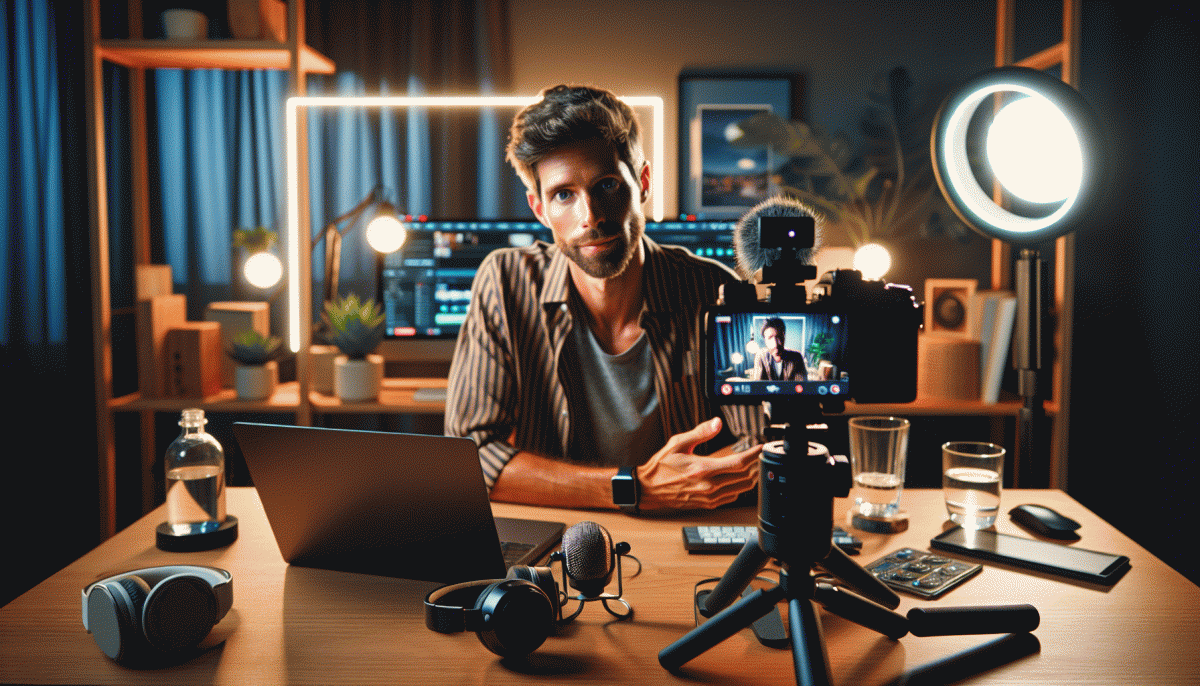
Light is the fastest upgrade. Face a window when possible; soft, even window light beats overhead bulbs. If natural light is not available, use a small ring or panel placed slightly above eye level to avoid unflattering shadows. Avoid harsh backlight unless you add a rim light to separate you from the background.
Frame for phone screens: vertical, head-and-shoulders with a little breathing room above the head. Use the rule of thirds—aim to place your eyes about one third down the frame. Avoid cutting off the chin or top of the head. Position the camera at or slightly above eye level; looking up rarely flatters.
Filters can help, not hide. Prefer subtle warmth and a small contrast boost; reduce heavy smoothing that reads fake on Live. Always run a short test recording to judge color and skin tones and adjust before you go live. If you want quick how-tos and gear picks, check top YouTube boosting site for fast reference.
Practical gear setup: try a simple two-light configuration—key light at 45 degrees and a softer fill on the opposite side—to eliminate deep shadows. Use a diffuser or white fabric to soften LEDs. Turn off overhead fluorescents that cast greenish tones and lock exposure on your phone so it does not hunt for brightness mid-stream.
Quick pre-live checklist: stabilize your phone, silence notifications, check battery and connection, tidy the background, and rehearse a 30-second opener. Keep one flattering angle and one softened light ready if you need to pivot. Small technical polish makes your personality shine on Live, and that is what keeps viewers coming back.
Own the chat: prompts, pinned comments, and collabs that spark real-time buzz
Think of the live chat as your stage crew: it doesn't just react — it amplifies. Before you go live, map a short choreography of engagement moves: a 30-second icebreaker that invites names or cities, two mid-show prompts that ask for hot takes, and a closing CTA that feels like a reward not a sales pitch. This keeps comments flowing so your stream looks busy and feels electric — even when you're doing the heavy lifting.
Prompts win attention when they're tiny, specific, and repeatable. Use templates you can drop into chat quickly: “Say where you're watching from ?,” “One-word reaction to this outfit/idea?” and “Vote A or B — I'll read results live.” Time them: open with an icebreaker, drop a debate prompt 10–12 minutes in, then a “poll plus story” prompt near the end. Staggered prompts avoid tumbleweed silence and spark threads people reply to each other.
Pinned comments are your conversation anchors. Pin a warm welcome plus a single question, pin a real-time update (“Giveaway ends in 5 mins!”) when momentum peaks, and swap pins every 10–15 minutes so newcomers land on something relevant. Try pinning a viewer comment you want others to riff on — it signals value and nudges replies like a conversational magnet.
Finally, collabs turn private audiences into a party. Bring in a guest for a rapid-fire segment, share moderation duties with a co-host, or tease a cross-post to the guest's followers before you start. Run a mini "duet Q&A" where the guest answers viewer questions live — it doubles comment volume and makes both audiences invested. Practice the timing once, then steal the routine for every show.
When tech misbehaves: zero-panic fixes and backup plans mid-stream
Stay calm and narrate. The first 10 seconds after a glitch decide whether viewers stick around. Say you see the issue, promise a short pause, and give a time estimate. A tiny script like "one minute and we are back" buys trust while you triage.
Audio triage is fastest. Check mute toggles, swap to wired earbuds, reboot the mic source, or switch off Bluetooth devices that steal audio. If chat reports echo, ask a volunteer to mute and confirm whether the problem is them or the stream.
Fix the picture without panicking. Drop resolution or disable effects, close background apps hogging bandwidth, move closer to the router, or enable phone hotspot. A quick flip to the rear camera often saves quality and keeps momentum.
Crash plan equals continuity. If your main app dies, jump on a backup device or play a short, polished prerecorded clip while you restore the main stream. If you want a quick audience boost while you sort tech, consider buy Instagram followers instantly today to keep momentum after the hiccup.
Use the crew on hand. Assign a moderator to feed you key chat lines and questions, pin a status comment explaining the delay, and invite a cohost to run conversation while you troubleshoot. Engagement keeps viewers feeling included even during downtime.
Pack the five small lifesavers. Keep a power bank, a USB cable, spare earbuds, a backup device, and a one minute fallback video ready. Run a single failure rehearsal so you know which button to hit without thinking. Smile when you return and the audience will forgive most sins.
Sell without the ick: CTAs, badges, and replays that convert (and feel human)
Start with a gentle nudge rather than a hard sell. Use a short on screen banner and the same sentence verbally so the CTA lands twice without being loud. Try Verbal + visual: name the action, explain the tiny benefit, then tell viewers where to tap.
Turn badges into social proof and gratitude, not a cash grab. Call out supporters by name, thank badge gifters on camera, and offer micro perks like a shoutout or a behind the scenes clip. That human exchange makes buying feel like joining the party, not surviving a pitch.
Make your replay work harder. Pin a timestamped comment with product links and a one line summary, edit the replay caption to include clear next steps, and clip the best 30 seconds to a Reel. Replays are discoverable touchpoints, so optimize them like a mini commercial.
Keep language conversational and limit pressure. Use micro CTAs such as "drop a fire emoji if you want this" or "tap to reserve" instead of screaming buy now. Share a quick customer story to explain why the item matters and let curiosity do half the selling.
Measure and iterate: test two CTAs per stream, watch which badges drive actions, and track replay clicks. Small experiments reveal a repeatable rhythm that feels natural. Sell with confidence and a smile, not a megaphone, and you will avoid awkwardness while converting better.
Read also

Go Live on Instagram Without the Cringe: Steal These Pro Tricks to Wow Viewers

Still Crushing Instagram Without Ads? Steal These Organic Tactics

Live on Instagram Without Embarrassment: Pro Secrets That Actually Work

What’s Actually Working on Instagram in 2026? Steal These Proven Plays Before Your Rivals Do

What Works Best on Instagram in 2026? Steal these breakout tactics before they get saturated