Live Content Done Right on Instagram (Without Embarrassment): Steal These Go-Live Secrets
Stop the Awkward: Pre-Show Rituals That Make You Camera-Ready in 90 Seconds
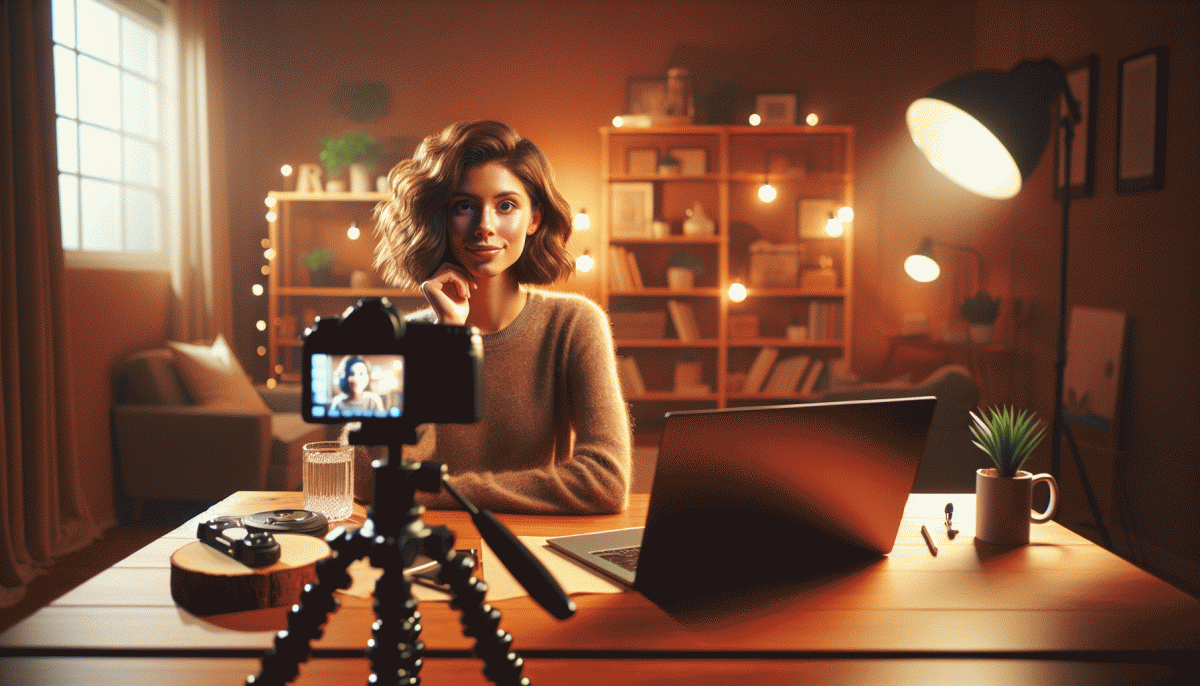
Treat the 90 seconds before you go live like a power song for your show. Begin with one deep breath, drop the shoulders, square the hips toward the camera, and tilt the chin down a touch to avoid an unflattering angle. Flick on the light you already tested and move the device a few inches until your face sits in the sweet spot. Finish with a single signal smile that reads warm and natural on video rather than a full forced grin.
Split the minute and a half into three clean checkpoints so nothing gets forgotten. 0–30s: lock the frame and lighting, check headroom and composition. 30–60s: test audio and delivery, speak your first sentence out loud and listen for pops or echo. 60–90s: run the opening hook and the transition into the main bit so the start feels connected and intentional. These tiny rehearsals cut awkward silences like a pro.
Bring simple props into the ritual: a book to raise the camera, a hair sweep with the back of the hand, and a sip of water to steady the voice. If you want an external confidence bump for early momentum, try safe Twitter boosting service to seed viewers and calm the opening minute jitters without faking it.
Do this sequence before your first five shows and it will turn into muscle memory. The aim is consistent calm, not perfection. Press Live with practiced energy, a clear first line, and the quiet knowledge that the awkward part is already handled.
The 10-10-10 Formula: Open Strong, Deliver Value, Close With DMs
Start with a detonator, not a warmup. In the first ten seconds state a clear payoff, show something visual, and ask a tiny engagement question that anyone can answer. A bold promise plus an immediate visual cue gets people to stop scrolling and stay long enough to hear your value. Think: tease the result, then prove it.
Use the middle block like a sprint with checkpoints. Break your core 10 minutes into three micro-lessons or demos so viewers can track progress and feel wins. Deliver one actionable tip every few minutes, show the result, and repeat the promise you opened with. If you vary tone and visuals every couple of minutes you will keep attention higher than a steady monologue.
The last ten minutes is about personal conversion. Shift the vibe from broadcast to 1:1: invite viewers to DM for a free checklist, slot, or quick audit; offer a simple keyword to message and set expectations for response time. Prepare canned responses to speed replies and move willing viewers into deeper conversations off the live stream.
Before you go live, run this quick checklist: frame the shot, nail the first 10 seconds, list three micro-lessons for the middle, and craft a one-sentence DM CTA for closing. Rehearse the opener and the DM phrase so both land naturally and you leave viewers with a clear next step.
Chat Chaos, Tamed: Simple Prompts That Explode Engagement
Live chat does not need to spiral into awkward silence or a sea of gif spam. With a handful of tight, triggerable prompts you can guide conversation like a DJ mixes tracks: set the beat, raise the energy, and give viewers a simple way to participate. These prompts are tiny stage directions that remove decision friction and invite instant reactions.
Starter Choice: "Quick pick: Coffee or Tea? Type C for Coffee, T for Tea — fastest team wins a shoutout." Micro-Dare: "One-line challenge: Drop your best two-word caption for today in chat. I will read the top three." VIP Hook: "Want a secret tip at the end? Type YES and tell us your goal in one sentence." Each prompt is engineered to be answered within seconds, boosting visible activity and creating momentum you can sustain.
When chaos starts, use short moderator scripts to steer it. Say something like "Pinned: keep it friendly, no links" and then follow with a positive redirect — "Now, who has a two-word caption?" — so attention shifts away from the disruption. Reward fast responders with a name drop or a quick on-screen reaction to keep others mimicking that behavior.
Swap two of these prompts into your next live, note when chat spikes, and repeat what works. Keep a running list of your best performers and rotate them like power chords. Consistency builds expectation, expectation builds participation, and participation makes your live feel electric instead of awkward.
Lighting, Angles, and Filters: Look Pro With Stuff You Already Own
You do not need a studio—use the morning window as a softbox, a lampshade as a diffuser, and a white T-shirt or poster board to bounce light. Aim for indirect light hitting your face at a slight angle and add a subtle backlight from behind to create depth; avoid brutal overhead bulbs and fluorescent strip fixtures that make you look tired.
Hold the phone at eye level or a touch above for the most flattering view; tilt the screen down slightly to eliminate chin shadowing. For medium shots, position yourself about 2–3 feet from the phone; step back for wider framing. Turn on the camera grid to place your eyes on the top-third intersection so every frame looks intentional.
Treat filters like seasoning: less is more. Reduce filter strength to 10–30%, then fine-tune exposure and white balance before applying any preset. A gentle warm bias usually reads friendlier on skin, and portrait or soft-light modes help with blemishes—just be careful not to over-smooth and erase natural expression.
- Lamp Hack: Place a lamp to the side or behind the phone and diffuse with a white T-shirt or tracing paper for soft, flattering light.
- Book Tripod: Stack books to eye height, prop the phone, and secure with a rubber band or clothespin for steady framing.
- Quick Fix: Wipe the lens, enable Do Not Disturb, check battery and mic, and run a 30‑second test before you go live.
Run a 60‑second precheck: light direction, angle, sound, background clutter, and one punchy opener. A little planning with items you already own keeps the focus on your content instead of awkward lighting mishaps.
Replay Gold: Turn One Live Into Reels, Stories, and Email Clicks
You just finished an Instagram live and the replay is a treasure trove. Treat it like raw film: mark the three biggest moments, grab the emotional or educational beats, and decide whether each slice will be a Reel, a Story, or an email teaser. Batch work—edit once, publish everywhere.
Download the full replay, then chop 15–30 second clips that stand on their own. Vertical crop for Reels, tighten the first three seconds into a hook, add captions and a clear call to action. Export a silent GIF for email preview and save a high quality clip for crossposting.
Turn clips into a Story sequence: headline slide, two highlight clips, then a slide with a sticker or poll to drive interaction. Save that Story as a Highlight. For email, embed the GIF, use a timestamp link to the full replay, and write subject lines like "Missed the Live? Watch the 90 second recap".
Measure by link clicks and rewatches, vary thumbnails and opening beats, and reuse the winning audio across future reels. If you need amplification, check best TT boosting service to kickstart reach. Small edits plus smart distribution equals major mileage.
Read also

Go Live on Instagram Without the Cringe: Steal These Pro Tricks to Wow Viewers

Live on Instagram Without Embarrassment: Pro Secrets That Actually Work

Still Crushing Instagram Without Ads? Steal These Organic Tactics

Steal These Instagram 2026 Secrets: What Works Now (and What to Ditch)

Instagram Live Without the Cringe: The Unfair Playbook They Don't Want You to Use