Hit Go Live Without Regret: Instagram Live Done Right (Without Embarrassment)
Hook Viewers in 5 Seconds: Openers That Stop the Scroll
First impressions on live video are brutal and glorious at the same time. The first five seconds decide if viewers stay or swipe. Treat that window like a neon billboard: be bright, clear, and impossible to ignore. Open with a promise of value, a surprising detail, or a quick visual that forces a pause. Energy matters more than perfection in this moment.
Three ready to use openers that stop the scroll: Value shot: "In the next 10 minutes I will show you how to fix X without spending money." Shock prep: "I thought this trick was fake until it doubled my results in one day." Visual hook: start by holding up the final result to camera and say "This is coming off in three steps." Use one of these scripts exactly as written the first time you go live and then riff from there.
Small production moves make the opener land. Frame yourself tight, get a soft light on the face, and start with the camera at eye level. Mute background noise, and use bold on screen text that repeats the promise. If you are demoing a product show it immediately in hand. If you are sharing a tip, start with the outcome then say how you will get there. Clarity trumps cleverness for retention.
Practice the opener like a one sentence elevator pitch until it feels natural. Time it on your phone to keep it under five seconds. Run a few quick tests at different times and note what keeps viewers past the first minute. With a tight opener, going live becomes less about bravery and more about design.
Look and Sound Sharp: Lighting, Audio, and Angle Tweaks That Wow
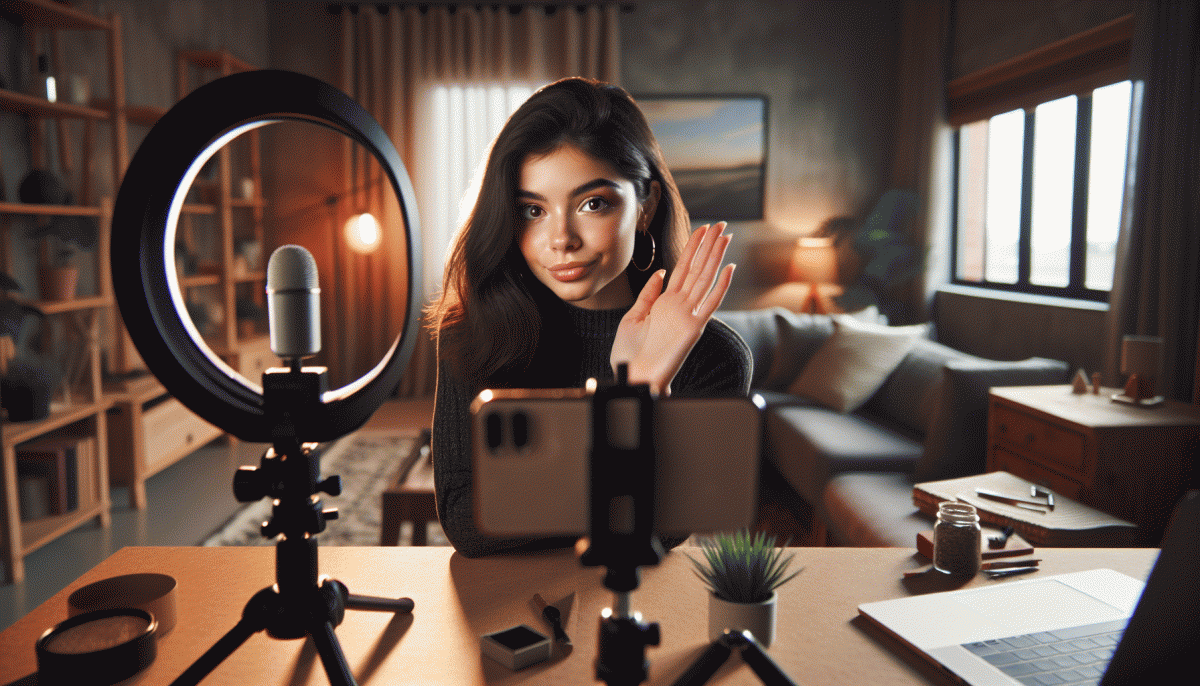
Small adjustments to light, sound, and angle are the secret to a live that feels polished instead of panicked. Start with the light that hits your face. Backlight makes you a silhouette, direct overhead lights cast unflattering shadows, and a soft front light makes skin look natural and eyes pop. Use a window, a lamp with a diffuser, or a ring light positioned just above the camera for flattering, even illumination.
Think of color temperature like mood music. Warm bulbs create cozy vibes and cool bulbs look modern, so pick one and stick with it. If colors look off, switch light sources until skin tone reads naturally on your preview. Bounce harsh light into a white wall or a sheet for instant diffusion. Keep a small light behind you to separate you from the background and add depth to the frame.
Audio can elevate credibility faster than any filter. A small lavalier or a directional USB mic will make you sound like a pro compared to the phone microphone across the room. If you must use earbuds, use the built in mic near the mouth and test for rustle. Do a quick recording and listen back; eliminate echo by moving away from hard surfaces and turn off noisy appliances.
Angles are persuasion tools. Place the camera at eye level or slightly above for a friendly, confident look. Keep the phone vertical for Instagram Live, center your eyes about one third from the top of the frame, and leave comfortable headroom. Clean the lens, tidy the background, and angle slightly toward a light source so you never appear dim.
Before you hit go, run a 60 second dry run: check battery and Wi Fi, silence notifications, confirm microphone level, and promise yourself one clear opener. These small rehearsals save a lot of cringe and make your live feel intentionally good rather than accidentally lucky.
Keep Chat Buzzing: Friendly Prompts and CTAs That Drive Action
Think of your Live as a lively dinner party — the host who asks great questions gets the best stories. Open with tiny, low-effort prompts that invite one-word answers: "Coffee or tea? ☕️/?" or "Type a ? if you want tonight's quick tip." Those micro-asks turn lurkers into participants without any awkward pressure.
Keep variety in your prompts. Use a poll-style nudge: "Vote A/B in the chat," a curiosity spike: "Guess how long this trick takes — three guesses only," and a playful dare: "If you're watching from the couch, drop a ?️ and I'll shout you out." Short, specific CTAs beat vague pleas — they're fast to read and faster to respond to.
When you want action, give one clear next step and remove friction. For example: "Want a follower boost for tomorrow's promo? Tap here to get Instagram followers today — I'll show you how to use them in 60 seconds." Anchored CTAs like that pair urgency with utility.
Final rule: prepare three go-to CTAs (engage, save, follow), rotate them, and repeat at the one-third and two-thirds marks. Friendly prompts + precise CTAs = a chat that hums, not an audience that ghosts. Stay playful, keep it simple, and let the conversation do the selling.
When Things Go Sideways: Smooth Saves for Live Slipups
Slipups happen to even the most polished hosts, and that is okay. The audience is human, and humans love a quick recovery. First move: breathe, acknowledge the glitch in one sentence, then steer. A tiny, sincere line goes further than a five minute panic. Keep calm, keep the energy, and the camera will forgive you.
Have a technical backup plan that feels like a secret weapon. Keep a short playlist of saved clips or a branded interstitial video ready to drop, know how to switch to a phone hotspot, and assign a co-host or moderator who can cover while you troubleshoot. If audio or video fails, switch to chat-driven Q and A so the show keeps moving without dead air.
Prepare one or two verbal recovery lines you like and can say without thinking. Examples: "Short tech pause, be right back" and "Little hiccup—while I fix this, tell me your best tip". Use them, then pivot to content. For trolls, have moderators on speed dial and set clear chat rules before you go live. A swift mute or timeout saves friction and keeps the vibe positive.
Finally, rehearse these moves so they become muscle memory instead of drama. If you want a faster confidence boost before a big debut, consider a visibility nudge like buy instant real Twitch followers to help your first minutes look lively and invite organic engagement. Practice, plan, and smile—your audience will follow.
After the Live: Repurpose Replays into Clips, Posts, and Leads
The live ends but the work begins. Save the highest quality replay and download a copy before the algorithm buries it, then scan comments and DMs for follow up asks and top viewer names. Check live analytics for retention and drop off points so you know which segments earned attention and which need sharpening.
Cut 15 to 60 second clips that open with a hook, deliver one clear idea, and close with a next step. Format each clip vertically for Reels, add captions and a strong visual subtitle, and export a square version for the feed. Add a quick headline frame and consider light sound design or trending audio to boost discovery.
Turn key moments into feed posts and carousels by transcribing highlights and pulling out bold quotes and action steps. Use a simple branded template and a cover slide that poses the question the live answered, then include a slide with a timestamp so curious viewers can jump to the full replay. Evergreen carousels will keep attracting saves and shares long after the live date.
Convert replay interest into leads by expanding a high value segment into a gated PDF checklist, cheat sheet, or mini course and requesting an email for access. Outline the promise clearly in the caption, create a short email sequence to onboard new subscribers, and automate follow up so hot prospects do not go cold.
Schedule a repurpose calendar that drips clips across Reels, Stories, and pinned posts over several weeks, A/B test thumbnails and CTAs, and track which snippets drive saves, shares, and signups. Consistent repurposing reduces regret, multiplies impact, and turns one confident go live into a steady content engine.
Read also

Live on Instagram Without Embarrassment: Pro Secrets That Actually Work

Go Live on Instagram Without the Cringe: Steal These Pro Tricks to Wow Viewers

Instagram Live Without the Cringe: The Unfair Playbook They Don't Want You to Use

Go Live on Instagram Without Cringe: The Shockingly Simple Playbook

You’ve Been Doing Instagram Live Wrong—Do This Before You Hit ‘Start’
