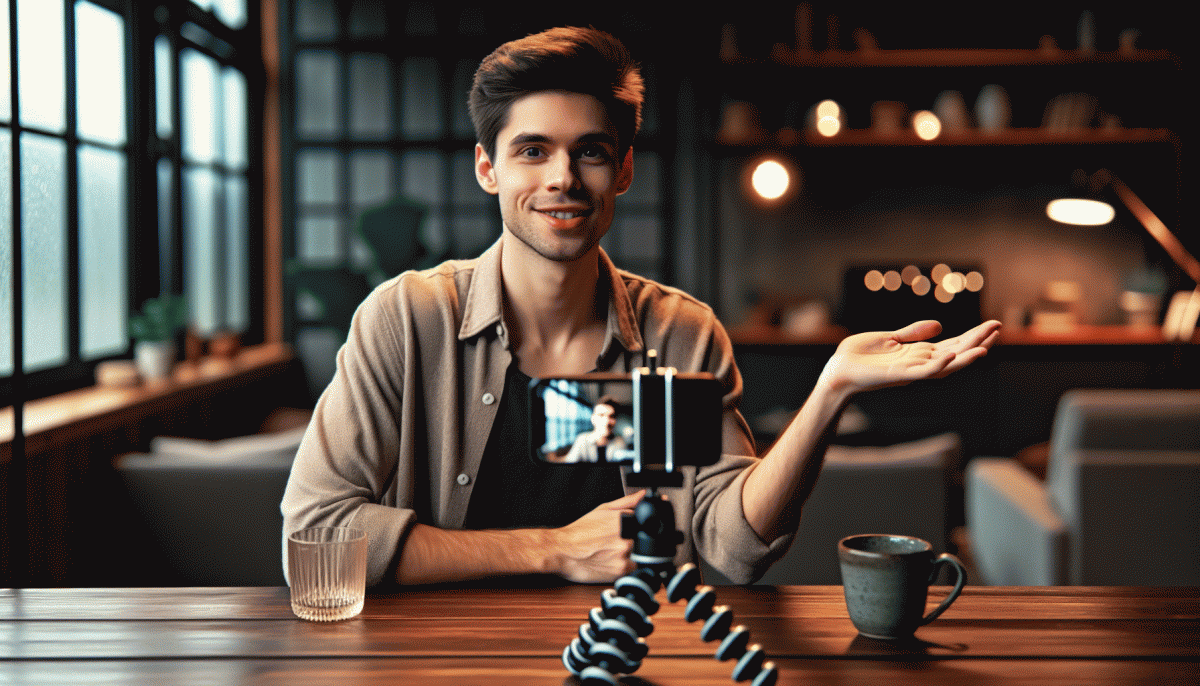
Go Live on Instagram Without the Cringe: Steal This Zero-Panic Playbook
The Pre-Live Warmup: Scripts, Scenes, and a 10-Minute Tech Check
Treat your live like a mini show: map a 60 to 90 second opener, three short segments, and two clear CTAs. Jot anchor lines on index cards so you have pivot points rather than a script to recite. Talk to the camera like a friend and breathe between beats to keep energy real.
Set the scene with intention: camera at eye level, soft key light at a 45 degree angle, and a tidy background that reinforces your message. Keep about an arm length between you and the backdrop, avoid shiny surfaces that glare, and pick one small prop that tells the story without cluttering the frame.
Run a ruthless 10 minute tech check: charge devices, close background apps, enable Do Not Disturb, confirm mic and camera permissions, and test audio with a one minute speak check. Verify stream title and tags, do a quick network speed test, and have a backup device ready in case you need to swap midstream.
Frame a compact script template: a 3-line opener, two bold headline points for the middle, and a single simple CTA to end. Practice transitions with a timer, rehearse camera eye contact, and place low cue cards to avoid reading. A fallback sentence that resets the flow is a live saver.
If you want tidy pre-show reminders, scheduling help, or a promotional nudge to fill seats, check buy Instagram boosting service to pair momentum with your zero panic prep and hit record with confidence.
Open With a Hook: First 15 Seconds That Stop the Scroll
Think of the first 15 seconds as a tiny movie trailer: loud enough to stop the thumb, clear enough to promise value, and intriguing enough to earn a heartbeat. Open with motion, a striking closeup, or a visual payoff that answers "why should I watch?" fast. Smile, move the camera deliberately, and state the payoff in one sentence so viewers know they are in the right place.
Use one tight strategy and execute it like a pro. Promise: "Stay for five minutes and you will learn how to edit reels three times faster." Surprise: "I just fixed this viral mistake live—watch." Question: "Want to double your reach without ads?" Each micro-script makes the value immediate. Try starting with a prop or a reaction shot to make the line land.
Small production moves multiply impact. Turn on captions, mute phone notifications, square the frame so your face reads from thumbnail, and pin a short title or comment within the first few seconds. Have a one-sentence intro ready and rehearse it until it feels casual. If audio flubs, keep going; confidence beats perfection in a live opener.
End the opener with a tiny next-step: ask viewers to say where they are watching from, promise a single takeaway, or tease a quick demo two minutes in. Time your live starts and review retention so each day you shave off doubt and add a second of magnetic clarity. Practiced openers make live feel effortless, and that ease is contagious.
No Awkward Pauses: Easy Prompts to Keep Chat and Energy Flowing
Silence on a live is not a crime — treat it as a prompt to pivot. Keep a pocket list of openers you can drop when the chat slows: quick hot-takes, a one-sentence story, a two-choice question, and a tiny behind-the-scenes reveal. Say one and then ask for a reaction. That nudge alone restarts energy faster than you expect.
Stock easy engagement moves into your mental cue-card. Examples to say out loud: Pick A or B: coffee or tea?; Caption This: give a caption for this photo; Rapid Fire: three words to describe your morning. These are low friction, get people typing immediately, and create momentum you can build on with follow ups.
Have 30 second games to reset energy if things sag. Invite someone on screen for a 60 second demo, do a show one thing where you reveal a favorite tool, or run a lightning poll and read answers aloud. If silence hits three seconds, repeat the last thing you said and then ask a direct question to one person in chat by name.
Close each prompt with a tiny call to action so viewers know how to stay involved: ask them to type a number, drop an emoji, or share one sentence. Use lines like Type 1 to see more, Drop ? if this helped, or Tell me below what you want next. Those micro signals end pauses and turn lurkers into participants.
Look and Sound Sharp: Lighting, Audio, and Angles on a Shoestring
Lighting is the single biggest “look professional” hack that costs next to nothing. Face a window, not away from it — natural light is forgiving and free. If you only have artificial light, point a desk lamp at a white sheet (or a piece of baking paper) to diffuse it; clip it to a stack of books so it sits just above eye level. Aim for soft, even light that removes harsh shadows: your audience should see your expressions, not fuzzy silhouette art.
Audio makes people stay or bail faster than bad lighting. Use wired earbuds or an inexpensive lapel mic clipped to your shirt; they vastly outperform built‑in phone speakers. Record in a small, quiet space and add soft fabrics (a blanket over a chair, a rug) to cut echo. If you want extras, check out this cheap YouTube boosting service — useful if you plan to batch and promote polished sessions later.
Angles matter but don't overcomplicate: set your camera at eye level or slightly above for the most flattering, confident frame. Use books to raise your phone or laptop, and position yourself slightly off‑center so overlays and comments have room. Clean the lens — yes, that fingerprint is showing — and lock exposure/focus if your app allows, so the picture doesn't hunt mid‑stream.
Quick zero‑panic checklist: Light: window/front light or diffused lamp; Sound: wired earbuds or lapel mic + soft room; Angle: eye level, slight offset, tidy background. Do a 10‑second test recording, tweak one thing, and go live — you'll look and sound like you meant to do this all along.
After the Live: Repurpose, Retarget, and Reels That Keep Paying Off
After the camera stops and the last wave fades, the real fun begins. Think of your Live as a content goldmine, not a one night stand. Start by scanning for 3 to 5 highlight moments that hook in the first two seconds. These become your viral snack clips, trimmed for Reels, with bold captions and a clear next step.
Turn the conversation into multiple formats: a 30 second Reel, a 60 second recap, and a carousel built from the transcript with bold pull quotes. Add subtitles, a branded thumbnail, and a single pinable CTA. One Live = many pieces, and each piece should lead viewers to the next micro experience.
For retargeting, use the full replay as a low cost, high intent ad for people who engaged but did not convert. Create custom audiences from viewers who watched 10+ minutes and push the best performing clip as a social ad. Use short clips to warm cold traffic, and longer cuts for folks who already know you.
Make it repeatable: batch edit one evening, schedule Reels across the month, and save reusable audio bites. Track which clip styles drive clicks and double down. Small rituals after every Live turn awkward energy into ongoing momentum, so you get results without the panic.
Read also

Go Live on Instagram Without the Cringe: Steal These Pro Tricks to Wow Viewers

Instagram Live Without the Cringe: The Unfair Playbook They Don't Want You to Use

Go Live on Instagram Without Cringe: The Shockingly Simple Playbook

Steal This $5/Day Ad Playbook: Grow Fast Without Torching Your Budget

You’ve Been Doing Instagram Live Wrong—Do This Before You Hit ‘Start’
