
Go Live on Instagram (Without Embarrassment): The Playbook They Don't Want You to Use
Prep Like a Pro: The 15-Minute Run Sheet That Saves You From Awkward Silences
Think of the 15-minute run sheet as a micro-scripting genius for live video: a tiny playbook that keeps you moving, sounding human, and dodging the live-stream freeze. Spend the first three minutes on setup and mindset — camera angle, mic check, and a quick smile rehearsal so you look like you belong on camera even if your cat disagrees. The next nine are for content rhythm. The final three are for community and a graceful exit.
Use a minute-by-minute checklist on one index card or the phone notes app. At 0:00 toggle Do Not Disturb and check battery and lighting. At 0:30 deliver the welcome hook and tell viewers what they will get in plain language. At 3:00 start the core value segment and use a visible timer at 7:00 to move into a rapid Q&A or call to action. At 12:00 begin wrapup, shout out top commenters, and at 14:30 close with a cliffhanger for next time.
- Hook: A 20-second promise to grab attention and tell viewers why to stay.
- Flow: Block the middle into two value punches and a quick example so momentum does not die.
- ⚙️ Backup: A two-line plan for tech failure or silence: "I will restart" and "Find me on my profile later."
Run this sheet twice before going live and let the second run be the one you trust. Rehearse tone and pauses so silence becomes a dramatic tool rather than an awkward void. Keep one sticky note for improv lines and one warm smile ready; the 15-minute ritual turns panic into performance and casual viewers into fans.
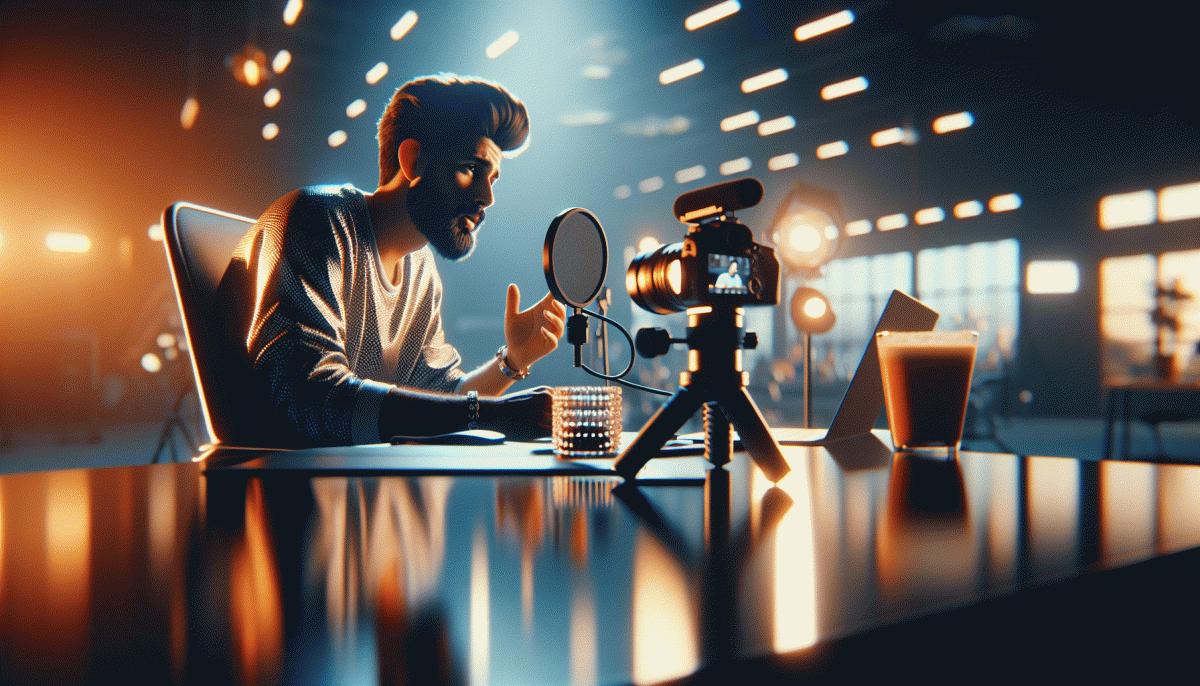
Look Good, Sound Great: Lighting, Angles, and Mic Tricks Without a Studio
Lights, angles and mics are the secret handshake of confident live hosts — the tricks that make you look like you rehearsed the whole thing even if you didn't. Start by thinking small: you don't need a ring light, you need contrast and a clean catchlight. Position your brightest light in front, slightly above eye level, and cut the clutter behind you so the camera focuses on you, not your laundry.
Angles are personality. Raise your phone to forehead height or a tad above to avoid the dreaded double chin and to give your face natural depth. Tilt the camera slightly and sit three feet from it if you can; that distance keeps your face central without warping features. If your webcam is choppy, switch to landscape on a tripod or prop your phone on a stack of books — stability beats clever filters when viewers decide whether to stick around.
- DIY Diffusion: Tape a coffee filter over a lamp for softer light without the cinematic price.
- Angle Hack: Use a sticky note on your screen as a marker for where to look — it keeps eye contact consistent.
- Quiet Mic: Use earbuds with a built-in mic, clip it near your collar, and mute notifications to kill background hiss.
Run a 30-second test call before going live to check color and sound; it's the single best anti-embarrassment habit. If you want to level up visibility after you're confidently live, check out get Instagram growth boost for shortcuts that don't scream “awkward beginner.”
Win the First 10 Seconds: Hooks, Icebreakers, and What to Say When the Camera Starts
First 10 seconds are the no-return runway; take control. Use a tiny, repeatable opening: 3-second hook (one bold fact or promise), who you are (5 words), what they'll get (value in one line). Saying a simple sentence beats awkward silence — it tells your brain to lead and tells viewers why to stay. Practice until it feels like saying your name.
Here are short, swipeable openers you can borrow: "I found a trick that doubles your likes in a week - stay 60 seconds and I'll show it"; "Quick check: who's watching from coffee right now? Type ☕"; "I'm Live, I'm Alex - and today we fix your profile in five minutes"; "Real talk: one thing I wish someone told me about going Live..." Use one and then move fast.
Also: do a micro-visual - hold up a prop, flash a before/after image, or point to a bold caption on screen. Ask a one-word response within 5 seconds to hook engagement ("Yes/No", "Coffee/Tea"). Keep your energy steady: inhale for two counts before the opener, smile, and start. Small rituals make you look practiced, even when you aren't.
Rehearse 10 starts in 10 minutes once a day for a week; record two and pick your favorite. Learn two fallback lines for technical hiccups ('we're back' and 'quick recap'). Most importantly, steal the attention with a clear promise and then deliver something tiny and surprising in the next 30 seconds - that kills embarrassment and turns strangers into viewers who stay.
Tame the Chat: Comment Moderation That Sells Without Feeling Salesy
Live chat will eat a planless host alive. Instead of shouting over the tide, pick three rules: enable keyword filters to block nastiness, turn on slow mode so answers land, and assign a human moderator to steer replies. These small setups save energy, protect your vibe, and keep awkwardness off camera.
Pre-write two short canned replies for the questions you see every time: one that answers and delivers value, one that gives a gentle next step. Pin the best comments to model tone, hide or restrict trolls, and convert repeated questions into a pinned FAQ so you answer once and sell subtly every time. Practice this flow before you hit live.
When you want a visibility nudge, offer a tiny win in chat and invite people to learn more without pressure. If you prefer a shortcut to reach more eyeballs, consider a small boost; buy Instagram followers today is an option that plugs into moderation tactics by giving you more initial comments to amplify.
After the stream, export top comments, reuse them as social proof, and refine your canned replies based on what sparked real questions. Track which pinned answers led to clicks or DMs, then tweak tone. Do this and moderation stops being a chore and starts selling for you, politely and cleverly.
After the Live: Repurpose Into Reels, Stories, and Emails for Maximum ROI
Finished your Live? Nice. That one-hour improv can become a month of content if you stop treating it like a one-off performance and start treating it like a content factory. First, export the recording and generate a quick transcript — that transcript is your index for finding quotable lines, 10–30s how-tos, and accidental comedy gold. If you can, timestamp interesting moments as you watch so you can jump straight to the 00:02:15 hot take or the 00:18:40 demo when you edit.
Scan for 3–5 snackable moments and make each one a mini story: lead with the benefit, cut to the payoff, and close with a micro-CTA. Aim for 15–30s for feed reels; crop to 9:16, add captions (about 80% watch without sound), and use a bold, readable first-frame hook of 3–4 words. Repurpose one long demo into several reels from different angles — quick tip, blooper, and 'why it matters' clips to test which tone wins.
Turn those same clips into sequenced Stories by slicing them into 15s segments, sprinkling in questions or polls, and using the add to highlights habit so new visitors see your best moments instantly. Pin the highest-performing Story as a Live Recap, use a clear thumbnail, and add interactive stickers to drive replies — those DMs are gold for future topics.
For email, don't paste the whole transcript. Lead with a punchy subject (try a memorable quote from the Live), present 3 clear takeaways, embed a 30s thumbnail clip or GIF, and link to the full replay. Segment your list: send engaged viewers a thanks + bonus email and non-viewers an inviting catch the highlights nudge; A/B test subjects and CTAs to boost open and click rates.
Stagger releases across days to feed the algorithm, crosspost best clips to other platforms, and track simple KPIs — views, saves, replies and CTRs. Double down on formats that spark comments, iterate weekly, and remember: repurposing lets one imperfect Live pay dividends for weeks. Treat it like fuel, not fireworks.
Read also

Instagram Live Without the Cringe: The Unfair Playbook They Don't Want You to Use

Live on Instagram Without Embarrassment: Pro Secrets That Actually Work

Go Live on Instagram Without Cringe: The Shockingly Simple Playbook

Go Live on Instagram Without the Cringe: Steal These Pro Tricks to Wow Viewers
Go Viral Fast Without Ads: The Social Growth Playbook They Won't Tell You About
