Visual Trends in 2025: What's Going Viral on Social (and How to Steal the Spotlight)
Cinematic Loops: Micro-stories that stop the scroll in three seconds
Think of cinematic loops as micro-movies that earn eyeballs in the time it takes to blink: a three-second arc with a clear beginning, a tiny twist, and a loop that begs replay. The trick is clarity — show who, what, and why in the first frame so viewers understand instantly.
Use visual shorthand: a strong foreground subject, bold silhouettes, and a single camera move like a push-in or whip pan to sell momentum. Favor contrast and saturated color pops, and keep the background clean so motion reads at a glance; composition beats complexity.
Editing makes the magic. Build a seam where the last frame feels like it naturally wants to become the first: match motion, mask invisible cuts, or craft symmetric actions that reverse smoothly. Keep runtime between 2.5 and 4 seconds, then trim to the emotional spike.
Sound and captions are not optional. A tight transient sound or a percussive hit that syncs to your visual loop multiplies pause rate; add brief captions or a single-word hook for mute autoplay. Test three sonic variants to find the one that compels a second watch.
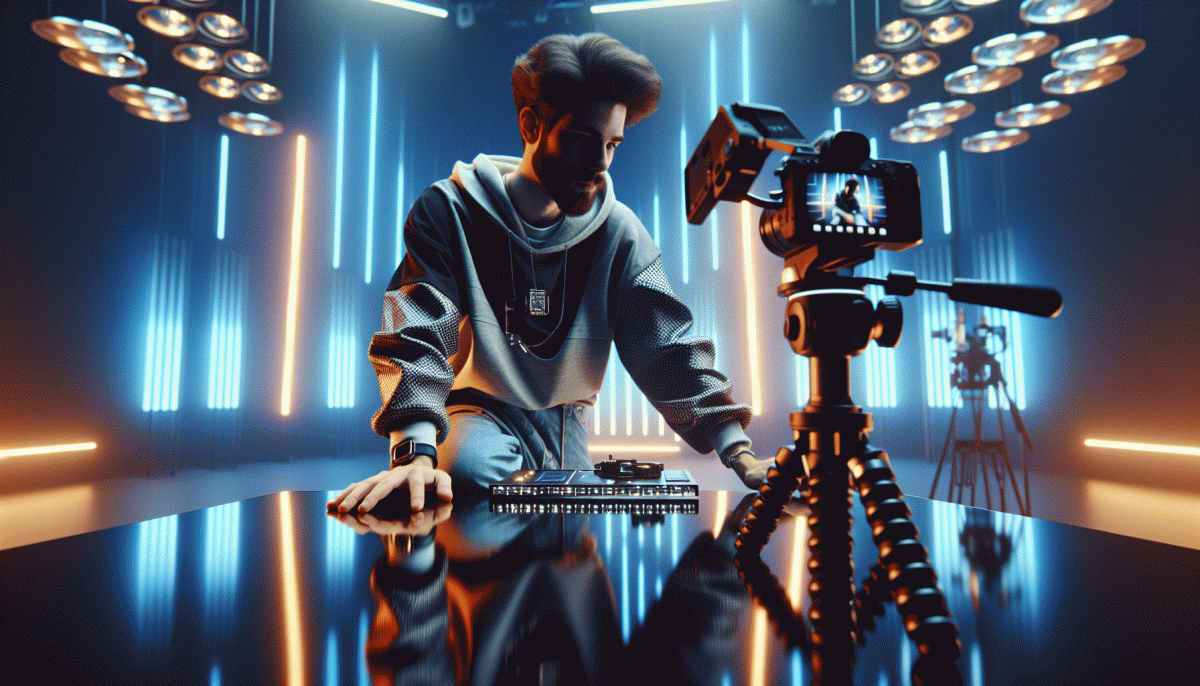
Try this: film a single stunt or reveal on a tripod, edit to a perfect loop, export a lightweight MP4, and crop vertically for Reels and short-form feeds; measure retention and iterate. Small loops are shareable stories — make each frame earn its replay.
AI x Authentic: Mashups that feel human, not hype
Think of AI as a creative sous chef rather than a studio executive. When you pair algorithmic speed with human weirdness you get mashups that feel alive, not hyped. Start by letting people see process over polish: quick mistakes, candid voice notes, and one imperfect take make AI enhancements readable as craft, not cover up.
To build these combos fast, follow a tight three part playbook.
Start with a human seed: record a raw idea, a thirty second voice memo, a scribbled caption.
Use AI to amplify: generate options that preserve tone and quirks, not erase them.
Human finish: add sensory specifics, a flinch, or a joke only you would make.
Practical techniques help avoid the uncanny valley. Synthesize variations for A B tests but keep one variant purposefully imperfect. Use automated captioning to surface lines, then let a human choose the one that stings. Keep background sounds, small asides, and off script beats in edits so audiences perceive authorship more than polish.
Distribute with transparency: label when AI shaped a draft, show a before and after screenshot of the process, and invite remixes from your community. Measure engagement beyond vanity metrics; watch retention curves and comments that mention the person behind the post. When people see the craft they join the story and become collaborators.
Ethics and scale matter. Run bias checks, avoid fabricating quotes, and credit contributors even when AI stitched their work. Start small this week: ship one AI assisted caption and one human raw clip, iterate from feedback, and you will find your voice getting louder because it is real and recognizable, not polished into a stranger.
Big, Bold Type: Kinetic text that says it before they unmute
Autoplay with no sound is the default scroll setting, so your copy must act like a neon sign. Think bold sans with aggressive tracking, thick strokes and high contrast so a single line communicates the hook at a glance. Use kinetic motion — a quick pop or slide — to create hierarchy: first frame shows the problem, second shows the solution, third signals the action. Keep it short: three to six words per headline to read in under a second.
Work mobile-first. Size matters: aim for type that occupies roughly 18–22% of the vertical frame on phones and place it safely away from captions and UI chrome. Avoid ultra-thin or decorative fonts; pick a readable display or geometric sans and add a subtle outline or soft shadow for busy backgrounds. When text must sit over motion, use a semi-opaque gradient or band behind the copy instead of lowering contrast.
Timing is everything. For snackable reels target 0.6–1.2 seconds per phrase; go 1.5–2.5 seconds when a line contains a verb or CTA. Use easing curves with purpose — ease-out for reveals, ease-in for exits — and micro-staggers so the eye can parse word by word. Hold the final frame a beat longer and repeat the key phrase once in the loop so muted viewers get two chances to read it.
Production checklist: export crisp H.264 or HEVC, keep text as vector until final render, and test in airplane mode with sound off. A/B test color, timing, copy length and animation style. Add native captions as a backup to capture assistive viewers and sound-on converts. The aim is to make them unmute because they already understand what you offer — not to hope they will read a paragraph.
Palette Power: Cozy-core to neon grit—the color moods everyone saves
Color is the first hook. In a feed full of motion and memes, palettes do the heavy lifting for mood and saveability: warm, worn neutrals feel like a living room hug; high‑contrast neons read like a siren in a city night. Think of color as a personality you dress your content in — make each post wearable, memorable, and thumb stopping.
Quick palette recipes: cozy core = oatmeal base, muted terracotta, sage accent; neon grit = charcoal ground, electric magenta, acid lime pops; modern calm = soft dove gray, near black, powder blue highlight. Build around 2 core tones plus 1 punchy accent, then add a textured overlay or subtle grain to sell authenticity without noise.
Platform matters. For grid natives like Pinterest and Instagram carousels, favor desaturated, tactile palettes that invite saving. For fast motion formats and thumbnails, crank saturation and contrast so thumbnails read at small sizes. Always check text legibility over color: aim for clear tonal separation between logotype, CTA, and background so engagement is never lost to poor contrast.
Ship fast, iterate faster. Make three swatch kits and A/B them across two posts before committing to a campaign. Export editable templates with named swatches so swaps are one click. When a mood trend spikes, swap your accent and texture, keep layout constant, and you instantly look both current and unmistakably you.
Instagram Carousels, Reborn: Swipe-stopping sequences that rack up saves
Carousels are no longer just multi-image posts — they are micro-courses, mini-guides and attention traps. People save when a post is instantly useful, repeatable or offers a takeaway they will return to. Build sequences that reward the swipe: tease a payoff on slide one, then deliver compact value with every tap.
Structure matters. Start with a visceral hook (surprise, stat or question), follow with a promise slide that tells users what they will learn, then present 3-6 tactical slides with bold headers, clear visuals and one idea per frame. Use the penultimate slide for a quick recap and the final slide for a single clear nudge to save or bookmark.
Design to bottleneck the thumb. Keep consistent color palettes and large type, use negative space and a single focal element per slide, and vary composition to create a visual rhythm. Motion stoppers like a sudden crop or zoom on slide three can force a pause. Aim for 5-10 slides; shorter carousels win immediate saves, longer ones win deep saves.
Treat the caption as part of the sequence. Lead with a reason to save, add timestamps or a tiny cheat sheet, and format with line breaks and emojis to create skimmable beats. If you include a resource or template, place it on the final image as a downloadable-style graphic so viewers know the post is referenceable.
Quick templates to steal: How-to: stepwise fixes; Before/After: transformative proof; Checklist: a saved-to-do list. Test variations, track saves as your KPI, and reuse high-performing sequences with fresh visuals. Build repeatable formats and watch saves become your new currency.
Read also

Visual Trends in 2026: Steal the Viral Formula Social Feeds Crave

Visual Trends in 2026: Viral Visual Hacks Social Platforms Cannot Resist

Visual Trends in 2026: The Shockingly Simple Secrets Behind What Goes Viral on Social Platforms
Visual Trends in 2026: What Actually Goes Viral on Social Platforms (and How to Ride the Wave)

Visual Trends in 2026: What Goes Viral on Social Platforms (and How to Hijack It)