How to Go Live on Instagram Like a Pro (Zero Cringe, All Wow)
Pre-Live Pep Talk: A 90-Second Ritual to Calm the Chaos
Think of this as a backstage ritual you can do standing in front of your phone: ninety seconds to turn jitter into jazz. Start by taking two slow inhales, lengthening the exhales, and planting your feet hip-width apart so your voice has somewhere to live. The goal is calm focus — not perfection.
Next 30–60 seconds: a tech and setup sprint. Angle the camera at eye level, tap your face in the preview to check focus, and do a one-sentence mic test by speaking your first line out loud. Flip on a soft light, close noisy apps, and switch notifications to Do Not Disturb. These tiny rituals prevent tiny disasters.
In the final 30 seconds craft a tiny script: a strong opener, a quick value promise, and a simple CTA. Try: "Hey — in 10 minutes I will show you how to..." Keep a backup prompt on a sticky note and decide whether you will welcome questions live or at the end so you never stare at silence.
Now smile, press the red button in your head, and say your opener like you mean it. If the heart races, slow your speech instead of stopping. Treat the first minute as a warm handshake — friendly, confident, human. Ninety seconds is enough to banish the cringe and make your Live feel like a conversation people want to join.
Hook 'Em Fast: Openers That Stop the Scroll in 10 Seconds
You have ten seconds to prove live is worth the stop. Open with a sensory hit, a tiny mystery, or a sharp benefit line that answers Why stay? Pair that line with motion — a lean in, a quick prop reveal, a raised eyebrow — so both people and the algorithm register interest. Script two openers and swap based on mood.
- Tease: Drop a one line promise like Stay five minutes and learn to __ in plain words.
- Shock: Hit with an unexpected stat or visual so viewers blink and rewind the frame.
- Offer: Start with a tiny giveaway or time bound benefit: First five comments get a resource.
If you want a credibility seed before go time, check authentic Twitch boost to make the first moments feel packed and social proofy.
Finish your opener with a micro CTA that honors attention: Tell people exactly what to do in one verb and where to look. Keep the first 60 seconds high energy, check audio and lighting once, then relax into a rhythm. Practice the opener until it lands in under ten seconds and you will stop the scroll without sounding try hard.
Look Pro on a DIY Setup: Lighting, Framing, and Sound That Shine
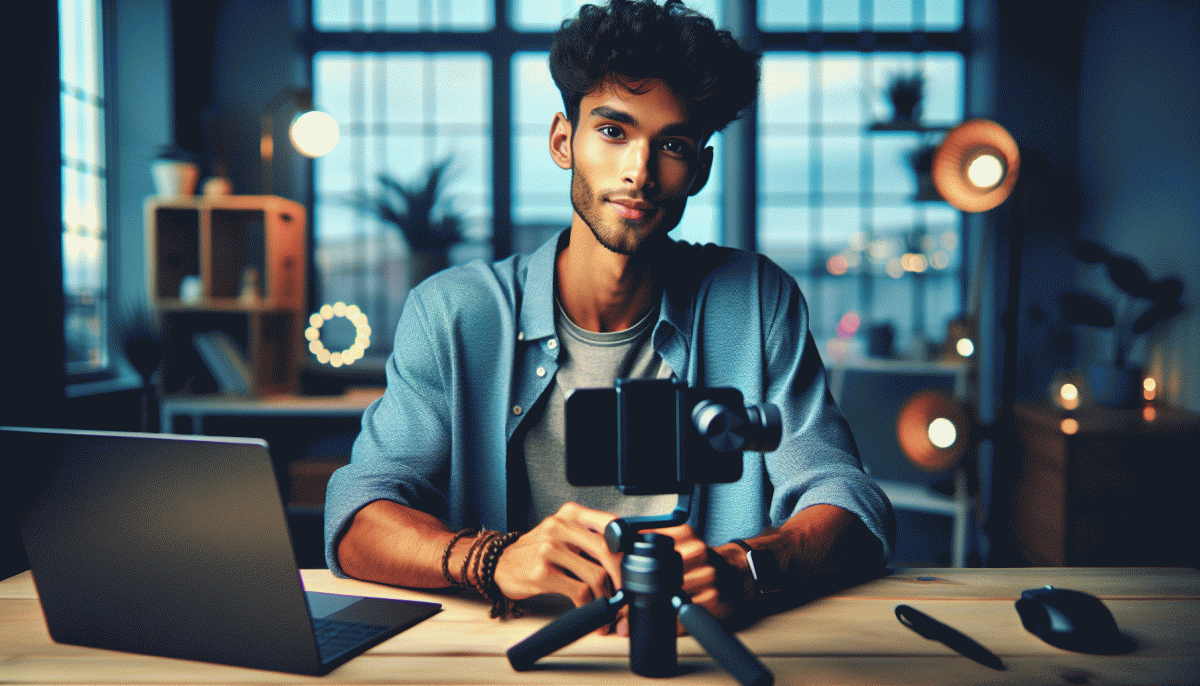
Lighting, framing, and sound are the three backstage heroes that make any live feel polished instead of awkward. Start with the simplest mindset: control what you can. Put your primary light in front and slightly above eye level, ditch overhead fluorescents, and give your phone a consistent white balance setting so skin tones stay natural. A small change in angle can turn a flat feed into something that looks cinematic.
For lighting on a budget, think diffusion and placement over gear. A cheap ring light or a clamp lamp with a frosted shower curtain between light and face will soften harsh shadows. Aim for even, flattering light from about arm's length, avoid mixed temperature light sources in the same frame, and use a warm practical (lamp) behind you to create depth without stealing the show.
Framing is mostly about eye level and breathing room. Mount your phone on a tripod or a steady stack, keep the camera at eye height, and use the rule of thirds so your eyes land roughly one third from the top of frame. Leave a little headroom, show natural gestures with relaxed shoulders, and simplify the background with one or two points of interest like a plant or a lamp to avoid visual noise.
Sound often matters more than perfect picture. Use a lavalier or small USB mic when possible, close windows and mute noisy apps, and dampen reflective surfaces with cushions or a rug. Quick checklist:
- Essential: Clip in a lavalier or place a small directional mic close to the source for clear vocals.
- Quiet: Eliminate noise by closing windows, turning off appliances, and padding hard surfaces.
- ⚙️ Check: Record and listen on earbuds for hiss or clipping before you go live.
Chat Control, Not Panic: Pin, Poll, Co-Host, and Shut Down Trolls
Treat chat like a control room: pin a welcome message that sets the tone, shows the schedule, and includes a clear call to action. A pinned comment models the conversation you want and deflects off topic banter. Pro tip: rotate the pin mid stream to surface a new offer, a sticker shout, or the next segment.
Use polls to turn passive viewers into active collaborators. Drop a one tap poll to pick the next topic, choose which question to answer, or preview a product. Polls give the crowd voice and diffuse attention away from a single provocateur. Timing is key — launch a poll right after a peak moment for maximum votes and organic momentum.
Invite a co host you trust to manage the backchannel: monitor comments, surface the best questions, and handle disruptive behaviors. Tag team for energy swaps and to bring fresh perspectives without losing pace. Rehearse a couple of handoffs so transitions feel seamless, and give your co host clear moderation boundaries before you go live.
Prepare to shut down trolls quickly: enable word filters, limit who can comment when needed, and keep a shortlist of moderators. Remove, block, and report repeat offenders fast to protect vibe. For creators who want a pro level safety net, consider outsourcing moderation or scheduling support so you can focus on content with confidence.
End With Fire: CTAs, Badges, and Replay Moves That Sell After You Sign Off
Finish lines matter more than fireworks. Choose one razor sharp CTA for the final minute and repeat it like a drumbeat: where to buy, what to sign up for, or how to become a supporter. Short scripts work best: "Grab the limited drop in my bio now," "Hit subscribe so you do not miss next week," or "Buy the workshop link in bio and use code LIVE20." Say it naturally, then say it again while showing the product or badge prompt on screen.
Badges are your low friction revenue engine, not a vanity trophy. Ask for them in a warm, specific way: "If this helped, toss a badge to keep these live trainings coming." Make giving feel like a backstage pass: promise a quick shoutout and a minute of exclusive tips when the badge comes through. Keep the ask micro and timely so people can act before the stream ends.
Think replay-first as you close. Pin a short, clickable instruction in the comments and update the caption after the stream with timestamps and a bold CTA. Create a 30 to 60 second highlight of the best moment and pin it to your profile so new viewers land on a convertable clip. Example pinned comment: Save this video, check the link in bio to buy, and tap the three dots to save for later.
End with a tiny rituals checklist you can run in the last 60 seconds: restate the single CTA, cue the badge prompt, show the product close up, pin the CTA comment, and promise a follow up story with the link. After you sign off, export a highlight, update the caption with timestamps and the buy link, and schedule a short follow up story. Small closing moves turn good lives into predictable sales.
Read also

Go Live on Instagram Without the Cringe: Steal These Pro Tricks to Wow Viewers

Instagram Live Without the Cringe: The Unfair Playbook They Don't Want You to Use

Go Live on Instagram Without Cringe: The Shockingly Simple Playbook

You’ve Been Doing Instagram Live Wrong—Do This Before You Hit ‘Start’

Live on Instagram Without Embarrassment: Pro Secrets That Actually Work