
Go Live Without the Cringe: How to Crush YouTube in Real Time
The Zero-Panic Prep: A 10-Minute Pre-Flight Before You Hit Go
Ten minutes before you go live is not a panic zone, it is a power zone. Treat this like a pre-flight ritual: nail your opening, confirm your story beats, and banish the awkward fumbling that kills momentum. Keep the energy real, the jokes light, and the intent sharp.
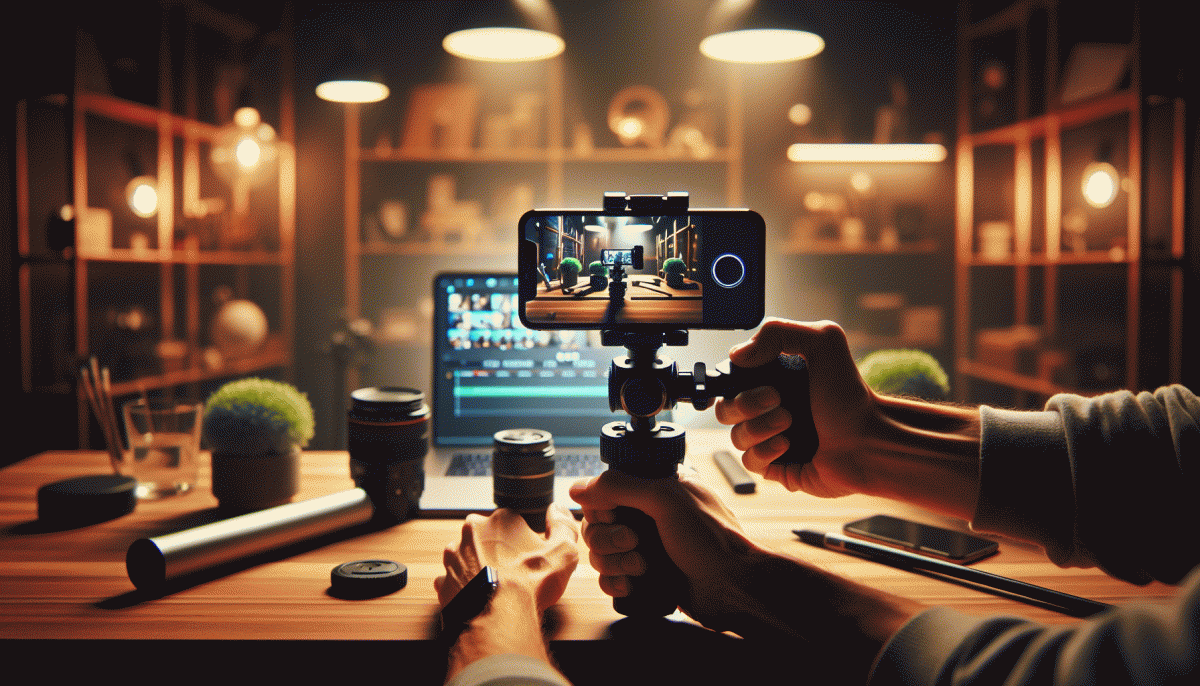
Run a micro tech sweep: check audio levels, camera framing, lighting direction, and connection stability. Keep one device on standby for chat moderation and one for monitoring stream health. A calm operator is a silent superpower; if you are solo, keep everything within reach so you do not play hide and seek midstream.
Use this rapid checklist for crisp execution:
- Sound: Level check and noise gate on.
- ⚙️ Light: Face lit, background subtle.
- Plan: Hook, value, CTA — in that order.
Want an edge with reach that actually moves numbers? Grab a tiny boost before you start: buy reach. Do the ten minute routine, hit record with confidence, and watch the first 60 seconds carry you past the cringe into momentum.
Irresistible Hooks: Open Strong, Keep Them Watching
First impressions matter more in live video than anywhere else. Attack the first 10 seconds with a clear promise and a tiny proof: lead with the outcome viewers crave, then flash a visual that proves you can deliver. Don't waffle—say what they'll get, why it's different, and toss in a quick result shot so curiosity converts to staying. Energy wins, so up the tempo and smile like you mean it.
Lean into live-only tactics: a 3-2-1 countdown, a sudden camera zoom, or a one-second montage that teases the payoff. Use an open loop—"stay until the end for..."—but make the reward specific and time-bound. Drop a challenge or unexpected stat to create cognitive friction; curiosity hooks are emotional landmines that compel viewership. Keep audio and visuals sharp so the hook lands hard.
Once you have them, keep them. Repeat your promise every 5–10 minutes, introduce tiny cliffhangers before commercial breaks or scene shifts, and invite micro-commitments—chat replies, quick polls, or a raised-hand gesture—that cost the viewer almost nothing but increase investment. Pin one comment with the live goal, and give shoutouts to early chatters to make sticking around social rather than passive.
Here are simple openers you can steal: "In the next 60 seconds I will show you how to save X minutes a day"; "I tried a ridiculous tactic and recovered Y views in 24 hours"; "Stay till the end for a free template that's usually paid." For your first minute routine: greet, state the bold result, show proof, and ask a one-word interaction. Nail that loop and the rest of the stream rides its momentum.
Camera, Mic, Wi-Fi: The Non-Negotiable Tech That Saves Your Reputation
Treat your camera, mic, and Wi‑Fi like the security team for your onstage persona. Viewers forgive jumpy edits and cheesy jokes, but they do not forgive muddy audio, pixelated faces, or a stream that freezes right when you hit your punchline. Spend smarter, not flashier: a few practical upgrades and preflight checks protect your reputation faster than any scripted catchphrase.
Start with the camera: aim for 1080p, set the sensor to natural white balance, and keep the lens at eye level so you do not look like you are either looming or hiding. For audio, choose a mic that matches your setup — a lavalier for hands‑free streaming, a USB condenser for simple desk setups, or a shotgun if you sit at a fixed desk and want focused pickup. Finally, treat connectivity as mission critical: use wired ethernet when possible, pick a clear 5 GHz channel if you must go wireless, and run an upload speed test before showtime. If latency is a villain, a phone hotspot is an easy backup.
- Camera: 1080p, eye level, soft front light for flattering skin tones.
- ⚙️ Mic: USB or lav, close placement, headphones to monitor and avoid echo.
- Wi‑Fi: Wired when possible, test upload, disable unnecessary devices.
Build a five‑minute preflight routine: check framing, mute unused apps, confirm levels, and run a quick private test stream with a friend. Keep spare batteries and a backup cable within arm reach. Do this enough times and live will stop being scary and start being reliably good — which, yes, is basically the same as being cool.
Chat Like a Pro: Moderate, Spotlight, and Convert in Real Time
Think of live chat as your secret weapon — not a noise machine. Before you go live, set a clear pinned message with chat rules, assign two trusted moderators, and build a handful of canned replies for common questions. Use a bot to auto-acknowledge new subscribers, filter obvious spam, and monitor chat velocity so you can slow the pace or drop in an interactive segment when heat spikes.
Spotlight comments to create show-stopping moments: pin a hilarious fan line, highlight a paid message, or bring a top commenter on-stream for a 30-second cameo. Call out usernames, repeat great viewer points, and summarize questions so lurkers feel invited to speak up. Use custom alerts and badges to reward repeat contributors and turn fleeting interactions into memorable moments that drive shares.
Moderate with style and speed: enable slow mode during peak windows, apply auto-filters for links and slurs, and maintain a two-tier workflow with bots handling noise and humans resolving nuance. Give moderators a three-line script for warnings, and explicit escalation rules for bans. Rotate shifts to avoid fatigue, log incidents, and run quick debriefs so the team learns what preserves community tone without killing momentum.
Convert without being sleazy: seed your stream with micro-CTAs like a one-question poll that leads to a timed offer, flash an overlay for limited perks, and thank buyers aloud to reward social proof. Pin purchase instructions in chat, create urgency around member-only Q and As, and follow up with a short pinned post-playback. Track which prompts spike conversions and repeat the winners until casual viewers turn into loyal subscribers, members, and supporters.
End with a Bang: CTAs, Replays, and Repurposing Gold
Finish your stream like a pro, not a flailing emoji. Right before you sign off, do three things: make the next step obvious, tell viewers where to find the replay, and promise follow up value. A crisp CTA keeps people sticking around and converts casual viewers into subscribers.
Keep CTAs short, specific, and easy to act on. Swap vague asks like "support me" for concrete moves such as "Subscribe and tap the bell" or "Grab the free checklist in the pinned comment." Offer one simple action so viewers do not get paralyzed by choice.
- Subscribe: Remind them how to join and what benefits they get next stream.
- Replay: Point to the replay and the exact timestamp for the best moment to hook new viewers.
- Snippets: Tell them to check short clips on your socials for bite sized value if they missed the live.
Replays are pure gold if you treat them right. Save the recording, add timestamps and chapters, and pin a comment with a single link and micro incentive. That tiny nudge boosts replay views, session length, and the algorithmic love you need.
Repurpose in batches: cut 30–60 second clips for socials, extract audio for a teaser, and turn memorable lines into text or carousel posts. Schedule those assets across the next 30 days and watch one live session become a month of fresh content.
Read also

Go Live on Instagram Without the Cringe: Steal These Pro Tricks to Wow Viewers

Instagram Live Without the Cringe: The Unfair Playbook They Don't Want You to Use

Go Live on Instagram Without Cringe: The Shockingly Simple Playbook

Live on Instagram Without Embarrassment: Pro Secrets That Actually Work
Stories, Reels, Shorts: The One to Bet on YouTube (And How to Crush It)