Go Live on Instagram Without the Cringe: The Zero-Embarrassment Playbook
Prep like a producer: script beats, staging, and a pressure-free run of show
Think like a producer: every live is a mini-show, and the easiest way to stop feeling awkward is to give your audience a map. Start with a two-column beat sheet — left column: time, right column: action. Craft 6–8 beats: hook, value point, quick proof, another value, audience moment, call to action, sign-off. Keep each beat to one sentence you can deliver in 10–20 seconds to preserve rhythm and avoid rambling.
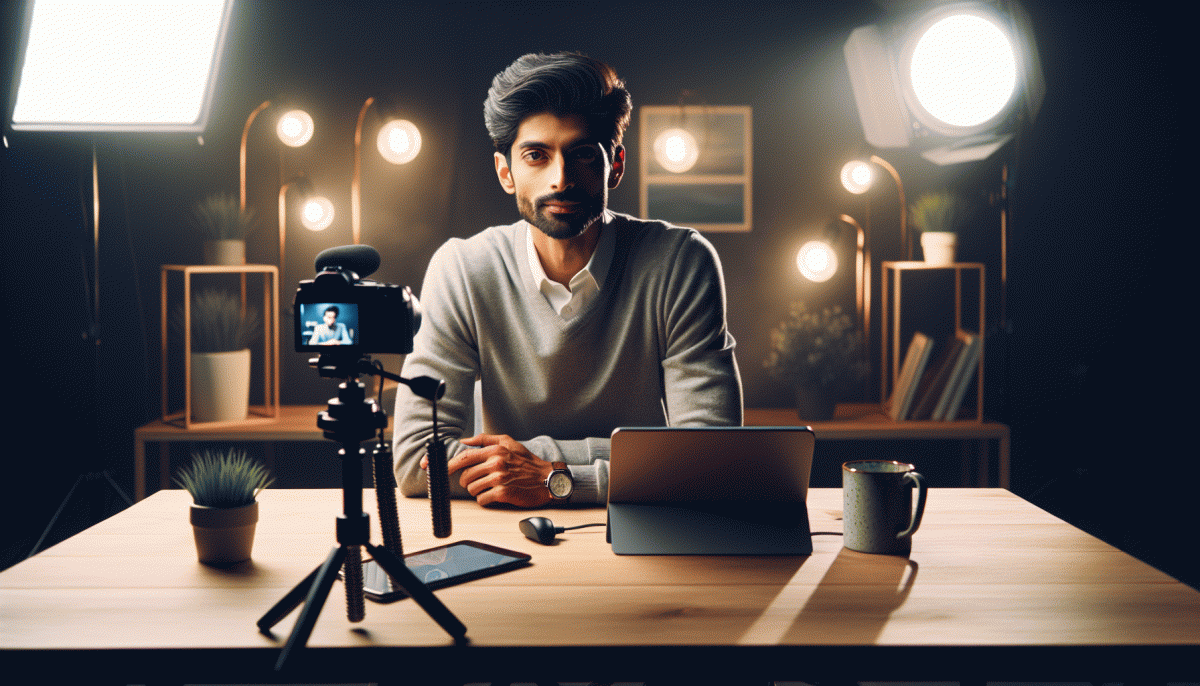
Stage like a professional with a three-layer frame: background, midground, foreground. Soft front light on your face, no strong backlight that creates silhouettes, camera at eye level. Tidy the frame so there are no visual distractions and place a water glass within arm's reach. Close unnecessary apps, mute notifications, and enable Do Not Disturb so tech hiccups do not hijack your focus.
Turn your plan into a pressure-free run of show: a timed script with cues rather than lines. Use short trigger words such as Story, Demo, Question, CTA to remind you where to go next while leaving room to improvise. Add scripted buy-time phrases like That's a great question — hold that thought to regain composure if you need a second.
Rehearse in low stakes: run a tech check, a 30-second cold open, then one full run at half speed. Record the rehearsal and watch the first minute to confirm energy and framing. Invite one friendly viewer to play audience and throw a couple of live-style questions so you practice calm recovery and natural pacing.
Create a tiny producer packet to keep by your camera: beat sheet, timed run sheet, lighting and mic notes, and two contingency plans (internet hiccup, unexpected guest). Print one copy and pin it where you can glance quickly. The aim is to reduce decision friction so you can be present, playful, and professional when the red light turns on.
Angles, audio, and badges: the Instagram settings that save your brand
Angles and audio are the lipstick and coffee of a live — get them right and cringe plummets. Aim for eye level or a hair above it, keep your eyes toward the lens, and frame using the rule of thirds so you're not centered like a passport photo. Avoid harsh backlighting, lock exposure/focus on your phone, and use the back camera on a tripod for sharper, more flattering visuals; front camera is fine for quick, conversational streams.
Good sound is non-negotiable. Clip-on lavalier mics, shotgun mics, or a compact USB interface deliver way more credibility than "phone mic in a noisy room." Close windows, mute notifications, and do a 30-second mic check — listen back on headphones. If your space echoes, add soft surfaces (rug, cushion) and use the phone’s built-in noise suppression or an app to trim background hiss.
Badges and moderation settings do the heavy lifting nobody sees. Switch to a Creator/Professional account to enable Live Badges so loyal viewers can support you — that usually raises the signal-to-noise ratio of comments. Appoint moderators ahead of time, enable offensive-word filters, and pin a short chat rules comment that sets tone instantly. For new formats, run a private or Close Friends live to test the whole stack.
Ten-minute checklist before you press Go: verify angle and exposure, run an audio test, confirm badges are active, assign moderators, pin your opener. Do a one-line opening script and smile — the settings handle the awkward stuff, you get to look like the pro you are. Small prep, zero embarrassment.
Hook them in 10 seconds: icebreakers, prompts, and pattern interrupts
The very first seconds of a live are not a warmup, they are the headline. Kick off with one tight, unexpected move that signals energy and purpose: a quick zoom in from your phone camera, an offbeat prop you swap out, or walking into frame already mid-task. That tiny decision separates passive scrollers from people who will stay and interact.
Here are short, testable openers you can riff on.
Quick Question: Which wins, coffee or tea — type C or T now.
Flash Offer: I will answer the first three comments in 60 seconds.
Surprise Fact: You will not believe what this tiny trick fixed in my workflow.
Challenge: Try saying hello in your best accent and I will duet the funniest one. Use one line only, deliver with a smile, and pause for reactions.
Pattern interrupts break autopilot. Try starting with sound: a pop, a quick clap, or upbeat music for two seconds then drop it. Or begin with movement: sit, then suddenly stand and say the hook. Swap camera orientation for two beats. These jolts reboot attention and make your first question land.
Practice makes the 10-second hook effortless. Script three different intros, time each under ten seconds, and rehearse until you can say them without thinking. Keep a one-line tech checklist: mic on, lights angled, chat enabled, pin comment for CTA. Confidence is mostly preparation.
Finally, make testing a habit. Treat each live as data: which opener led to replies, who typed first, what comment triggered more conversation. Tweak and repeat until the cringe is gone and the crowd is hooked before you finish the first sentence.
Chat chaos tamed: filters, moderators, and troll-proof comebacks
Live chat can feel like a confetti cannon and a minefield at the same time. Start by arming the stream with built-in shields: slow mode, follower-only chat, keyword filters, and link blocking. Turn on auto-moderation rules and set strict thresholds for repeats. These small toggles cut the noise so real viewers get heard.
Pick two to three moderators who know your vibe and can act fast. Give them a short playbook: pin the code of conduct, mute or time out repeat offenders, and remove spammy links immediately. Train them on canned responses for common asks so they can operate with confidence. A calm, visible mod team defuses chaos faster than any last-second ad-lib.
Prepare three troll-proof replies that defend tone without feeding drama. Examples: Redirection: "Thanks for the take! Back to the topic..."; Cool and Firm: "We do not tolerate personal attacks here."; Humor Exit: "Nice try — next joke wins a timeout." Use these sparingly and let mods dispatch them so you stay focused on the show.
Final checklist before you press Go: enable key filters, assign 2–3 mods, pin chat rules, load canned replies, and rehearse a tumble-proof flow. During the stream watch the mod log and trust them to act. This setup does not kill spontaneity; it creates space to be real, funny, and fearless on camera.
Repurpose the replay: clips, captions, and carousels from one live
Think of the replay as a treasure chest, not a dusty file. When the live ends, the work has just begun: pull the best exchanges, the funniest missteps, and the moments that made people comment. Those bits drive engagement far longer than the original broadcast, and turning them into snackable assets removes the pressure of having to be perfect on camera next time.
Start by creating a simple map: timestamp every applause, question, and aha moment, then mark a primary clip and two backups. Write a 1-line caption for each clip that nails the benefit or punchline. Export one vertical cut for stories, a square for feed, and a short version under 30 seconds for reels or shorts. Schedule them across the week so your audience sees the value without a single awkward repeat.
- Hook: Extract a 3–10 second opener that stops scrolling, then add a bold caption on top.
- Tease: Use a 10–20 second highlight as a preview that points back to the full replay.
- Format: Create a 3–5 slide carousel: problem, solution, takeaway with a caption that invites a comment.
Package clips into a carousel, turn audience questions into captions, and stitch a best-of montage for IGTV or YouTube. Batch this like laundry: edit three clips at once, write captions in one sitting, and schedule. Small, consistent actions turn one live into a month of content and make going live feel like less of a test and more like a system.
Read also

Instagram Live Without the Cringe: The Unfair Playbook They Don't Want You to Use

Go Live on Instagram Without Cringe: The Shockingly Simple Playbook

Go Live on Instagram Without the Cringe: Steal These Pro Tricks to Wow Viewers

Live on Instagram Without Embarrassment: Pro Secrets That Actually Work

You’ve Been Doing Instagram Live Wrong—Do This Before You Hit ‘Start’
