Go Live on Instagram Without the Cringe: The Playbook Pros Won't Post
Pre-Show Rituals: Setups That Make You Look Pro in 60 Seconds
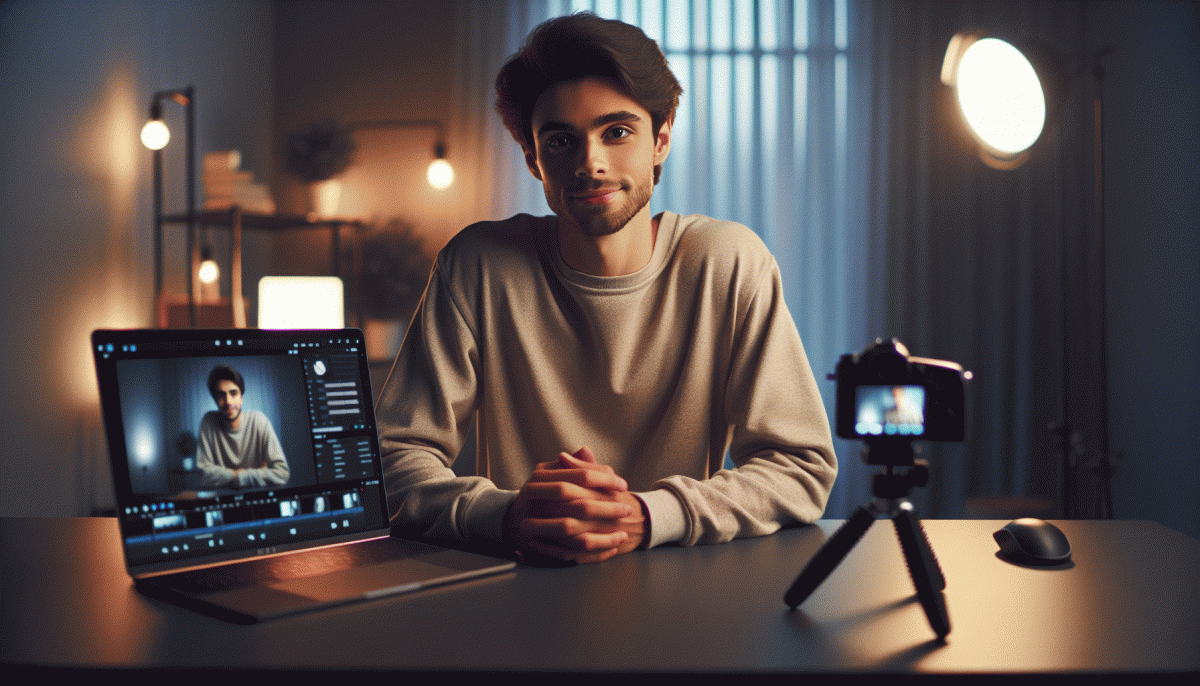
Think of the last-minute scramble as a performance cue, not panic. In sixty seconds you can switch from 'uh-oh' to 'owning it' by running a tiny ritual: set your phone at eye level, center your face in the frame, and angle the camera so the chin isn't in charge. Keep movements deliberate — a steady start reads professional and keeps viewers engaged from second one.
Lighting is non-negotiable: tilt toward a window or flip on a warm lamp behind your device for soft, even illumination. Clear a single patch of background — a plant, a tidy shelf, or a blank wall beats visual chaos. Plug in power, prop the phone on a stack of books if you must, and lock screen rotation so nothing jumps mid-broadcast.
Sound wins where shaky visuals lose. Clip on a lav, use earbuds with a mic, or get as close to your built-in mic as comfort allows; then close noisy apps, enable Do Not Disturb, and run a 3‑second mic check by speaking one sentence and listening back. If you detect echo, move closer to the mic, soften room reverb, or mute the offending appliance.
Finish with a micro-rehearsal: craft one bold hook, flash a genuine smile, take three grounding breaths, and scan for stray logos or blinking screens. Check your outfit in the phone preview (no blinking neon, no accidental patterns), start a silent 60‑second countdown in your head, and go — that compact routine turns awkward starts into confident, pro-feeling live moments.
Open Strong: Hooks That Keep Viewers From Bailing
First impressions on live video are literal make or break. Treat the first 8 to 15 seconds like a movie trailer: set a clear promise, raise a question, and add a jolt of sensory detail so viewers stop mid-scroll. Skip the meandering intro, skip the status update, and lead with why staying will improve the viewer's life in the next five minutes.
Here are three quick hooks you can use in under eight seconds to lock attention:
- Promise: Give one crisp benefit: "Stay for five minutes and you will learn a trick to double your caption engagement."
- Shock: Surprise with a fact or failure: "I lost 10K followers when I tried this and then fixed it in 48 hours."
- Freebie: Offer immediate value: "I am dropping a free swipe file at the end of this live."
Deliver those hooks with tiny scripts so they land fast. Try: "Stop scrolling — I am about to show one tweak that saves 30 minutes per post." Or: "Quick truth: I blew my launch until I did this one thing, and I will show you how." Follow each hook with a one sentence tease of what comes next, then pivot into action within 30 seconds. Practically, use camera movement, an on-screen prop, or a caption sticker to reinforce the hook visually. Test two variants across streams, note drop off at 10 and 30 seconds, and double down on the version that keeps people watching. Energy is contagious, so pair the hook with intent: look into the lens, name the benefit, then deliver value immediately.
Talk Like a Human: Easy Prompts to Spark Real-Time Chat
Stop delivering memorized monologues and open with a tiny, answerable question. Use one-line prompts that are specific, low-effort to reply to, and easy to riff on — curiosity wins over perfection. When you sound like you're actually listening, people trade passive views for real-time comments, and the awkward silence disappears.
Drop one of these starters in the first 30 seconds to kick things off:
- Poll: Two options, one emoji reaction — "Coffee or tea? ☕️/? — vote in chat."
- Ask: A simple preference question that invites a story — "What's one app you can't live without? Tell us why."
- Challenge: Low-stakes task that sparks UGC — "Show the weirdest item on your desk and tag someone."
Make replies easy to build on: mirror answers, ask a quick follow-up, and call out usernames to validate people. Keep at least two canned follow-ups ready — a curious question and a playful tease — so you can pivot if chat goes quiet.
Practice these aloud once and stash them in your notes. Rotate formats, keep the tone human, and celebrate tiny wins in-chat — a single genuine reply is worth more than a rehearsed speech.
Oops-Proofing: How to Handle Awkward Silence, Trolls, and Tech Gremlins
Live can get weird, and that's okay — the goal isn't to be perfect, it's to be reliably unflappable. Start with a five-minute ritual before you go live: check lighting, mute notifications, sip water, and run a one-line opener you actually like. That tiny routine reboots nerves and gives you a dependable starting point when the first second of silence hits.
Next, arm yourself with a pocket toolkit of filler moves so silence becomes a feature, not a flaw. Keep three evergreen micro-prompts typed into your notes: a quick poll, a curiosities question, and a mini-demo. If a tech hiccup or lull strikes, you can deploy them without thinking.
- Script: Have a 30–60 second fallback story ready — product origin, a funny mishap, or a customer win.
- Prompt: Use one-liner CTAs like "Tell me where you're tuning in from" to spark chat and buy time.
- ⚙️ Backup: Keep a second device logged in as co-host or moderator to jump in if your main device dies.
Trolls are less scary when you treat them like errands: triage, don't engage, then execute policy. Use comment filters, assign a moderator, and prepare three calm replies (acknowledge, redirect, or remove). If someone escalates, mute or ban quickly and move on — the audience notices energy more than the insult.
For tech gremlins, a pre-flight checklist is your best anti-cringe medicine: test audio, check Wi‑Fi, have headphones, and hit record locally. Practice recovering lines so a frozen screen becomes an improv moment. With a few rituals and a tiny toolkit, awkward moments turn into content — and you get better every time.
After the Live: Repurpose Clips Into Reels, Posts, and Sales
First, don't let the recording gather digital dust. Rewatch once with a timestamping tool and flag the 3–5 golden moments: punchlines, aha moments, and product reveals. Note exact timestamps and write a one-line reason for each clip — why it hooks, who it helps. Those notes will turn chaos into a content roadmap and save hours when you're editing at 2 AM.
When you build short clips, lead with a bang: hook in 3 seconds, then deliver one idea. Trim to 15–30s for Reels/Shorts, export in 9:16 and add readable captions (silent autoplay is real). Duplicate the clip for other platforms but tweak the caption and first frame — TikTok loves personality, YouTube Shorts prefers clean thumbnails. Batch-process captions and subtitles to speed up publishing.
Longer moments become carousel posts, quote cards, or mini-blogs. Pull a micro-transcript for each highlight and turn it into a punchy caption + a single CTA — sign up, swipe, buy. Q&A segments can be repackaged as an FAQ highlight on your profile. Want to nudge sales? Create a short demo clip with a clickable link in the feed and a follow-up story with a limited-time offer.
Finally, schedule and test. Save top-performing clips into an 'evergreen' folder, A/B test CTAs and thumbnails, and repromote winners as ads or newsletter content. Track conversions, not likes, so you know what moves people from watching to buying. Do this a few times and your post-live chaos becomes a low-cringe, high-return machine.
Read also

Instagram Live Without the Cringe: The Unfair Playbook They Don't Want You to Use

Go Live on Instagram Without Cringe: The Shockingly Simple Playbook

Go Live on Instagram Without the Cringe: Steal These Pro Tricks to Wow Viewers

What the Algorithm Really Wants from You on Instagram: The Playbook It Won't Post

Live on Instagram Without Embarrassment: Pro Secrets That Actually Work