Go Live on Instagram Without Cringe: Steal This Zero-Embarrassment Playbook
The 10-Minute Prep: Lighting, framing, and a failproof hook
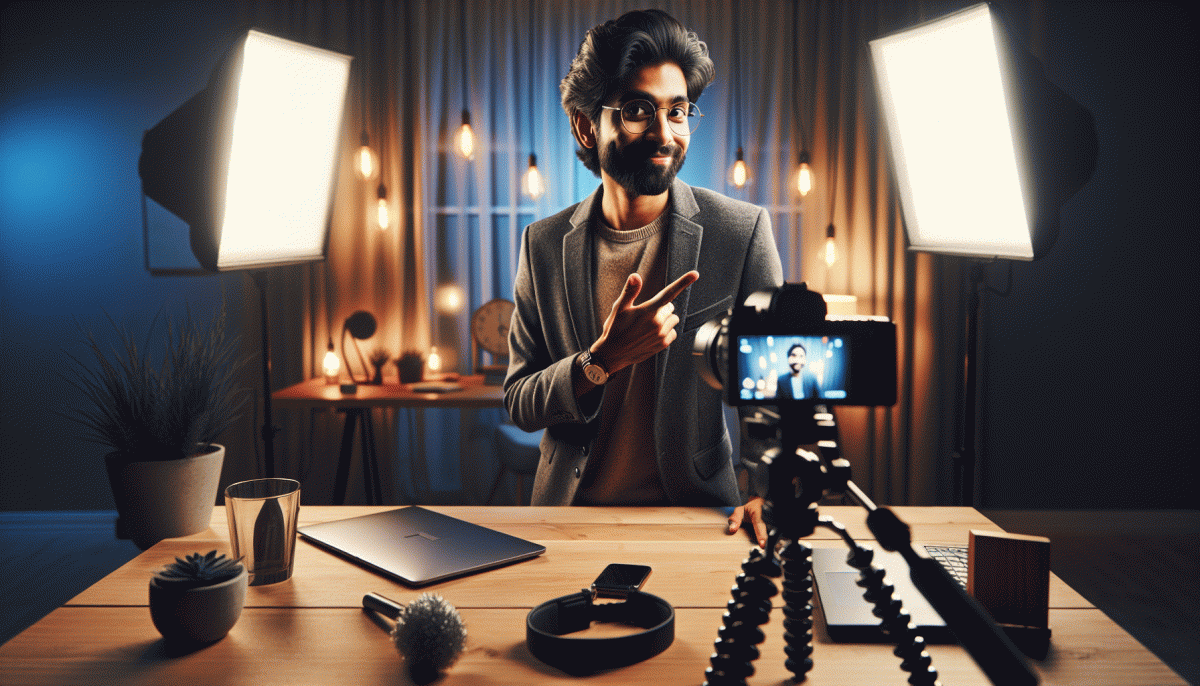
Ten minutes is enough to look like you rehearsed for days. Start by finding a window or a soft lamp: face the light, not the glare. Turn off bright overheads that cast shadows, add a cheap diffuser (a white T-shirt or paper works) and set your phone to portrait. Keep background tidy and slightly personal — a plant or poster is enough.
Frame for connection: put the camera at eye level, not in your lap. Use the grid to align your eyes on the top third, give a little headroom, and sit about an arm and a half away so gestures read well. If you move, practice a small stage to stay in frame. Avoid severe tilts; steady is confident.
Craft a failproof opening in 25 seconds: a quick identity line, a punchy hook, and the value promise. Try this template: I am [name], and today I will show you [benefit] in ten minutes — stay until the end for [bonus]. Lead with curiosity or a bold stat to stop the scroll immediately.
Run one rapid tech check: camera focus, mic level, battery, and do not disturb mode. If audio is weak, lean toward the mic or use headphones with a built in mic. Say your first 30 seconds out loud twice to shake nerves. Reframe mistakes as moments to show authenticity; viewers forgive realness much faster than scripted perfection.
Final five step countdown: light, frame, mic, hook, go. Smile, breathe, and start with energy — energy invites people to stay. If the chat goes quiet, ask a simple question to ignite replies. The goal is momentum, not perfection. Hit go, have fun, and treat the first live as a rehearsal that counts toward the next one.
Script the first 60 seconds: Open strong and keep them watching
Start the stream with a clear promise so viewers know what they will get and why they should stay. Think of the first 60 seconds as a trailer: state the benefit, set the pace, and show one tiny proof point. Use a brisk rhythm, friendly tone, and a visual cue within the frame to signal production value.
Script the 0–10 second hook as a one line headline plus a micro proof. For example, open with Stop scrolling — I will show you a 3 minute setup that doubles your engagement. Or try In the next 60 seconds I will fix one live mistake you probably make. Say your name and what you do in one short phrase, then drop the outcome.
From 10–40 seconds, deliver a compact demo or concrete example that proves the claim. Show a quick before and after, run a tiny screen share, or reveal a compelling stat. Keep sentences short. Use a visible prop or overlay text to reinforce the point. When you pivot to explanation, say exactly what you will teach and why it helps them now.
Use the final 40–60 seconds to seed curiosity and an easy action. Ask a simple question to invite comments, promise a follow up at the top of the hour, and tell viewers where to find the pinned resource. Finish with a warm, specific CTA like Drop your one word problem below and I will solve two on air, then move smoothly into the main segment.
Chat without panic: Real-time engagement moves that feel natural
Think of live chat like improv with a script: you want spontaneity that doesn't sound like panic. Start with three reliable anchors — a quick intro line, a recurring question, and a microgame you can loop. Those give you breathable structure so real-time banter feels intentional, not frantic, and you can riff without spiraling.
Before you hit Go Live, drop a pinned comment that sets expectations and seeds conversation (something like "Ask me anything about X" or "Vote below for the first topic"). Prepare a 10-question bank styled as conversational nudges — curious, silly, helpful — so you always have a response ready. Keep answers short; long monologues are the cringe gateway.
During the stream, use names, mirror phrasing, and echo one detail from a comment to prove you're listening. When you get stuck, read a comment aloud and riff for 10–15 seconds, or count to two before replying — that tiny pause looks confident, not confused. Laugh at yourself when a bit falls flat; authenticity wins louder than perfection.
Use Instagram tools as stage props: a poll to break a lull, a sticker to steer tone, Q&A to harvest ready-made topics. Structure the live into mini-segments (intro, topic, Q&A, microgame, sign-off) so pacing feels deliberate and your energy resets on a predictable beat. Little rituals keep both you and the audience anchored.
Three immediate moves to try next stream: open with a one-line ritual people can repeat, throw a low-effort poll within the first 90 seconds, and close by calling out three usernames who stayed. Practice these moves three times this week until they feel automatic — then watch your chat go from polite to playful.
Save it, slice it, sell it: Repurposing your Live into Reels that convert
Turning a Live into a converting Reel is like extracting espresso from a whole coffee pot: concentrated, potent, and ready to wake up your audience. Treat the recording as raw footage, not a finished ad. Save the full file, timestamp the high-energy moments, and admit that short and specific wins more clicks than long and vague.
Slice with intent. Think in snackable moments that answer one question or deliver one joke. Use this quick recipe to decide what to keep:
- Clip: 15 to 30 seconds of the clearest value or funniest exchange
- Hook: Lead with the line that stops scrolling in the first 3 seconds
- CTA: Close with one simple action: save, DM, follow, or click
Edit like you mean it: vertical crop to 9:16, burn in captions, punch in jump cuts, and shave off the first awkward seconds. Pick a frame with a clear face or expression for the cover, layer on a short overlay text that repeats the hook, and test one trending sound plus your own signature audio. Make three variants per highlight: full highlight, 15-second teaser, and a micro how-to that adds practical value.
Post and promote smartly: drop the first Reel within 24 hours of the Live, crosspost to stories with context, pin a comment that seeds conversation, and batch schedule the rest. Track saves, shares, and DMs more than vanity likes. Start by converting one Live into three Reels in one hour and iterate; repurposing is the fast, low-embarrassment path to consistent content that actually converts.
Crisis-proof your Live: Trolls, tech gremlins, and awkward silence—handled
Every Live can go sideways, but you can rehearse the rescue. Start by assigning roles: a moderator to vet comments, a co-host to pick up the chat, and a five line opener to banish panic. Label those responsibilities before you hit the red button so the session feels calm, not chaotic.
Run a five minute tech check. Close background apps, enable Do Not Disturb, test mic and camera on the device you will use, and have a charged backup phone with a personal hotspot ready. If the stream stumbles, switching devices is faster than improvising a new opener.
For hostile comments, set filters and limit emoji spam in advance. Pin a friendly rule comment that explains how you handle harassment, and give moderators permission to remove or restrict accounts. When you act fast, trolls lose momentum and the audience sees that disrespect will not derail the session.
Silence is not a crisis, it is an opportunity. Keep a ten item prompt stash: one story, one fact, one question, one visual prop. Use a simple transition line like "Quick detour" to fill a spot without panic. Practice segues so they sound natural and not scripted.
Have a fallback plan: a thirty second pre recorded clip or a branded "BRB" screen to play while you resolve audio or connection issues. Announce concisely what is happening, give an estimated return time, and use stories to update viewers. This preserves trust and keeps replay value intact.
Before you go live, confirm Wi Fi, battery, moderator, backup device, and your five line opener. Rehearse once and treat mistakes like content: they can become humor or lessons. Most importantly, be present. Confidence beats perfect tech, and the audience will forgive a human moment.
Read also

Go Live on Instagram Without the Cringe: Steal These Pro Tricks to Wow Viewers

Instagram Live Without the Cringe: The Unfair Playbook They Don't Want You to Use

Go Live on Instagram Without Cringe: The Shockingly Simple Playbook

Live on Instagram Without Embarrassment: Pro Secrets That Actually Work

Steal This $5/Day Ad Playbook: Grow Fast Without Torching Your Budget
